
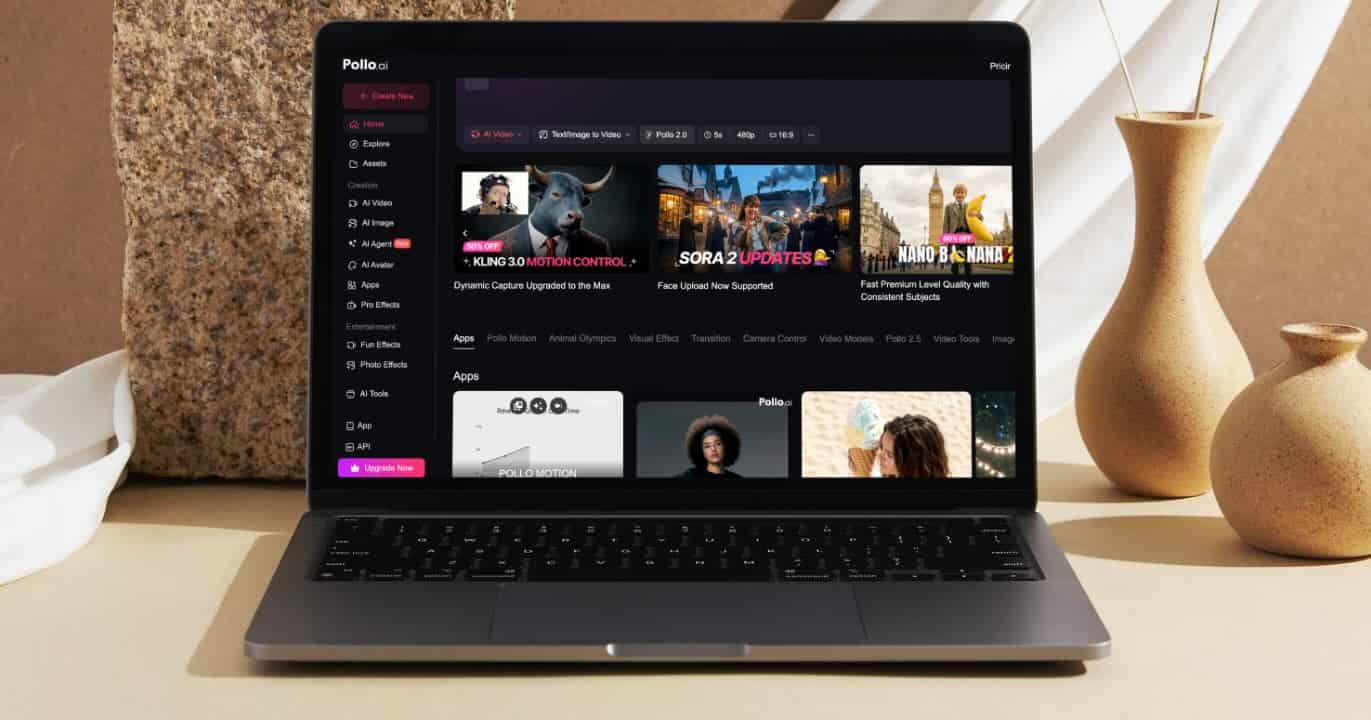
Pollo AI is the answer to the two biggest headaches in AI video creation right now: being stuck with just one model’s limitations and the hassle of juggling too many subscriptions.
Instead of forcing you to hop between different platforms to get the right look, Pollo AI brings everything under one roof. It is a true all-in-one ecosystem designed for one-click viral video generation, giving you high-fidelity results without the workflow friction on your Mac.
The All-in-One Advantage: A Multi-Model Powerhouse for Mac Creators
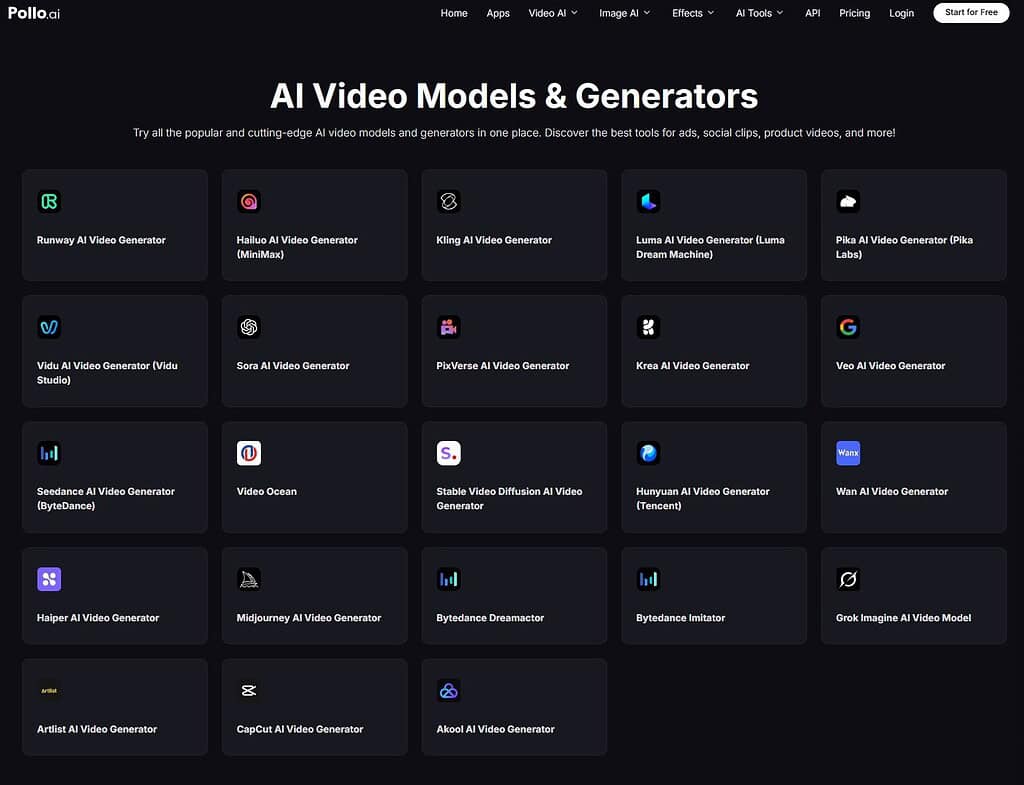
The core of the Pollo AI experience is its ability to centralize the industry’s best technology. Instead of choosing between Sora, Google Veo 3, Kling AI, or Pixverse AI, Mac users have them all accessible in one place.
Don’t miss the best of The Mac Observer
Set us as a preferred source and our Apple reporting ranks higher in your Google Search results and Discover feed — one tap, no account changes.
This multi-model integration directly solves the problem of creative limitations. Since different models have different strengths—such as hyper-realistic physics or fluid artistic motion—Pollo AI ensures you always have the right engine for the job.
This is the foundation of our signature one-click viral video generation: the platform selects the best technology to ensure your content is optimized for maximum engagement from the very first frame.
Text to Video: Turning Concepts into Viral Reality on Mac
The Text to Video feature is the most direct path to one-click viral video generation. It bypasses the traditional bottlenecks of production, allowing you to move from an idea to a finished product instantly. Here is how it works:
- Select “Text to Video” and Craft Your Prompt: From the dashboard, write your prompt clearly and specifically.
- Basic: “A cyberpunk city in the rain.”
- Better: “A vibrant cyberpunk metropolis at night, neon signs reflecting in wet asphalt, futuristic cars hovering through rain-slicked streets, cinematic lighting.”
- Choose Your Model and Set Parameters.
- Select the AI model (such as Google Veo 3, Seedance, Sora 2, or Kling AI) that best fits your needs and adjust the settings:
- Aspect Ratio: Select 9:16 for TikTok/Reels/Shorts, or 16:9 for YouTube.
- Duration: Typically adjust between 4 and 8 seconds for optimal engagement.
- Generate and Review: Once you hit generate, you can review the result and tweak your prompts until you achieve a viral-ready output.
Image to Video: Consistency Meets Professional Motion
Pollo AI’s Image to Video tool offers a professional all-in-one solution by using static images as a visual anchor. This ensures that your brand assets or characters remain consistent throughout the animation. Follow these steps to try it out:
- Upload and Describe the Motion: Upload a high-quality image with a clear composition and describe exactly how you want it to move.
- Experiment with Models: Choose different models to see which one interprets the depth and texture of your image most effectively. This ensures your one-click viral video generation maintains the highest possible fidelity.
- Create and Share: Generate your video and save it to your Mac. The result is a professional piece of content ready for immediate social media distribution.
Viral Trending Templates: Instant Inspiration

Sometimes the hardest part of creation is the blank canvas. That’s why Pollo AI includes a library of Viral Trending Templates accessible right from your Mac workstation.
These aren’t just generic presets; they are curated based on current social media trends, giving you a head start on what is currently capturing audience attention.
Final Thoughts
The rise of Pollo AI — surpassing 4 million monthly active users and securing $14 million in funding — highlights a significant shift in the industry. The demand has moved away from complex, fragmented software toward one-click viral video generation and all-in-one efficiency.
By delivering high-fidelity video that requires zero additional editing, Pollo AI empowers everyone from professional marketers to independent digital artists to lead the next wave of content. It is no longer about who has the most expensive camera or the most powerful editing suite; it is about who can leverage the best AI models most effectively.
Pollo AI isn’t just a tool — it’s your all-in-one command center for the next generation of video content.
Ready to stop jumping between tabs and start creating? Try Pollo AI on your Mac today and turn your ideas into viral reality with just one click.




Discussion