
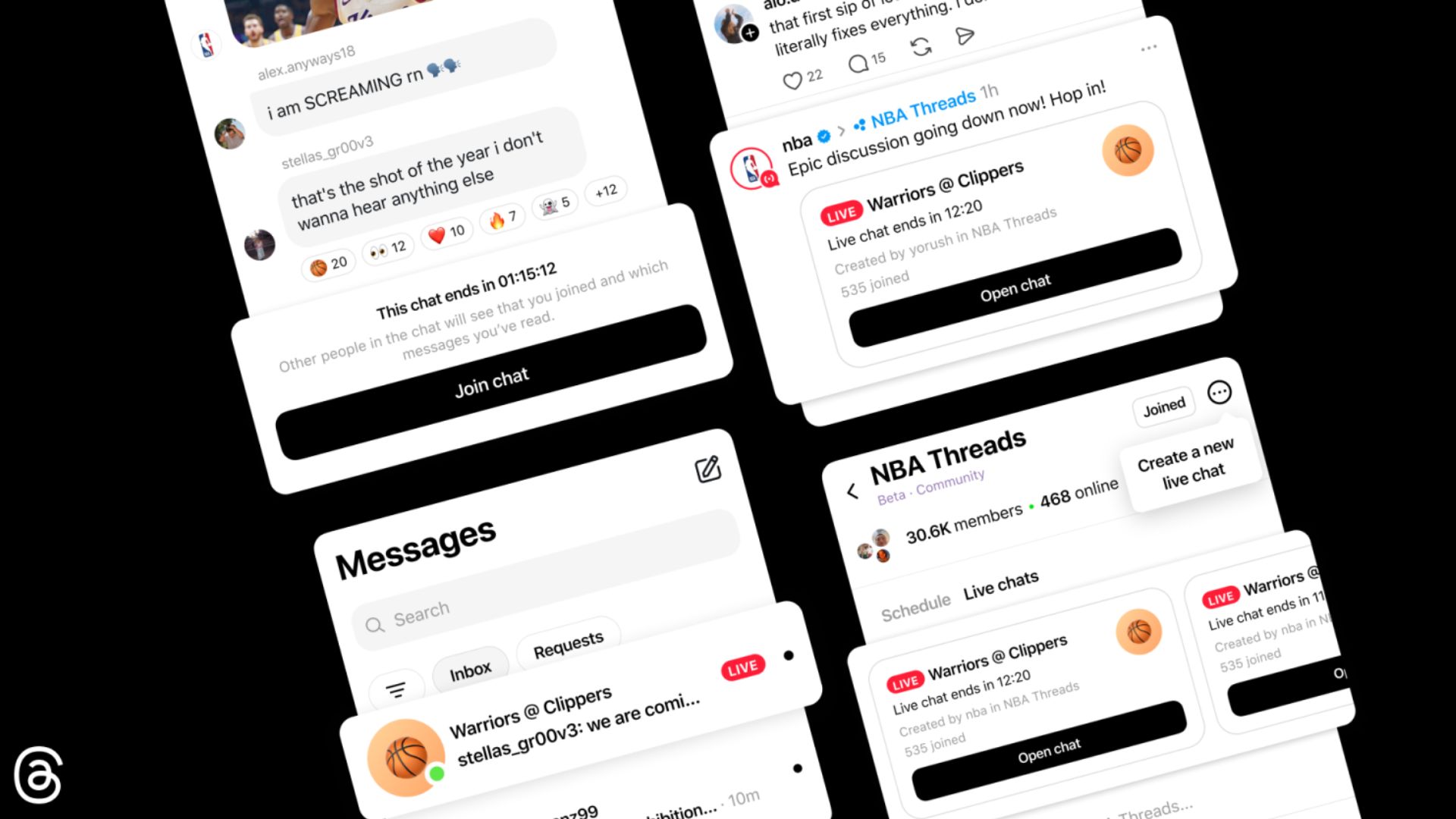
Meta just released a new update for Threads that lets you join public group chats during live events. The social media app wants to make it much easier for people to talk together when watching big moments like sports games. If you enjoy sharing your honest thoughts as things happen in real time, this feature gives you a dedicated space to chat directly with others.
The update brings live polls and real-time event scores
Before this update, users mostly scrolled through a normal feed to see what people were saying during a live broadcast. Now, you can jump right into a specific room to talk. The app includes tools like live polls, typing indicators, and countdowns. It even syncs live scores directly in the chat so you never fall behind the action.
When a big event starts, you will see a red ring around a host’s profile picture. You just tap to enter the text-based room. You can send pictures and videos, or just react to messages with emojis. Even if a room gets full, you can still watch the conversation and vote in the polls. Meta is launching this first in the NBAThreads community for the basketball playoffs.
Don’t miss the best of The Mac Observer
Set us as a preferred source and our Apple reporting ranks higher in your Google Search results and Discover feed — one tap, no account changes.
Eligible creators can schedule a new live chat room
The official announcement includes a few tips to get started if you want to host a room. Right now, only a select group of approved creators and active community champions can start a live chat.
If you have access, you can schedule a chat by tapping the three-dot menu in the top right corner of your community page. From there, you just select the schedule option. The app lets you pick a name for your room, set the start time, and choose when the chat will end.
Once your room is set up, you can invite people to join the discussion. You can also share the link directly to your main feed and your Instagram story to spread the word. The company plans to bring this feature to more communities soon.


Discussion