

When you use only an iPhone, you often stop noticing small animation hitches. That changes the moment you pick up something else. One iPhone 16 Pro Max owner walked into a store, played with a Google Pixel and a Galaxy S25 Ultra, and suddenly realised how ‘stuttery’ iOS 26 feels compared to those Android phones.
That experience is not isolated. Across forums, many iPhone users now say iOS 26 feels less fluid than older releases, especially when you compare it side by side with high refresh Android flagships. At the same time, some users still value the Apple ecosystem enough to stay, even as they complain about feeling like beta testers.
iOS 26 Animations: When Smooth Turns Stuttery

Start with the core complaint: animations. Users running iOS 26 on recent iPhones describe jerky Notification Center pull-downs, delayed lock and unlock animations, and home screen icons that drop frames when you swipe between pages.
Don’t miss the best of The Mac Observer
Set us as a preferred source and our Apple reporting ranks higher in your Google Search results and Discover feed — one tap, no account changes.
Others report similar lag on older hardware after upgrading from much earlier versions. They talk about slower app launches, rough scrolling, and a general feeling that the phone lost its snap after the update.
This matches a pattern from past years where major releases bring fresh design ideas but introduce heavy animation work that impacts smoothness. Many users remember iOS 18 as imperfect but still smoother in daily use, which makes iOS 26’s rough edges stand out even more.
Why Pixel and Galaxy Feel So Fast in the Store
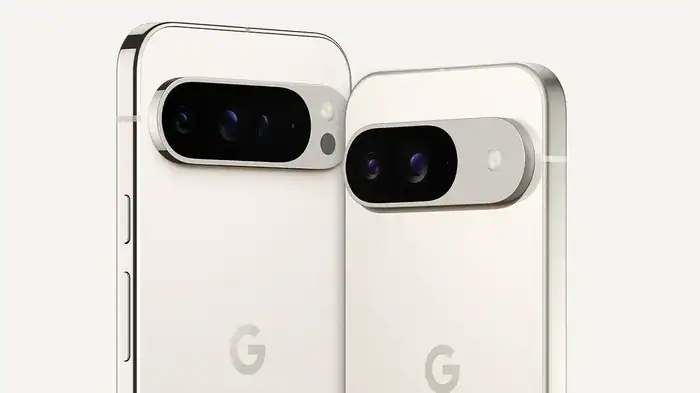
Now compare that with what happens when you pick up a modern Pixel. Reviews of the Pixel 9 Pro often praise its smooth, stable performance. Scrolling, browsing, and switching apps feel effortless, helped by a clean UI and fast refresh rate.
Galaxy S25 Ultra owners report something similar. One UI has matured, and many users say it now offers fast navigation with fewer micro stutters. The difference becomes obvious in a retail store where Android demo units run polished builds with short, snappy transitions.
Side by side, the Android phones appear quicker because iOS 26 uses heavier animations and still carries several early release bugs.
Annual Updates, Liquid Glass, and User Fatigue
Many frustrated iPhone owners now question Apple’s yearly major release cycle. They argue that Apple pushes one big update after another, even when users ask for stability instead of major visual changes. Liquid Glass looks modern, but it adds complexity to every animation.
A common view is that people feel tired of acting as beta testers. They install the update, run into lag, and later wait for patches that fix the worst issues. Others say Android also ships yearly versions, but they expected Apple to maintain a higher standard because it controls both hardware and software.
Some users stay on older versions like iOS 18.7 because they find them smoother and closer to the premium experience they expect from iOS.
Ecosystem vs Customisation
When iOS 26 feels slow next to a Pixel, switching looks tempting. The Pixel gives you Gemini as a system assistant and supports custom assistants from services like ChatGPT or Perplexity. It also offers more control over home screens, widgets, and default apps.
However, people who switch often return to iPhone for the ecosystem. Features like AirDrop, automatic AirPods switching, Universal Control, and shared clipboards make daily tasks easier. They feel these tools outweigh deeper customization on Android.
Privacy and AI now sit in the middle of the decision. Some users feel uneasy about system-level Google access, while others feel comfortable with it and focus on features instead.
Thinking About Switching? Practical Steps Before You Decide
If iOS 26 stutter bothers you, you have a few options before moving to Android. First, adjust motion settings. Some users reduce animation load by changing options in Accessibility, which cuts down on heavy visual effects.
Next, track how future updates change things. Apple usually improves performance with point releases. A clean install sometimes helps too, though it takes time to set up your phone again.
Finally, test phones with your own habits. Load your apps, switch between tasks, use the camera, and see how both platforms feel through a normal day. You notice the real difference only during your actual routine.
In the end, you choose between speed and ecosystem convenience. iOS 26’s stutters make this trade-off clearer, but only you can decide which matters more.




Discussion