

If you’ve plugged your iPhone into your car lately and tried to catch up on a podcast, only to hear distorted, harsh, or over-amplified sound, you’re not imagining things. Since the iOS 26 update, users have been reporting that spoken-word audio through CarPlay—think podcasts and audiobooks—sounds clipped and unpleasant. The weird part? Music plays just fine. It’s only dialogue-heavy audio that’s affected, and only when using CarPlay. Let’s unpack what’s happening and what you can actually do about it.
The Problem: Distortion Without Logic

This issue isn’t isolated to one brand of car or podcast app. It’s showing up across Apple Podcasts, Spotify, Overcast, Audible, Pocket Casts, and others. Whether you use wired or wireless CarPlay doesn’t matter either.
Music playback is clear. Bluetooth playback is fine. But once CarPlay gets involved, speech audio starts to break apart—like it’s being overdriven through a bad compressor. Some users even reported that they can’t adjust the iPhone’s volume during playback in CarPlay mode, suggesting something odd is happening between iOS 26’s audio processing and the car’s output interface.
Don’t miss the best of The Mac Observer
Set us as a preferred source and our Apple reporting ranks higher in your Google Search results and Discover feed — one tap, no account changes.
The distortion mainly affects older iPhones—specifically models with the A13 chip (the iPhone 11 lineup and the second-gen iPhone SE)—though reports from newer devices exist too. It’s one of those frustrating “works everywhere except where you need it” bugs that Apple hasn’t officially acknowledged yet.
Why It’s Happening
Apple hasn’t commented, but here’s what’s likely. Spoken-word content like podcasts and audiobooks often uses dynamic range compression and EQ profiles different from music. If iOS 26 is misapplying gain or EQ through CarPlay’s audio channel, it could cause the sound to clip or distort.
In simpler terms, the system is probably amplifying audio that’s already been processed, pushing it past what your car’s speakers can cleanly handle. That’s why music—which has different loudness normalization—isn’t affected.
Workarounds That Actually Help
1. Open the Camera App While Playing a Podcast

As strange as it sounds, this quick fix works for most users.
Open your Camera app while the distorted podcast is playing, and the sound instantly returns to normal. It seems that engaging the iPhone’s microphone (which the Camera does) resets or stabilizes the audio processing pipeline.
The downside? You have to keep the Camera open. That’s not ideal—it drains the battery and can heat up the phone—but if you’re desperate for a clear commute listen, it’s a temporary fix.
A similar workaround involves using any app that keeps the mic active in the background, such as “Microphone Live.”
2. Turn Off EQ in Music Settings
Go to Settings > Music > EQ > Off.

Even though this setting is technically for Apple Music, several users noticed that disabling EQ reduces distortion across all audio apps in CarPlay. It doesn’t fix the issue completely, but it can make speech sound less harsh and more natural.
3. Use Bluetooth Instead of CarPlay
If your car supports regular Bluetooth audio streaming, switch to that for now.
Bluetooth playback bypasses whatever processing chain CarPlay is using, and users say the distortion disappears entirely. You’ll lose the CarPlay interface, but your ears—and your speakers—will thank you.
4. Keep Volume Moderate
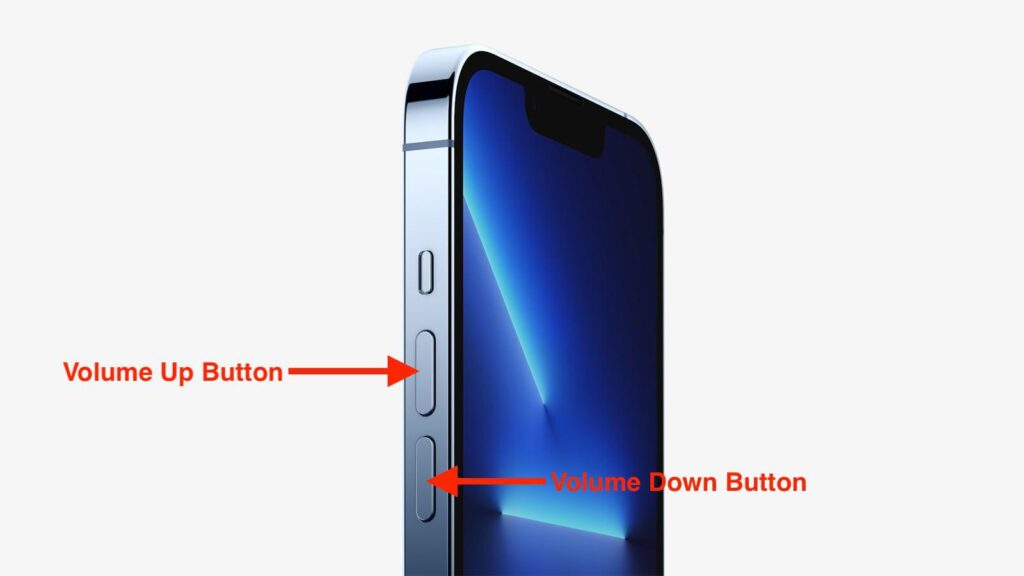
Because the distorted output can be clipping at a hardware level, cranking up your car’s volume could damage the speakers over time. Until Apple pushes an update, keep playback levels lower than usual when listening to podcasts or audiobooks via CarPlay.
What You Can Expect Next
Apple usually fixes CarPlay audio issues quietly in minor updates, and since this one’s already been confirmed by multiple users even on iOS 26.0.1, there’s a good chance a patch will roll out soon. It’s not a hardware problem—you don’t need to replace cables or your iPhone. It’s just a software bug buried in the new audio stack.
For now, if podcasts or audiobooks sound terrible but music is fine, use one of the workarounds above. Keep Bluetooth as your fallback, turn off EQ, or try the Camera trick if you’re curious. None are perfect, but they’ll at least make your listening bearable until Apple sorts it out.
The Bottom Line
The iOS 26 CarPlay podcast audio clipping issue is another reminder that updates sometimes fix one thing while breaking another. It’s frustrating, especially for people who rely on CarPlay for long commutes or audiobook listening.
The good news? Your phone and speakers aren’t broken, and your favorite apps aren’t to blame. The problem lives in the software—and with a little luck, the next iOS patch will put it to rest.
Until then, keep it simple: try Bluetooth, lower the volume, or open the Camera app to bring your podcasts back to normal. It’s not elegant, but it works.




Discussion