

By default, iMessage deletes voice messages after two minutes unless you save them. That’s the reason many of you find audio messages automatically disappearing from chat after a while.
In this guide, I’ll show you how to save a voice message in chat and change the settings so they don’t expire.
How to save a voice/audio message in iMessage?
1. Save a voice message manually
- Open the iMessage chat where you received the voice message.
- Play the audio if you want to check it first.
- Tap the Keep option right below the message bubble.
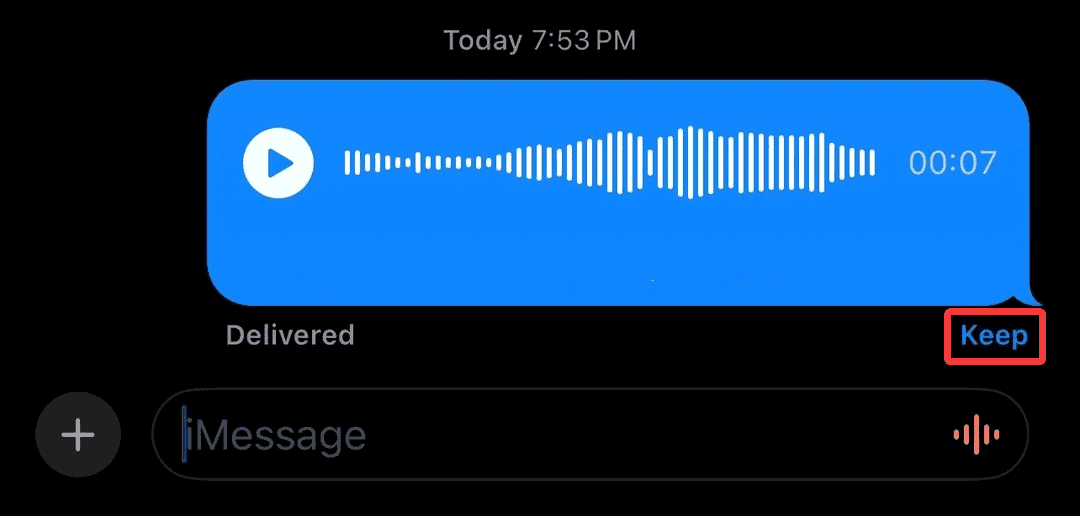
- The word Kept will appear, and the message will stay in your chat.

Also, learn how to send an audio message on iMessage.
Don’t miss the best of The Mac Observer
Set us as a preferred source and our Apple reporting ranks higher in your Google Search results and Discover feed — one tap, no account changes.
2. Change settings to keep all voice messages automatically
- Open Settings on your iPhone, and select Apps at the bottom.
- Go to Messages.
- Scroll down to the Audio Messages section, and tap Expire.

- Change the setting from After 2 Minutes to Never.


This ensures all future voice messages stay in your conversations unless you delete them yourself.
3. Save a voice message to Voice Memos
- Press and hold the voice message bubble in your iMessage chat and select Save to Voice Memos.
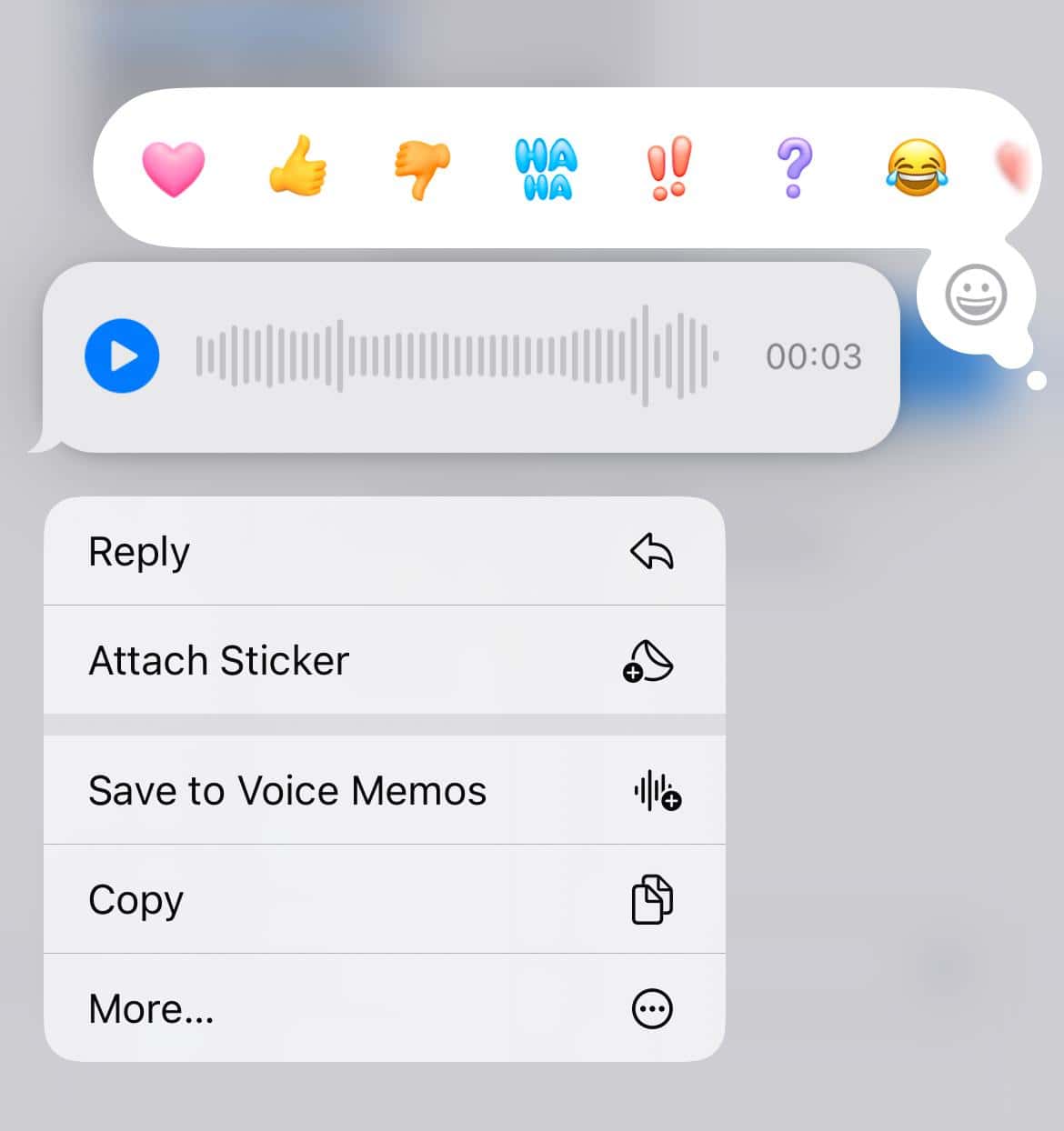
- The audio will be saved in the Voice Memos app, where you can edit, rename, or organize it.

This is useful if you want to keep the message outside iMessage for easy access later.
If you are new to it, learn all about using iMessage on iPhone.
Tips
- Save voice messages right away if they are important, since they may expire quickly.
- Use Voice Memos for storing long-term or sensitive audio, since it allows renaming and organizing.
- If you rely on voice messages a lot, back them up with iCloud or another cloud service to avoid losing them if you delete a chat.
- Remind friends or family to keep voice messages too, especially if they send you important ones you want to hold onto.
Frequently Asked Questions
Because by default, iMessage is set to delete audio messages after 2 minutes to save space.
No. Once deleted or expired, the message cannot be retrieved unless you saved it elsewhere.
No, keeping a voice message is only visible on your device. The sender is not notified.
Yes, they remain in your iMessage chat and use the same space as any other media file.
Summary
- Tap Keep under a voice message to save it in chat
- Change the Expire settings from 2 minutes to Never in iMessage settings
- Remember that deleted messages cannot be recovered
Conclusion
Voice messages are convenient but easy to lose if you don’t save them. By learning how to keep them in chat or back them up in Files or Notes, you can make sure you never lose an important audio message again. With these quick steps, you’re in full control of your iMessage voice notes.
Before you leave, find out how to recover deleted messages on iPhone.


Discussion