

Want to play Fortnite on your iPhone but can’t find it in the App Store? That’s because Fortnite is currently only available on the App Store in the United States and through the Epic Games Store in the European Union. If you’re outside these regions, you must switch regions to download Fortnite on your iPhone. Here’s a quick guide on how to do it without any issues.
Things to Know Before Changing Your Apple Account Region
- If you have any active subscriptions, you won’t be able to change your country or region. You can cancel them or wait till the subscription period ends.
- Before you proceed, spend all your Apple Store balance.
- For App Store purchases, you must have a valid payment method for the new country/region.
- Some content might not be available in the new country. If you use region-specific apps, music, films, books, or TV programs, make sure to re-download them.
- Verify that all memberships, rentals, pre-orders, and Season Passes are complete, and any pending store credit refunds are processed.
How to Change Region on an iPhone
Time needed: 2 minutes
It’s worth knowing that the Apple Account region is different from the iPhone’s country region. While your device’s country or region primarily affects the date, time, language, currency, temperature, and other regional features, your Apple Account Region determines which App Store you can access and download content from.
Changing your App Store country or region lets you access apps and digital content exclusive to that specific location. If you want to play Fortnite on iPhone, you must change your Apple ID region to the United States.
- Open the Settings app and tap [Your Name]
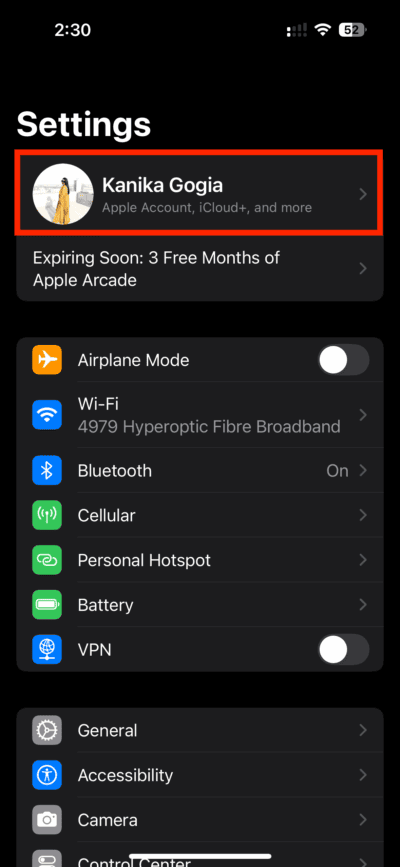
- Tap Media & Purchases.
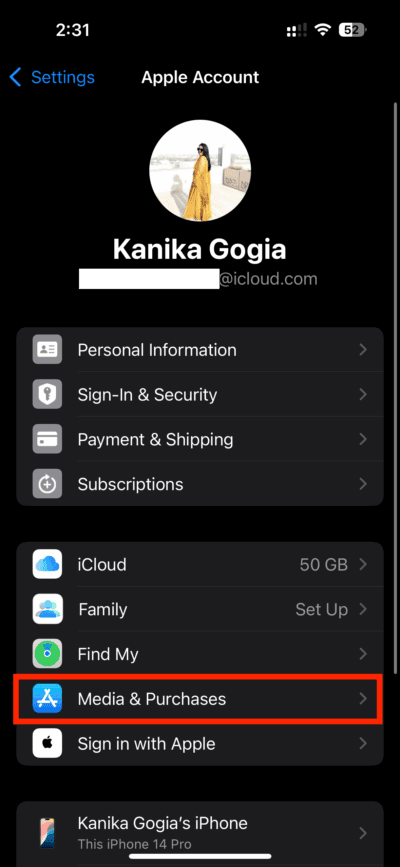
- Choose the View Account option.
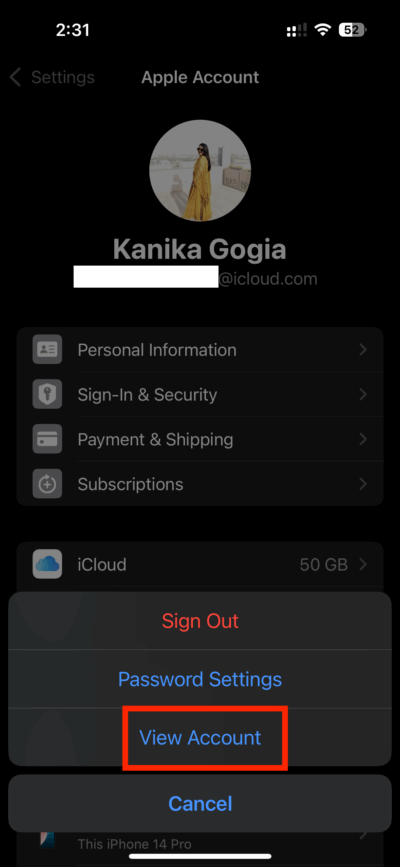
- Enter your Apple Account Password and hit the Sign In button on the top right.

- Tap Country/Region
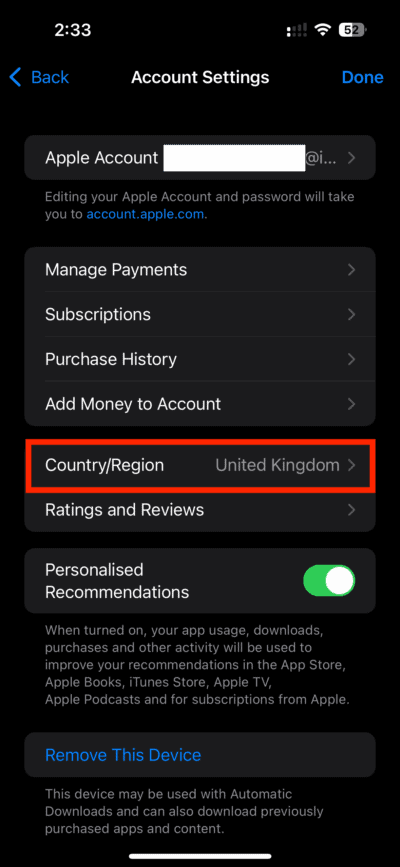
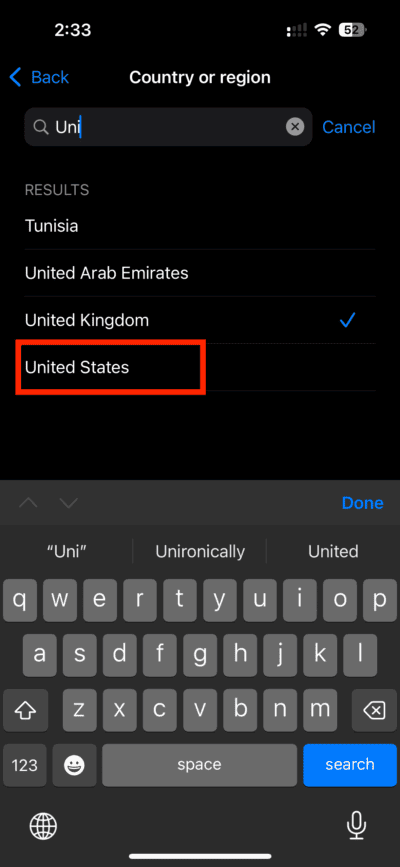
- Use the top search bar to find and select the United States.
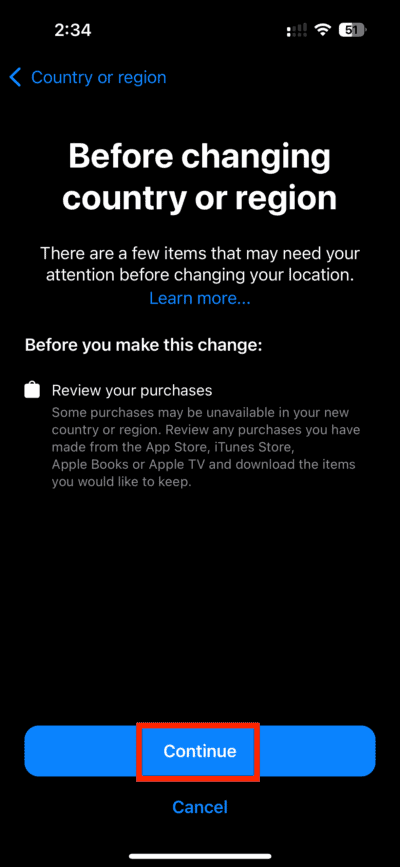
- Tap Continue.
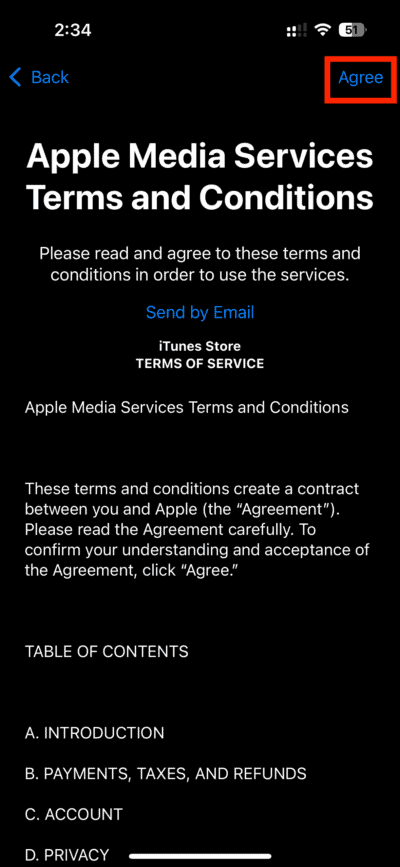
- Review the Terms and Conditions. Then, tap Agree in the top right-hand corner.
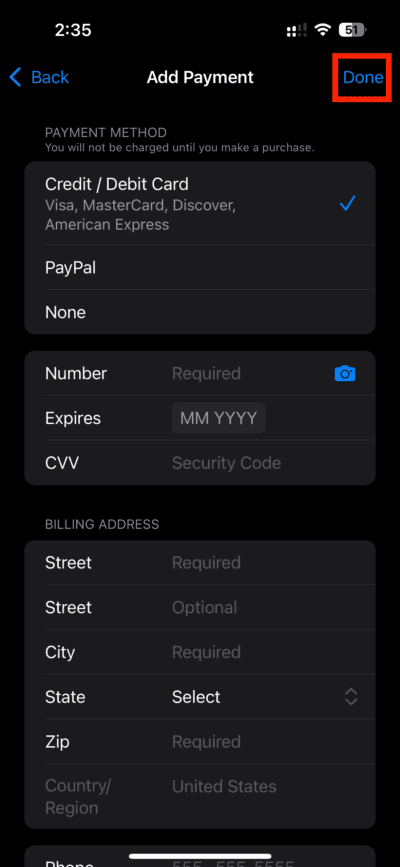
- Select a Payment Method. Enter valid payment information and billing address.
- Finally, tap Done to save the changes.


Can You Switch Region After Downloading Fortnite?
Once you’ve downloaded Fortnite on your iPhone, you can switch your App Store region without losing the app. Yes, the downloaded app will remain on your iPhone. However, there’s a catch. You might not be able to download future updates if the game isn’t available in your region. You’ll only have access to the content available in the selected region, and you must use a local payment method to make purchases. You might also have to re-enter payment information or update billing details.
Don’t miss the best of The Mac Observer
Set us as a preferred source and our Apple reporting ranks higher in your Google Search results and Discover feed — one tap, no account changes.


Discussion