

Finding the right business intelligence (BI) software for your Mac doesn’t have to drain your budget. While many enterprise-grade tools come with hefty price tags, several powerful options are available at no cost. From open-source platforms like Apache Superset to cloud-based solutions like Google Looker Studio, I’ll guide you through the best free BI tools that work seamlessly with macOS.
Table of contents
What is Business Intelligence Software?
Business intelligence software collects, processes, and visualizes data from multiple sources to help you make informed decisions. These tools transform raw data into interactive dashboards, reports, and charts that reveal patterns, trends, and insights about your business performance.
For Mac users, finding compatible software can be challenging since many enterprise tools are Windows-only. However, the options below either run natively on macOS, work through web browsers, or can be deployed as cloud services accessible from any device.
Don’t miss the best of The Mac Observer
Set us as a preferred source and our Apple reporting ranks higher in your Google Search results and Discover feed — one tap, no account changes.
Best Free Open-Source BI Software for Mac
Apache Superset
Apache Superset started as an internal project at Airbnb and is now one of the most popular open-source BI platforms, with over 5,400 commits and 467 contributors. It offers advanced data exploration and visualization capabilities designed for technical teams who need flexibility and customization.

Key Features:
- Supports over 40 databases, including PostgreSQL, MySQL, MongoDB, BigQuery, and Snowflake
- Rich visualization library with 50+ chart types
- Intuitive SQL editor for data analysts
- Semantic layer for creating metrics and calculated columns
- Role-based access control for team collaboration
Best For: Technical teams with SQL knowledge who need advanced analytics and custom visualizations.
Limitations:
- Requires technical expertise to deploy and maintain
- Steeper learning curve compared to user-friendly alternatives
- Self-hosting requires server setup and maintenance
How to Install on Mac:
You can run Superset locally using Docker or deploy it on a cloud service. Visit the Apache Superset GitHub repository for detailed installation instructions.
Metabase
Metabase is an open-source BI tool built with simplicity in mind. It allows both technical and non-technical users to ask questions about their data without writing SQL. From our tests, Metabase stands out for its quick setup process, you can be querying data within 5 minutes of installation.

Key Features:
- No-code query builder for non-technical users
- SQL editor for advanced users
- Connects to SQL and NoSQL databases
- Email and Slack alerts for automated reporting
- Self-hosted or cloud deployment options
Best For: Startups and small teams who want a simple, user-friendly interface without sacrificing functionality.
Limitations:
- Limited visualization options compared to Superset
- Advanced features require paid plans
- Can struggle with very large datasets
How to Install on Mac:
Download the Mac application directly from the Metabase website or run it via Docker for more control.
Grafana
While Grafana is primarily known for infrastructure monitoring, it’s also a powerful free BI tool for visualizing time-series data. It’s open source and works natively on macOS, making it an excellent choice for monitoring business metrics in real time.
Key Features:
- Real-time data visualization
- Supports multiple data sources including MySQL, PostgreSQL, and Elasticsearch
- Customizable dashboards with alerting capabilities
- Active community with thousands of plugins
- Native macOS support
Best For: Teams monitoring operational metrics, IoT data, or time-series business data.
Limitations:
- Less suitable for traditional business reporting
- Focuses on time-series data rather than complex analytics
- Requires some technical knowledge to configure
How to Install on Mac:
Download the native Mac application from the Grafana website or install via Homebrew.
BIRT (Business Intelligence and Reporting Tools)
BIRT is an open-source platform used to create data visualizations and reports that can be embedded into applications. It was originally developed by IBM and is now maintained by the Eclipse Foundation.
Key Features:
- Drag-and-drop report designer
- Connects to any JDBC-compliant data source
- Supports Big Data sources like Hadoop and MongoDB
- Export reports to PDF, Excel, and HTML
- Built-in charting library
Best For: Developers who need to embed reporting capabilities into Java applications.
Limitations:
- Older interface design compared to modern tools
- Steeper learning curve
- Better suited for developers than business users
How to Install on Mac:
Download the Eclipse IDE with BIRT plugins from the Eclipse website.
Pentaho
Pentaho offers a comprehensive data integration and analytics platform. The Community Edition is free and open source, providing robust ETL (Extract, Transform, Load) capabilities alongside BI features.
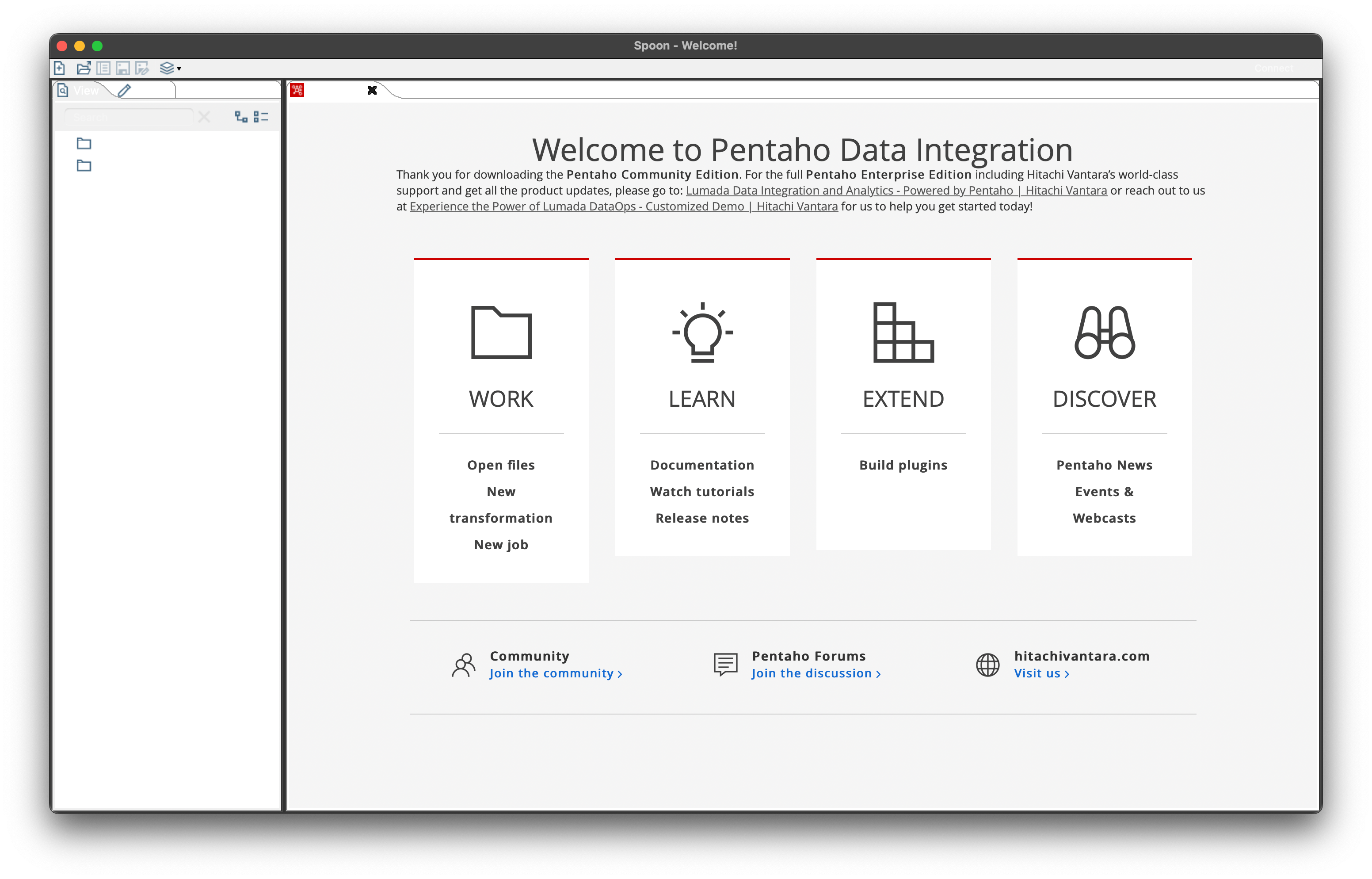
Key Features:
- Data integration and ETL tools
- Visual report designer
- Interactive dashboards
- Connects to multiple data sources
- On-premise or cloud deployment
Best For: Teams that need both data integration and business intelligence in one platform.
Limitations:
- Complex setup process
- Enterprise features require paid licenses
- Resource-intensive for smaller machines
How to Install on Mac:
Download the Community Edition from the Pentaho website and run it using Java.
Best Free Cloud-Based BI Software for Mac
Google Looker Studio

Google Looker Studio (formerly Google Data Studio) is a completely free, cloud-based BI tool that works seamlessly in any web browser on Mac. It integrates natively with Google’s ecosystem and offers 24 free connectors to Google products.
Key Features:
- 100% free with no user limits
- Drag-and-drop report builder
- Real-time collaboration
- Connects to Google Analytics, Google Ads, Google Sheets, and BigQuery
- Share reports publicly or with specific users
- Mobile-friendly dashboards
Best For: Marketers, small businesses, and teams already using Google Workspace.
Limitations:
- Works best with Google data sources (third-party connectors cost extra)
- Requires internet connection
- Limited advanced analytics features
- Most of the 800+ connectors are paid (only 24 are free)
How to Use on Mac:
Simply visit lookerstudio.google.com in any web browser and sign in with your Google account. No installation required.
Microsoft Power BI (Browser Version)

While Power BI Desktop is Windows-only, Microsoft offers a free browser-based version called Power BI Service that works on Mac. You can view, share, and create basic reports directly from your browser.
Key Features:
- Access through any web browser
- Free tier available
- Integration with Microsoft 365
- Mobile app for iOS
- AI-powered insights
Best For: Teams already using Microsoft products who primarily consume reports rather than create complex data models.
Limitations:
- Power BI Desktop (required for advanced features) is not available for Mac
- Free tier has sharing limitations
- Creating complex reports requires Windows or a virtual machine
- Limited data modeling capabilities in browser version
Workarounds for Mac:
- Use the browser version at app.powerbi.com
- Set up a Windows virtual machine using Parallels Desktop or VMware Fusion
- Use Microsoft Remote Desktop to access a Windows PC
- Deploy an Azure Virtual Machine with Power BI Desktop
Preset Cloud

Preset Cloud is the fully-managed cloud version of Apache Superset, offering enterprise features with a free tier for up to 5 users. It eliminates the complexity of self-hosting while maintaining Superset’s powerful features.
Key Features:
- Free tier with unlimited dashboards and charts
- No server maintenance required
- Pre-configured security and authentication
- Supports 40+ databases
- Rich visualization library
Best For: Technical teams who want Superset’s power without the hosting complexity.
Limitations:
- Free tier limited to 5 users
- Requires SQL knowledge for advanced features
- Less intuitive for non-technical users
How to Use on Mac:
Sign up at preset.io and access your workspace through any web browser.
Comparison Table
| Tool | Type | Installation Difficulty | User-Friendliness | SQL Required | Best Use Case |
| Apache Superset | Open Source | Moderate | Moderate | Yes | Advanced analytics for technical teams |
| Metabase | Open Source | Easy | High | Optional | Small teams needing quick setup |
| Grafana | Open Source | Easy | Moderate | No | Real-time monitoring and time-series data |
| BIRT | Open Source | Moderate | Low | No | Embedded reporting in applications |
| Pentaho | Open Source | Difficult | Moderate | Optional | Data integration plus BI |
| Google Looker Studio | Cloud | None (Browser) | High | No | Marketing reports and Google data |
| Power BI (Browser) | Cloud | None (Browser) | Moderate | No | Microsoft ecosystem integration |
| Preset Cloud | Cloud | None (Browser) | Moderate | Yes | Superset features without hosting |
How to Choose the Right Free BI Software
Based on our findings, here’s how to select the best tool for your needs:
- For non-technical teams: Start with Google Looker Studio or Metabase. Both offer intuitive interfaces that don’t require SQL knowledge.
- For data analysts and engineers: Apache Superset or Preset Cloud provides the most flexibility and advanced features.
- For marketing teams: Google Looker Studio integrates seamlessly with marketing platforms and is completely free.
- For Microsoft users: Power BI’s browser version works well for viewing and sharing reports, though advanced features require Windows.
- For time-series data: Grafana excels at real-time monitoring and operational metrics.
- For embedded analytics: BIRT is designed for developers who need to embed reports in applications.
Consider your team’s technical expertise, primary data sources, and reporting needs when making your choice. Many teams start with one tool and migrate later as their requirements evolve.
Conclusion
Mac users have access to powerful, free BI software that can handle everything from basic reporting to advanced analytics. Whether you choose an open-source solution like Apache Superset or Metabase, or opt for cloud-based platforms like Google Looker Studio, you can transform your data into actionable insights without spending a fortune.
For quick setup and ease of use, start with Google Looker Studio or Metabase. If your team has technical expertise and needs advanced customization, Apache Superset offers unmatched flexibility. Remember that “free” doesn’t mean limited; many of these tools power analytics at companies like Airbnb, Pinterest, and thousands of startups worldwide.
The best approach is to test multiple tools with your actual data. Most free options require minimal setup time, so you can quickly evaluate which platform fits your workflow, technical capabilities, and business requirements.
FAQs
No, Power BI Desktop is Windows-only. However, you can use the browser-based Power BI Service on Mac, set up a Windows virtual machine using Parallels or VMware, or access Power BI through Microsoft Remote Desktop on a Windows PC.
Metabase and Google Looker Studio are the most beginner-friendly options. Both offer intuitive drag-and-drop interfaces and don’t require SQL knowledge to create basic reports.
Yes, most tools support Excel files. Google Looker Studio works with Google Sheets, Metabase and Superset can import CSV files, and many tools connect to databases where you can import Excel data.
Open-source tools like Superset and Metabase require you to host and maintain the software yourself, offering more control but requiring technical expertise. Cloud-based tools like Looker Studio and Preset Cloud are hosted by the provider, requiring no maintenance but offering less customization.
Open-source tools may have infrastructure costs if you host them on cloud servers. Google Looker Studio is free but most third-party connectors cost extra. Power BI’s free tier has limitations on sharing and collaboration. Always review the pricing details before committing.




Discussion