

Apple HomeKit transforms your iPhone into a powerful smart home controller. Whether you’re adjusting lights, locking doors, or monitoring security cameras, HomeKit offers a secure and intuitive way to manage your connected devices. With the Home app built into iOS, users can create scenes, automate routines, and control accessories using Siri or touch. This guide explains what HomeKit is, how it works on your iPhone, and how to optimize your smart home experience.
Table of contents
What is Apple HomeKit?
Apple HomeKit is a smart home framework that allows users to connect and control compatible accessories using Apple devices. Through the Home app on iPhone, you can manage lights, thermostats, locks, cameras, and more. HomeKit emphasizes privacy and security, ensuring encrypted communication between your devices. It also supports automation, enabling routines based on time, location, or accessory status.
To use HomeKit remotely, you need a home hub such as a HomePod or Apple TV. These hubs allow secure access to your smart home even when you’re away. For a complete overview of compatible hubs and accessories, explore all Apple TV and Home products.
Don’t miss the best of The Mac Observer
Set us as a preferred source and our Apple reporting ranks higher in your Google Search results and Discover feed — one tap, no account changes.
Key Features of HomeKit on iPhone
Control Accessories with Siri
HomeKit integrates seamlessly with Siri, allowing voice commands to control your home. You can say, “Turn off the kitchen lights” or “Lock the front door,” and Siri will execute the command instantly. This hands-free control is especially useful when multitasking or entering your home with full hands.
Automate Your Home
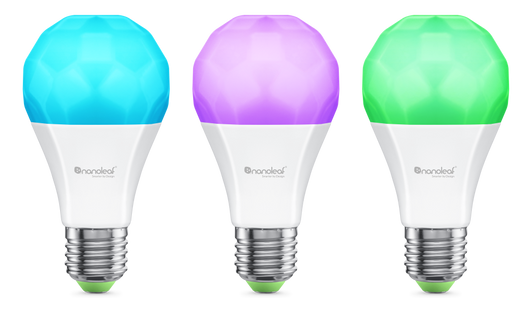
Automation is a core feature of HomeKit. You can create routines that trigger actions based on time, location, or accessory status. For example, you can set your lights to turn on at sunset or have your thermostat adjust when you leave the house. These automations simplify daily tasks and enhance comfort.
Organize by Room and Scene
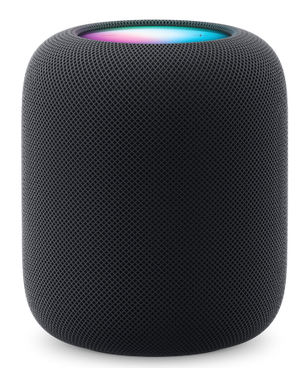
The Home app allows you to group accessories by room and create scenes that control multiple devices at once. A “Good Night” scene might turn off all lights, lock doors, and lower the thermostat. This organization makes it easy to manage your home efficiently.
Secure Remote Access

With a home hub, you can control your accessories remotely. Whether you’re traveling or at work, you can check camera feeds, unlock doors for guests, or adjust lighting. HomeKit Secure Video also lets you store encrypted footage from compatible cameras.
Compatibility and Updates
HomeKit supports a wide range of third-party devices, including smart plugs, bulbs, thermostats, and locks. To ensure optimal performance and compatibility, always update to iOS 26. This keeps your Home app and accessories functioning smoothly.
FAQ
You can control devices locally without a hub, but remote access and advanced automation require a HomePod or Apple TV.
Only accessories labeled “Works with Apple HomeKit” are compatible. Some Matter-enabled devices also work with HomeKit.
If you experience issues, check your network, restart your devices, and review your setup. For troubleshooting tips, visit fix HomeKit not working on iOS.
Optimize Your Smart Home Experience
Apple HomeKit on iPhone offers a secure, user-friendly way to manage your smart home. From voice control to automation, it simplifies everyday tasks and enhances comfort. To get the most out of your setup, ensure your devices are compatible and your software is current. For a complete list of supported accessories and hubs, explore all Apple TV and Home products.


Discussion