

Not receiving iPhone verification texts? I have been facing this issue on my AT&T carrier. However, specific solutions such as verifying phone number worked for me and I have listed them below in this guide. Let’s look at everything you need to know.
Why Am I Not Receiving Text Verification Codes on My iPhone?
You are not receiving a text verification code on your iPhone due to an issue with your carrier service. There are times that your account could be blocked or restricted due to several reasons unknown, hence, you will need to contact your carrier for the same.
Another possible reason could be an SMS filter that is enabled on your iPhone that automatically filters Spam numbers; thus, you are not receiving verification texts in your message app. However, there are solutions that you can follow below to fix this error.
Don’t miss the best of The Mac Observer
Set us as a preferred source and our Apple reporting ranks higher in your Google Search results and Discover feed — one tap, no account changes.
How to Fix Not Receiving iPhone Verification Texts
Thankfully there are a number of troubleshooting steps that help fix iPhone verification text issue. For me, the issue was solved after verifying the phone number.
1. Turn Airplane Mode On/Off
If you are not receiving iPhone verification text messages, try turning the Airplane mode on and off. This can help solve temporary glitches or issues with network connectivity. Here is how you can do it.
- Slide down the Control Center on your iPhone.
- Tap on the Airplane icon to enable the Airplane mode.
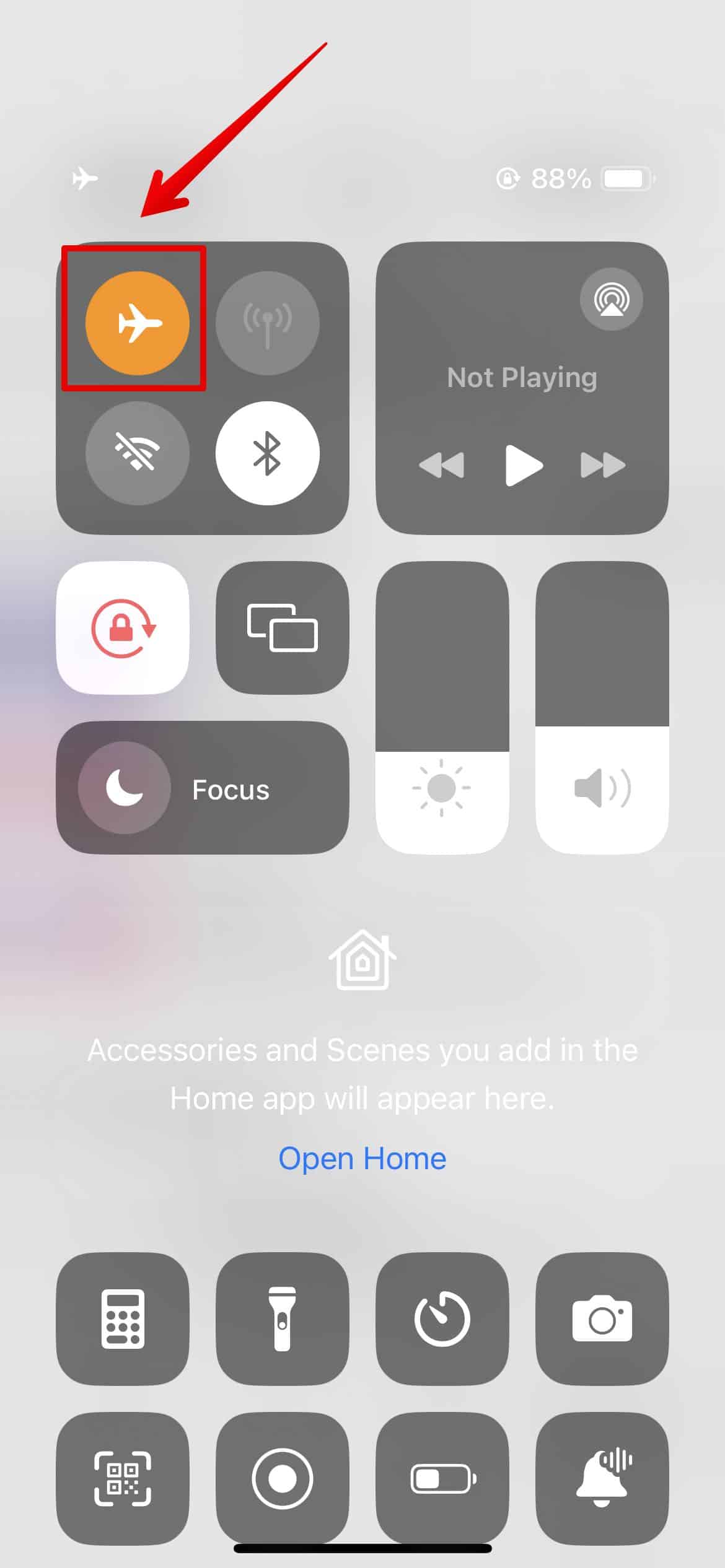
- Then, wait a few seconds, and tap on it again to turn it off.
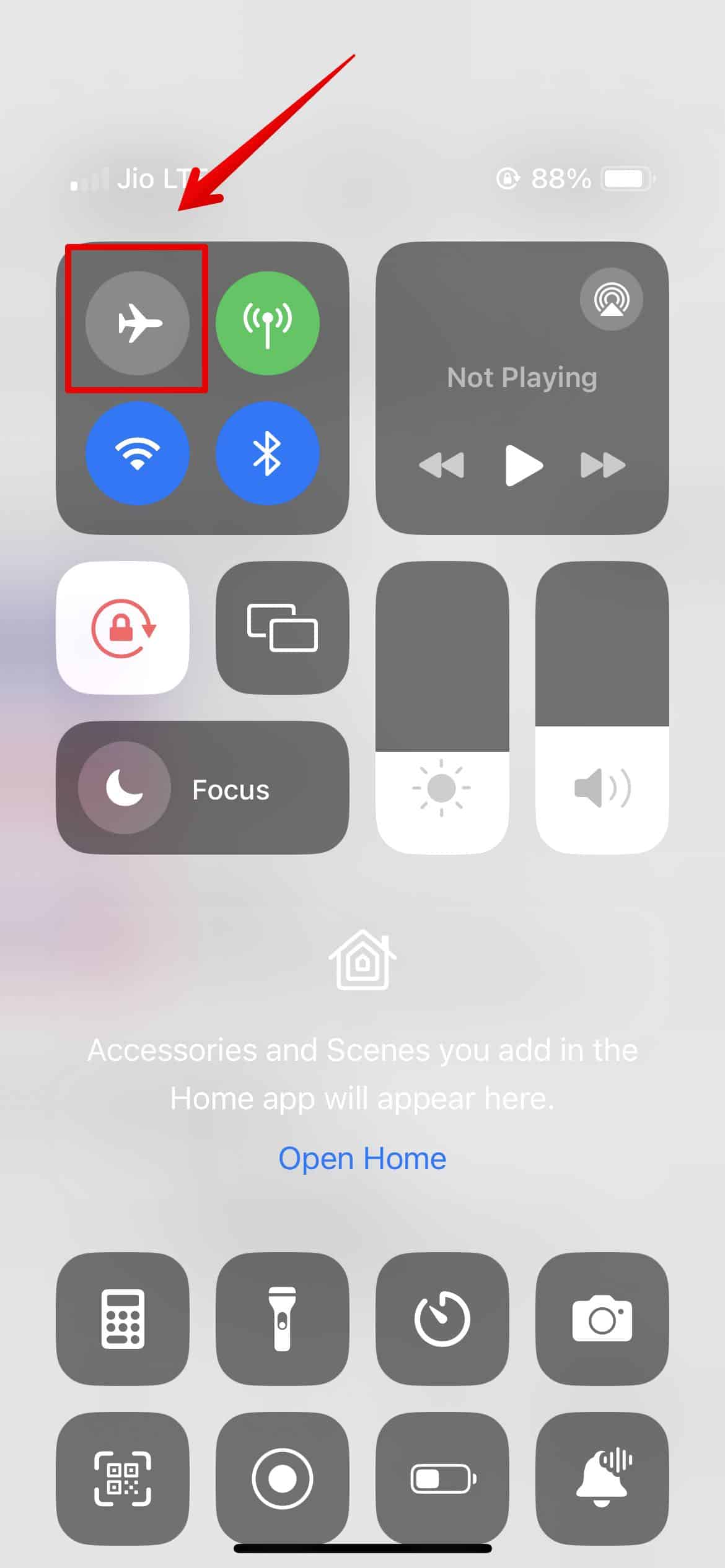


Now, you should be getting the verification texts on your messages app.
2. Verify Your Phone Number
You need to ensure your Phone number is set correctly on your Phone app. Here is how you can check this.
- Open Settings and go to the Phone app.
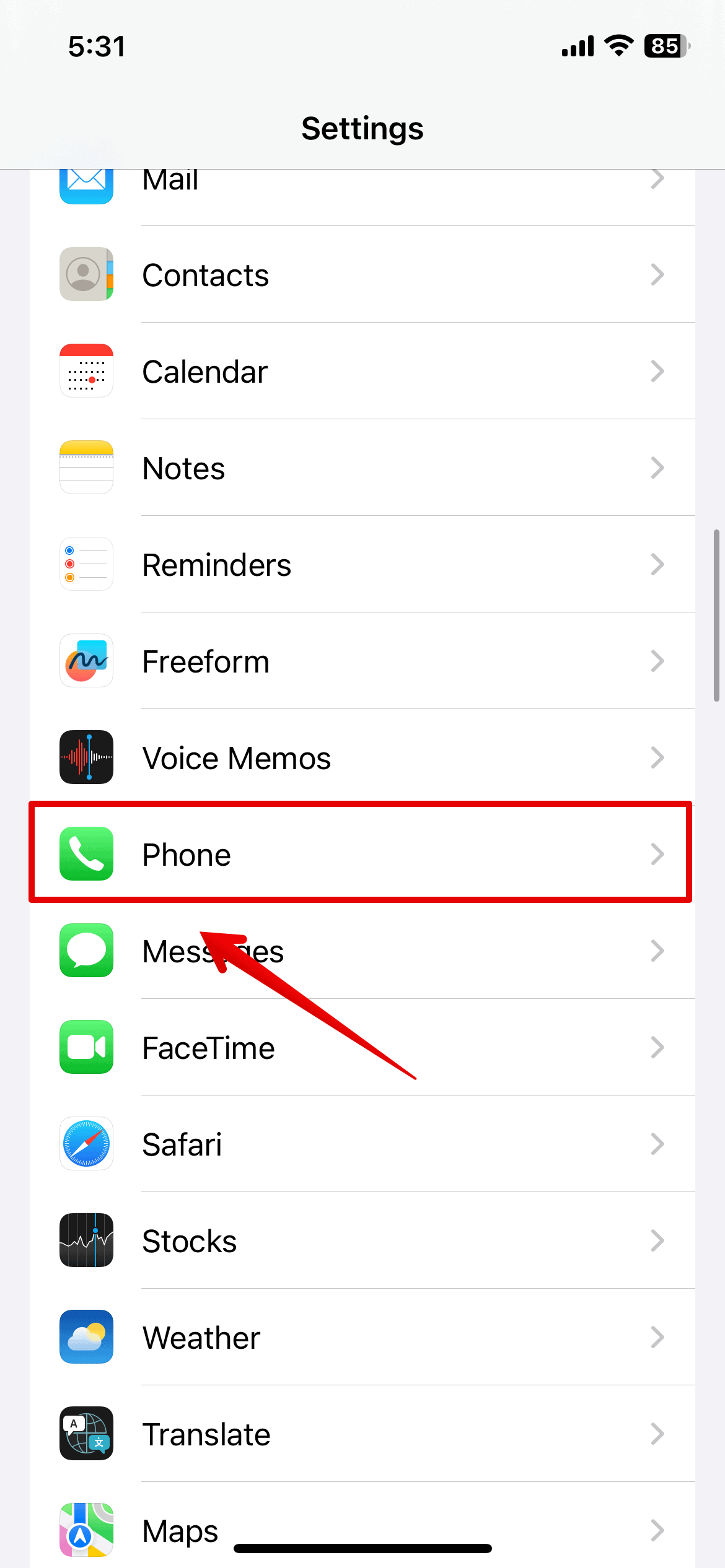
- Then, tap on My Number.
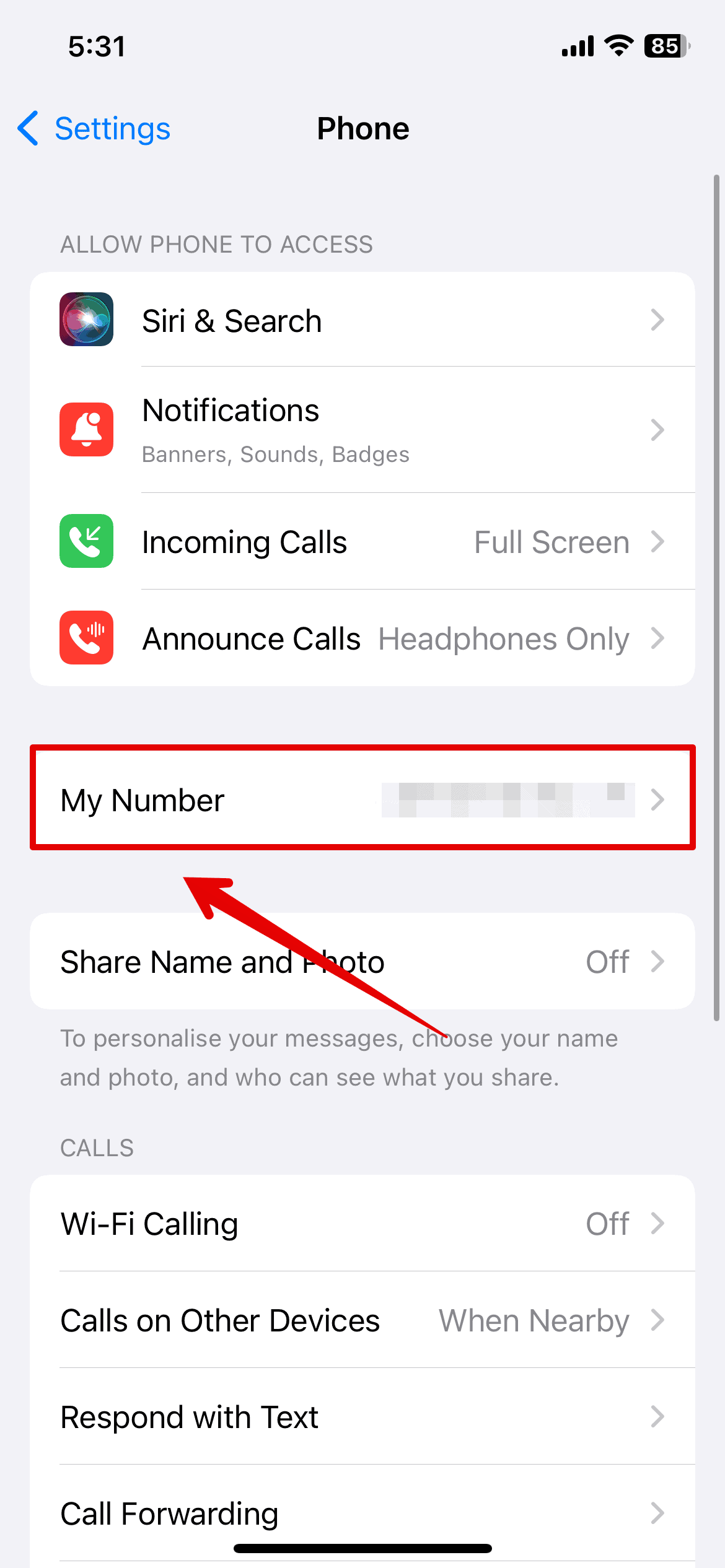
- Here, you can check the saved mobile number. If it is wrong, enter the right one and save the save.


Once you are done with this, you can restart your iPhone and wait a few seconds to get the verification texts.
3. Disable SMS Filter
SMS filters are a great tool to sort messages into different categories. They come in handy especially to filter out Spam messages. If this is enabled on your iPhone, you may not get notifications for certain flagged messages categorized as Spam.
Hence, you need to disable it from your Settings.
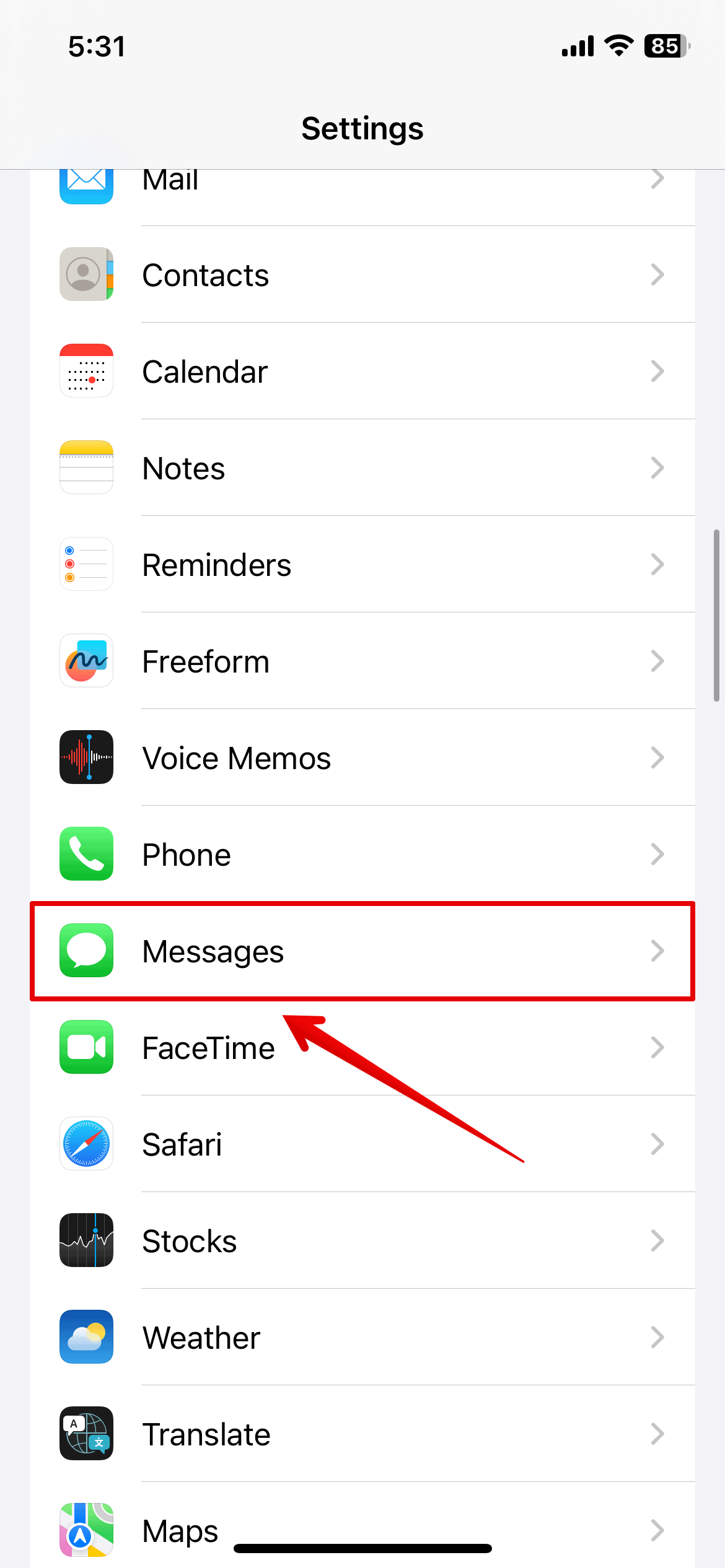
- Open Settings and go to the Messages app.
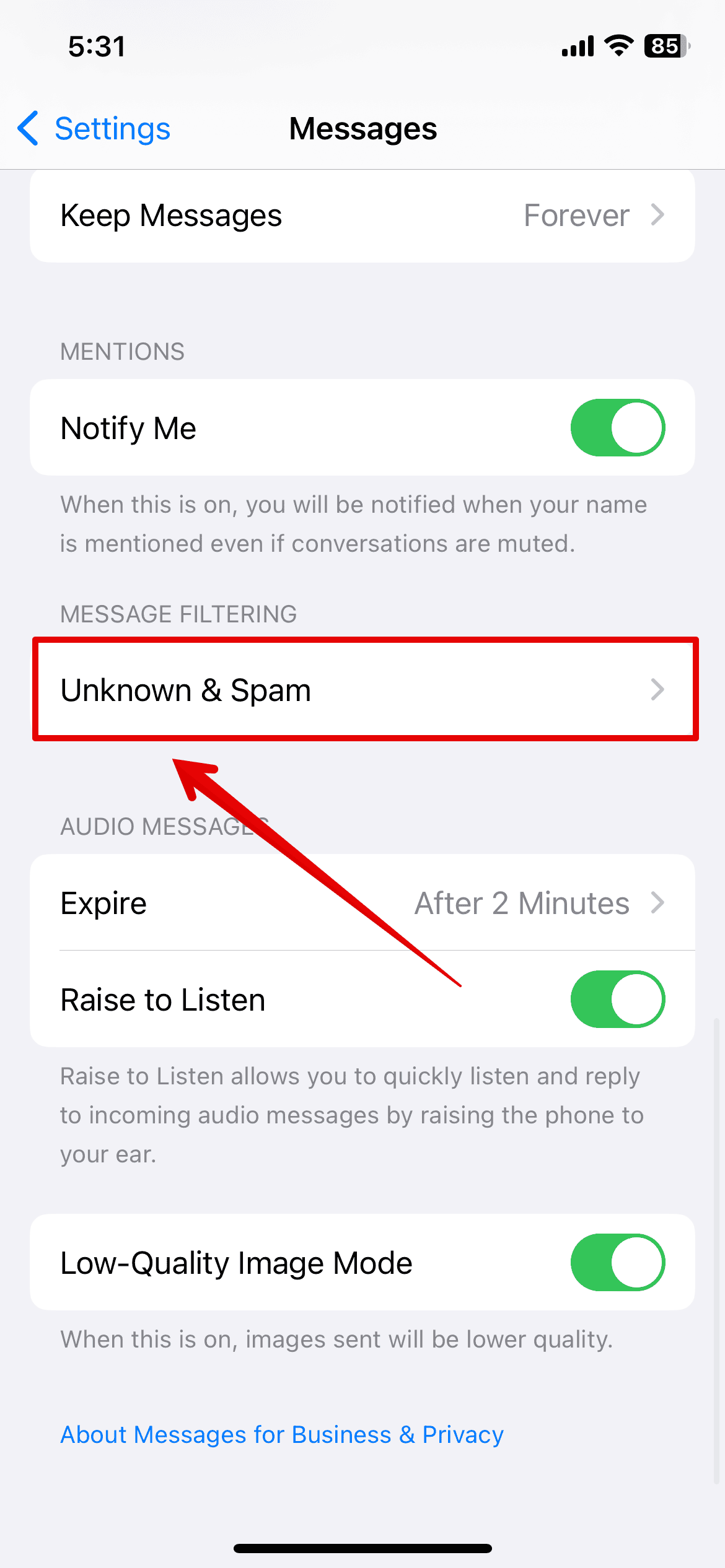
- Scroll down and tap on Unknown & Spam.
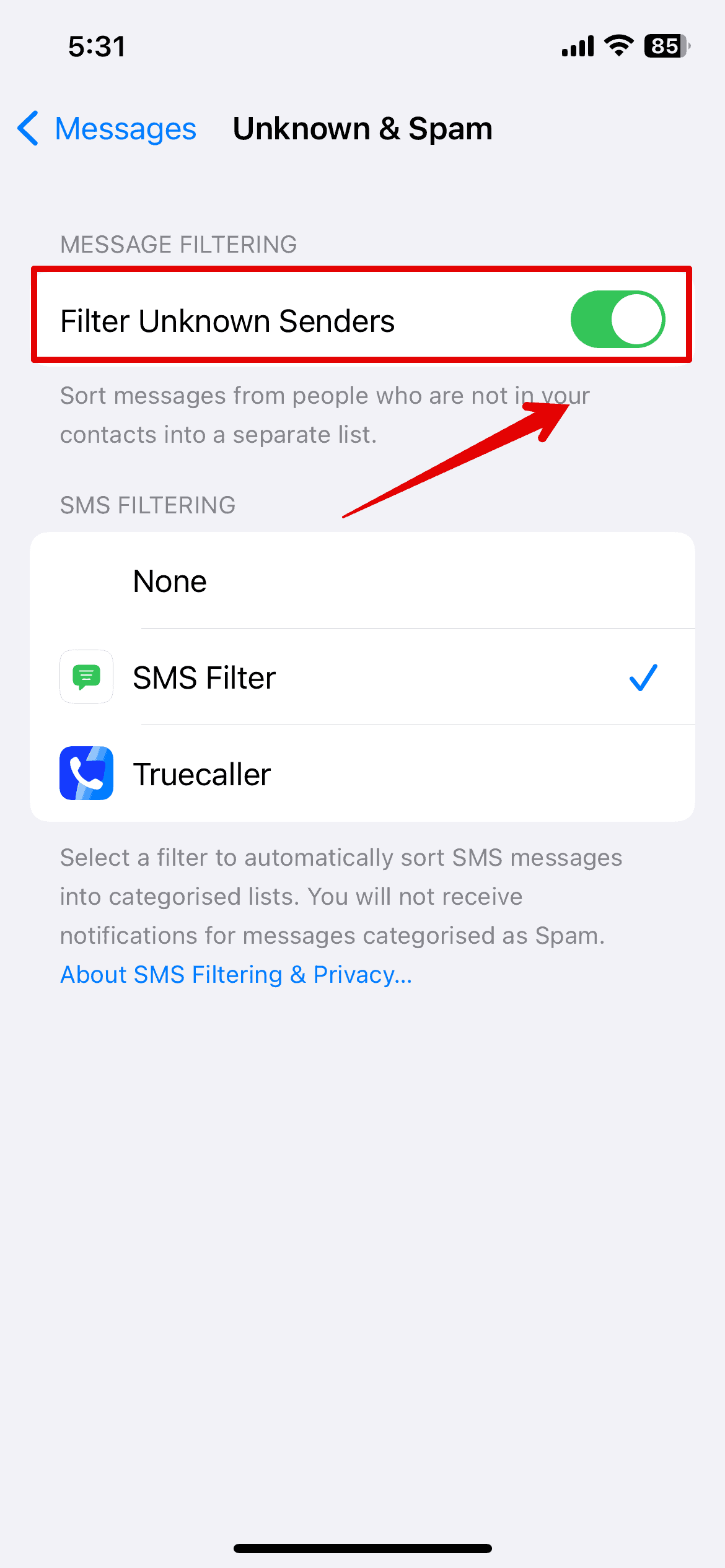
- Here, disable the Filter Unknown Senders option.


4. Contact Your Carrier
If none of the above methods work for you, try contacting your Carrier service. For example, if your carrier is AT&T, you can call and provide them with all the info about the error you are facing. They will then check if any Spam blockers are enabled on your number and sort out any other errors. Within a day, you will receive the verification texts on your iPhone.


I was having this problem and was really frustrated with both Apple and ATT, I couldn’t understand how it is that so many people have this problem with their iPhones and Apple not having a solution programed into their phones, and Att just because one of the solutions is your provider’s network. Finally I was able to talk to Apple tech support and to my chagrin the problem was my location. I live in the mountains where reception is spotty and my home has a metal roof so in the house I get no cellular reception and all my calling is internet calling. The Apple representative explained to me that the verification codes are sent SMS and you must have cellular reception to receive them.. I walked outside and found a spot where I was able to get 1 bar and the phone was flooded with codes…. Apparently I was the problem all along, Now I feel the need to apologize for my abuse of the automated chatbots.
This is my issue too. Everyone requires a code these days and I can’t participate.
Thanks so much!
no receive tests massege codes