

If you are curious to know how long a FaceTime call was, in this guide, I have covered everything you need to know. Let’s look at the steps below.
How To See the Duration of a FaceTime Call On iPhone
Time needed: 2 minutes
The steps are pretty simple to follow, and the process can help you manage your time better and stay connected without losing track of how long you’ve been chatting:
- Open the Phone app on your iPhone.
- Go to the Recent tab.
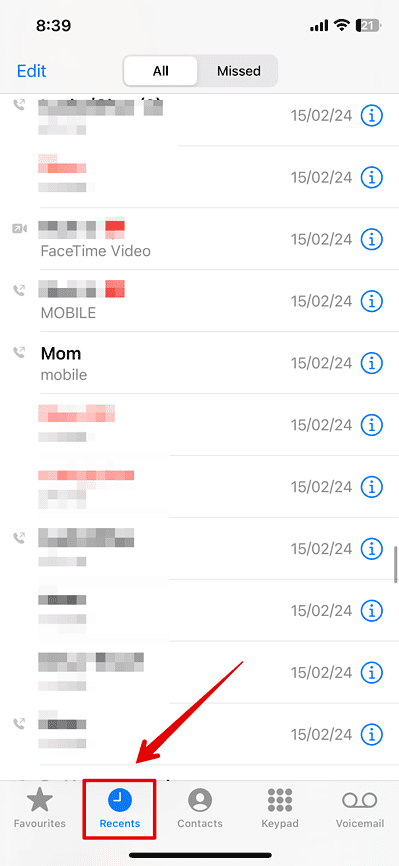
- Look for the Facetime call you want to know the duration of.
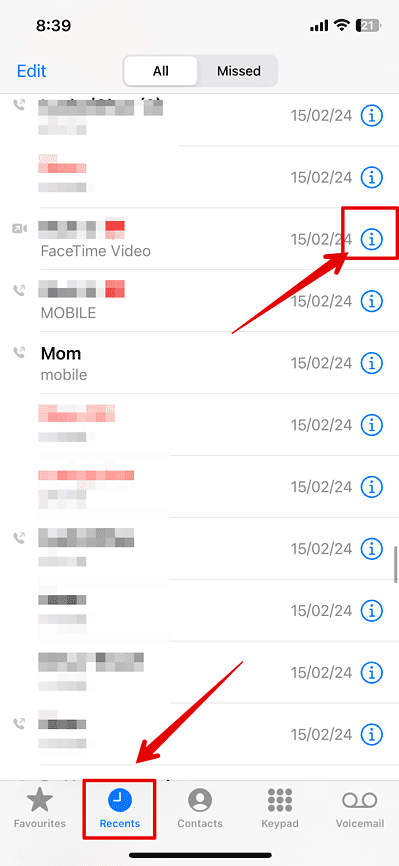
- Now, tap on the i icon beside it.
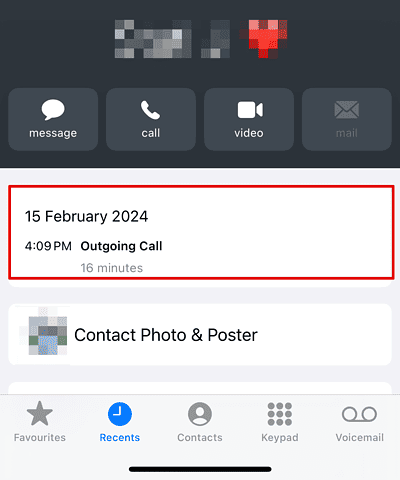
- You can check all the details of the call, such as the duration, date, and time.


How To See the Duration of a FaceTime Call On iPad
Next up, if you have an iPad, you can follow similar steps we mentioned above for the iPhone to check the details of the calls with your friends or family.
Don’t miss the best of The Mac Observer
Set us as a preferred source and our Apple reporting ranks higher in your Google Search results and Discover feed — one tap, no account changes.
Here is how you can do it.
- Open the FaceTime app.
- Go to the Recent tab.
- Then, look for the call to check the duration.
- Tap on the i icon beside the call to open the details.
Repeat the same for all other calls.
There is no way to check the duration of your FaceTime call on your MacBook. Hence, you will have to rely on your iPhone and iPad for all the details.




Great post! I never knew I could easily check the duration of my FaceTime calls. This is super helpful, especially for tracking my call times. Thanks for sharing!