
In Safari, private browsing protects your private information and blocks some websites from tracking your search behavior. Safari won’t remember the pages you visit, your search history, or your AutoFill information. And there’s a keyboard shortcut to quickly open a URL in a Safari private window.
[Private Browsing Mode isn’t Just for Porn]
Option
The option key has plenty of uses in macOS, and has many shortcuts associated with it. Without a mouse, Macs don’t have a right-click button. Instead, you can tap two fingers on the trackpad to invoke a right-click menu.
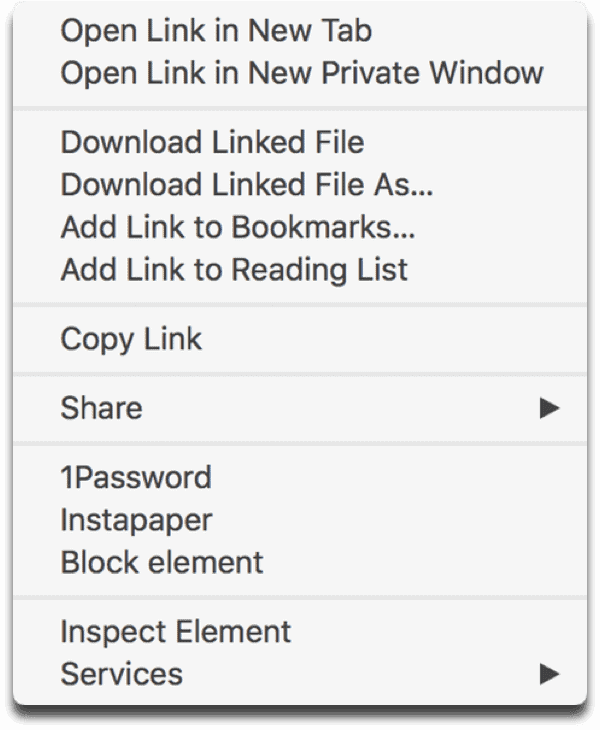
When you two-finger tap on a URL, you can see options to open the link in a new tab or window. And when you press the option key while two-finger tapping on a URL, you’ll see an option to open it in a Safari private window. This is a bit faster than opening a private window and copy/pasting the link in.
[macOS: A Fast Keyboard Shortcut for Mac Emojis]
Don’t miss the best of The Mac Observer
Set us as a preferred source and our Apple reporting ranks higher in your Google Search results and Discover feed — one tap, no account changes.




Discussion