
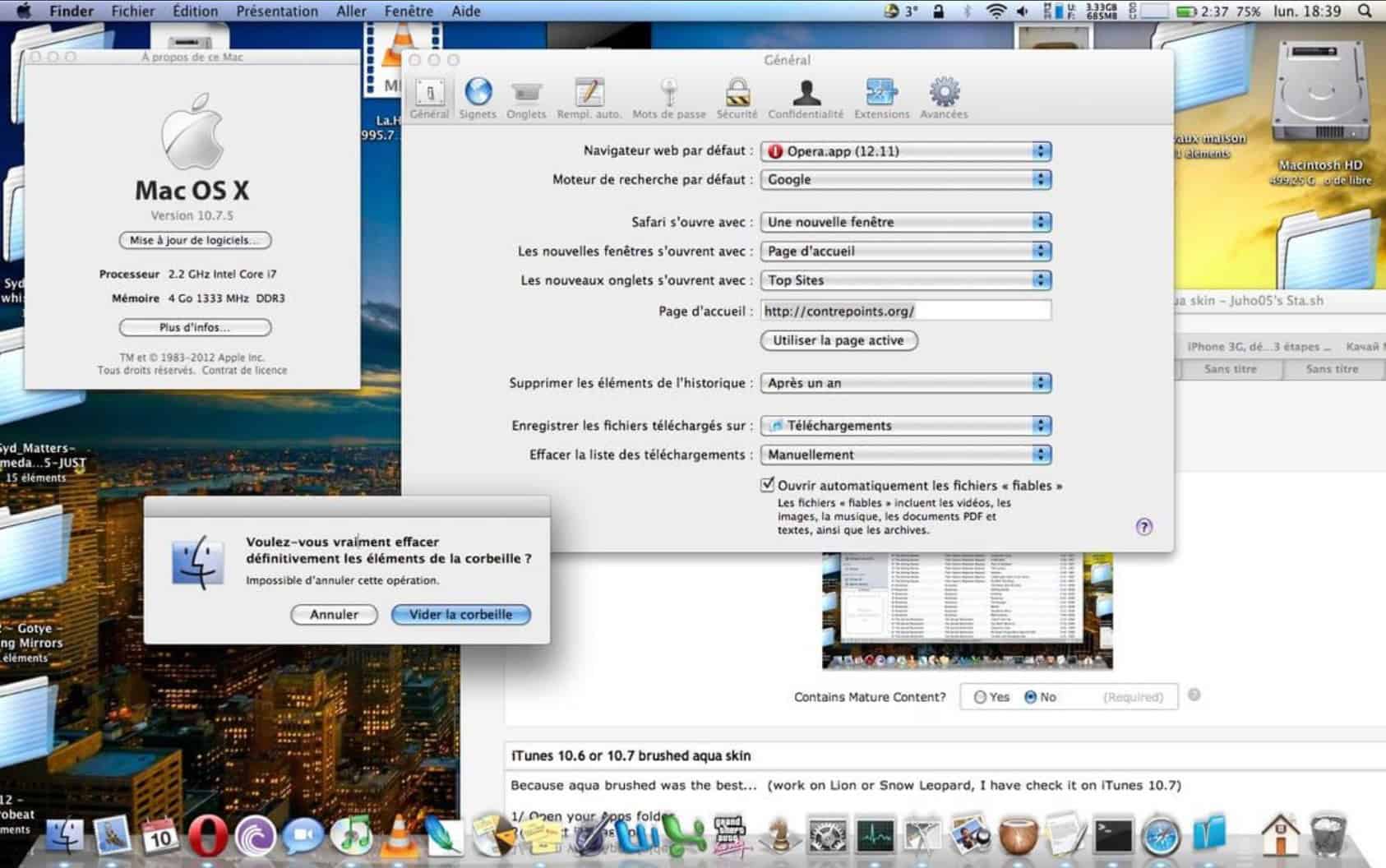
Searches for “macOS Aqua” are spiking as Apple’s glossy Liquid Glass design rolls out with iOS 26 and soon across macOS Tahoe. The new look echoes Aqua’s translucent, “lickable” era from 2000, so people are revisiting what Aqua was — and how today’s UI compares.
Nostalgia is doing heavy lifting here. Aqua’s 25-year milestone primed throwback posts and “Aqua in 2025” mockups, and Liquid Glass’ live reflections/lighting have sparked side-by-side comparisons.
Can you “Aqua-ify” today’s macOS?
Short answer: there’s no official Aqua theme, but you can get the vibe safely — and go deeper if you accept risks.
Don’t miss the best of The Mac Observer
Set us as a preferred source and our Apple reporting ranks higher in your Google Search results and Discover feed — one tap, no account changes.
Safe tweaks (no hacks):
• System Settings → Appearance: set Accent and Highlight to Blue for that classic Aqua tint.
• System Settings → Accessibility → Display: make sure Reduce transparency is off to keep the glassy look.
• System Settings → Desktop & Dock: enable Dock magnification and choose Minimize windows using: Genie effect for the old “sucked into the Dock” animation.
Deeper theming (advanced, at your own risk):
Tools like cDock can restyle the Dock, and theme injectors (e.g., MacForge) exist — but these often require disabling System Integrity Protection (SIP), which lowers system security. Proceed only if you know what you’re doing.
If you’re updating your Apple gear today, our guides may help: check iOS 26 download size and can’t update to iOS 26? for quick answers on the rollout experience.



Discussion