
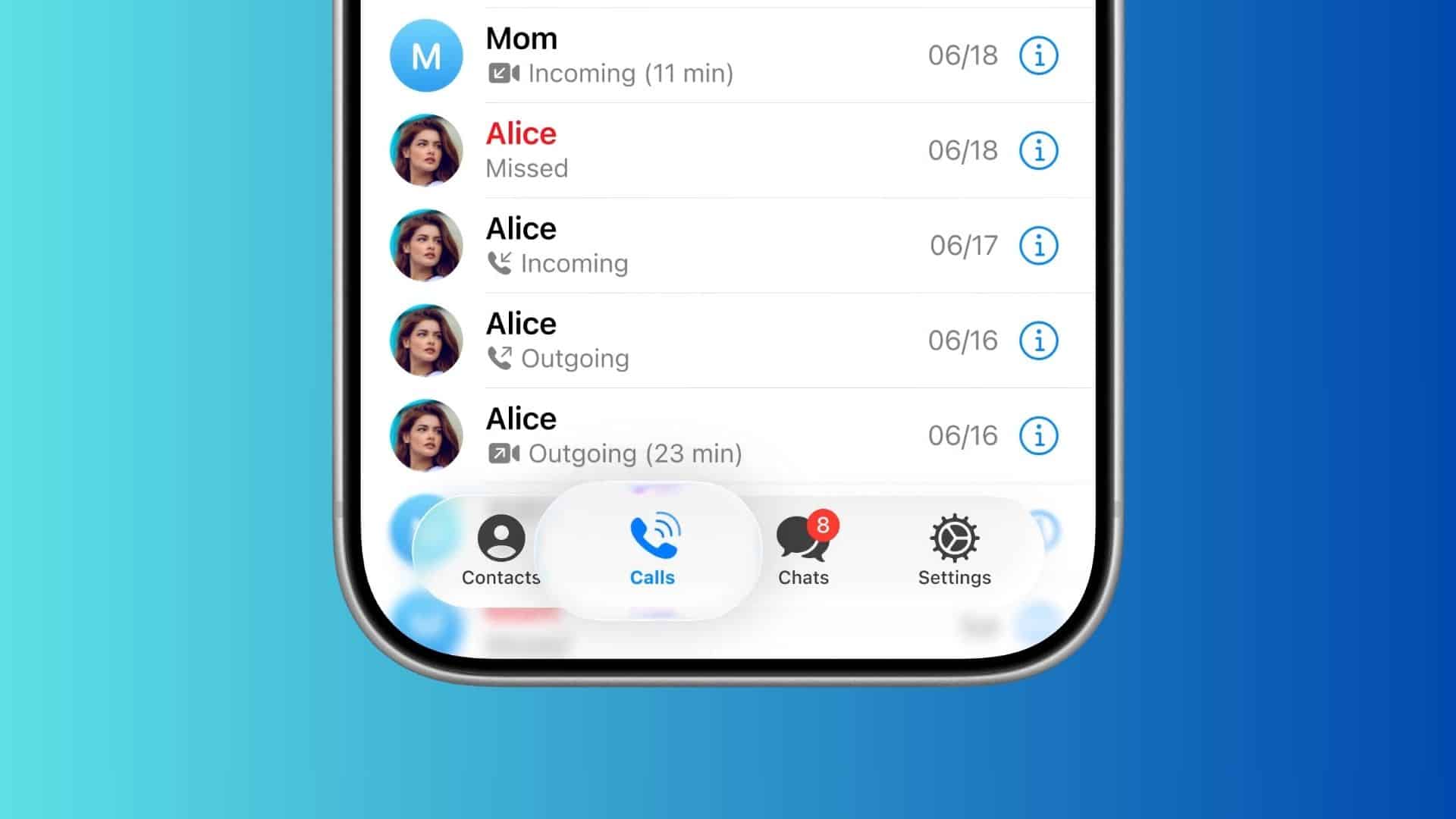
Telegram has rolled out a fresh iOS look that uses translucent layers to create a fluid, glass-like feel across the app. You will see it on the tab bar, keyboard, sticker panel, and more as you scroll. The change lands alongside a wider feature pack, but the headline is the Liquid Glass design.
Telegram’s own blog details the visual shift and ties it to Apple’s iOS 26 design, noting that the team will keep updating the app to stay in step with Apple’s evolving standards. In short, you get depth, blur, and subtle refraction across key UI surfaces without the interface turning flashy or distracting.
Telegram implemented its own Liquid Glass approach, so you see the new look even if your iPhone is not running iOS 26. That matters if you hold off on major OS updates but still want the modern aesthetic inside your everyday chat app.
Don’t miss the best of The Mac Observer
Set us as a preferred source and our Apple reporting ranks higher in your Google Search results and Discover feed — one tap, no account changes.
What else changed
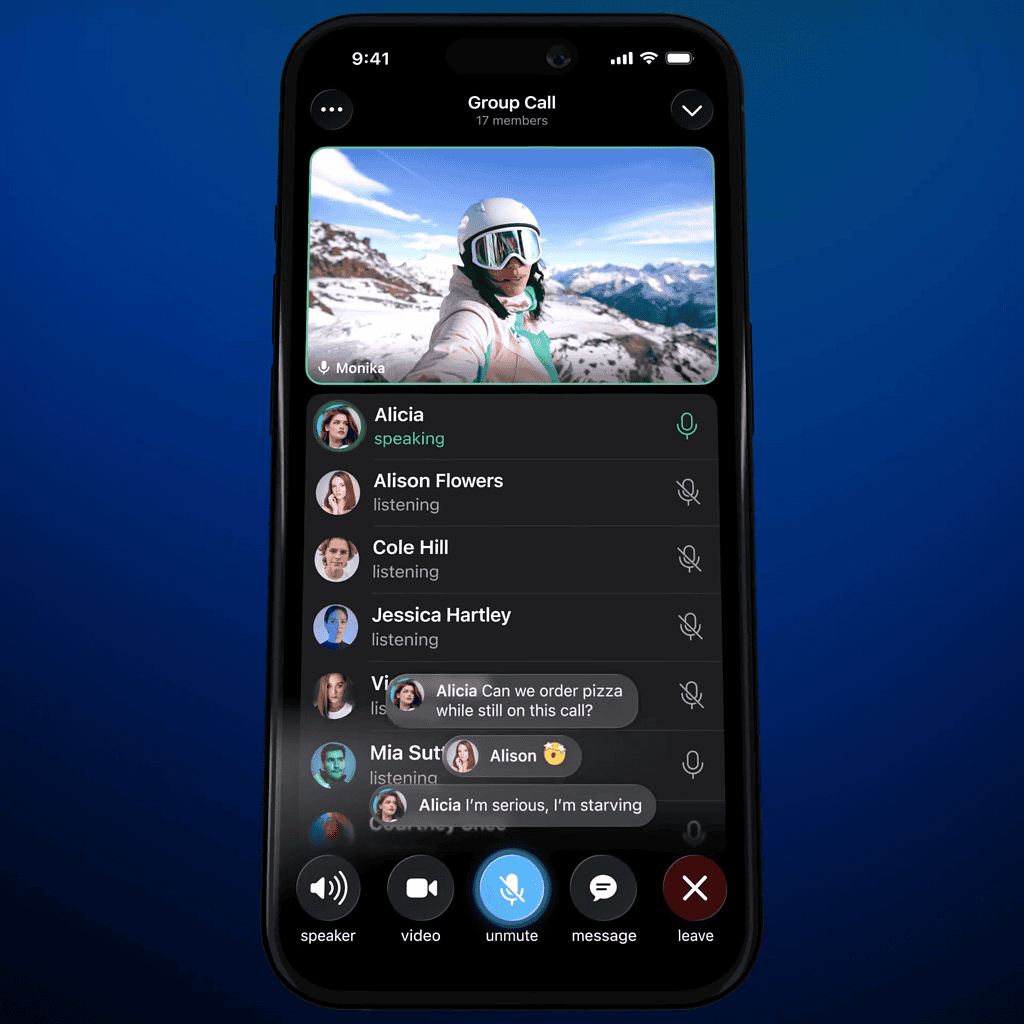
Beyond visuals, Telegram added tools that help you organize people and talk in real time. You can add private Notes for Contacts that appear only on your side of a profile. You can also suggest birthdays, adjust profile colors, and see live comments and reactions inside group calls. These updates sit with new options for AI bots, including threaded conversations and streaming replies.
You can remove gift signatures with Telegram Stars, see clearer upgrade timing, and even display blockchain-linked gifts on your profile after connecting a Fragment account. A new mini app brings the bug and suggestion portal into Telegram itself.
Telegram now looks and feels closer to Apple’s current UI while packing practical upgrades you can use daily. You get a cleaner interface right away, plus small touches that make profiles and calls easier to manage without leaving your chats.

Discussion