
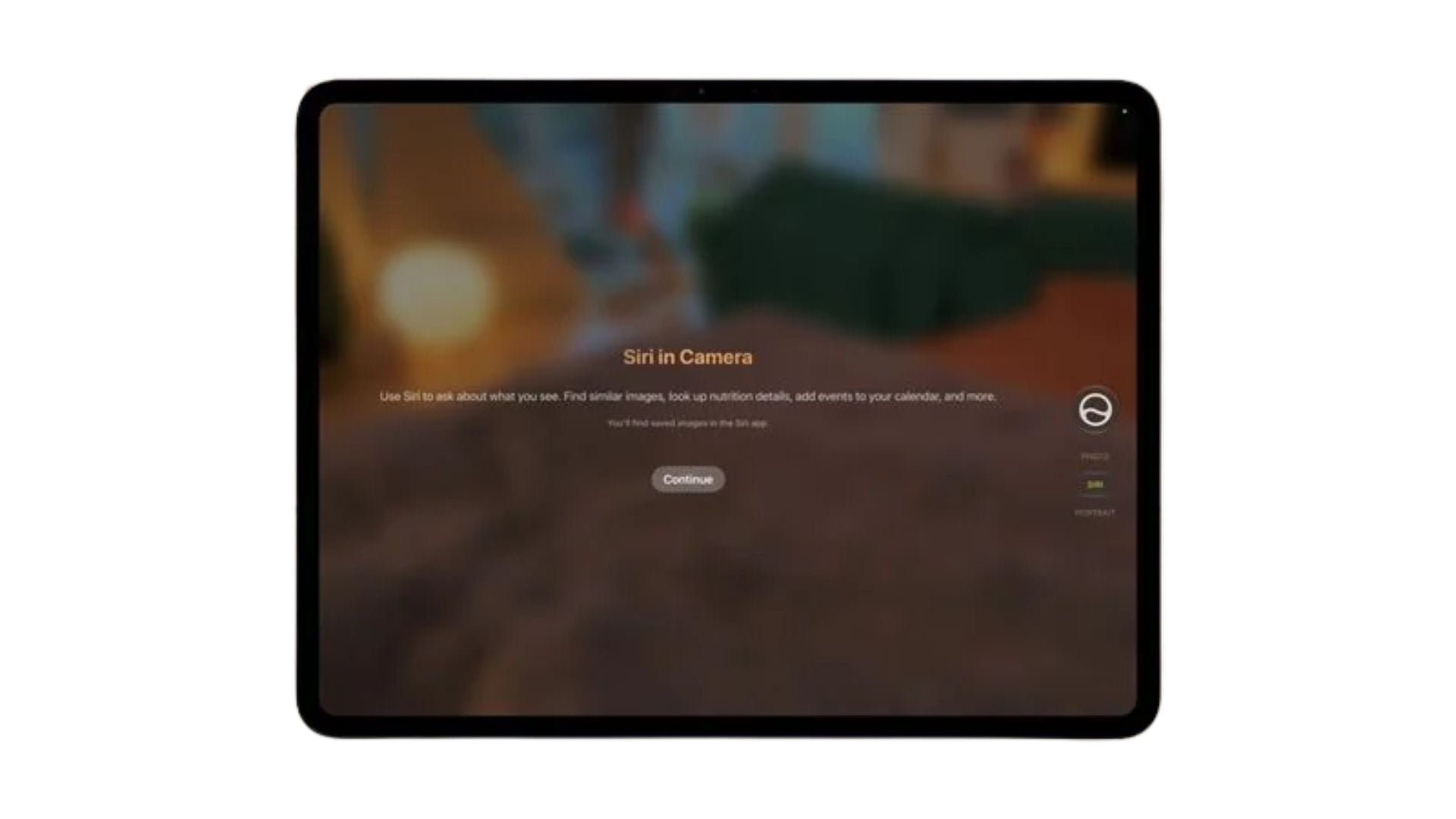
Apple is giving tablet users another handy way to interact with its voice assistant. With the upcoming iPadOS 27.3 update, the company is bringing a dedicated Siri mode directly into the native camera interface. This change builds on the visual lookup tools that recently launched on mobile devices. Tablet owners will soon have a faster method to scan their surroundings and get helpful details about the real world just by pointing their lens.
The camera tab provides a quicker way to scan your surroundings
This feature acts as a new shortcut to access Visual Intelligence. You can point your device at a restaurant to see reviews, check the nutritional details of a meal, or save contact info from a business card right to your address book. You can also use it to split a printed receipt among friends or pull event dates straight into your calendar.
The core visual lookup abilities were already functioning on the iPad before this change. What makes this update useful is the placement. By putting a dedicated tab inside the camera app, Apple removes the need to use strange gestures or dig through menus just to ask a quick question about what is in front of you.
Don’t miss the best of The Mac Observer
Set us as a preferred source and our Apple reporting ranks higher in your Google Search results and Discover feed — one tap, no account changes.
This functionality first appeared for recent phones running iOS 27, and it is nice to see the brand giving the same tools to its larger screens. While the software is currently in the testing phase, the final iPadOS 27 public release with these changes is scheduled to arrive in December.
Having the smart assistant built right into the viewfinder turns the tablet into a more capable daily tool. It bridges the gap between taking a photo and actually understanding the subjects inside that photo. With the official launch of iPadOS 27.3 coming soon, handling daily tasks with your tablet camera is about to become a lot more interesting.


Discussion