
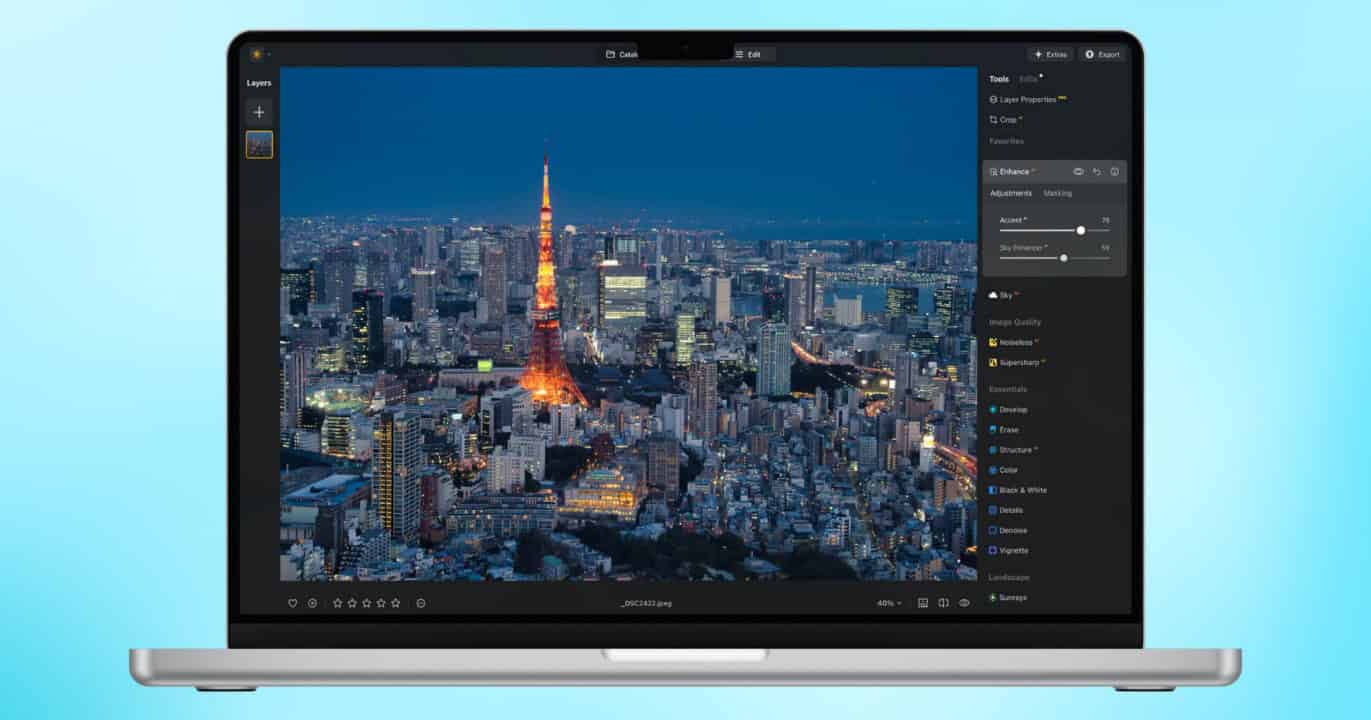
Luminar Neo’s latest update is going to reshape the way you work. Offering a strong AI-powered photo editor designed to streamline adjustments and make the editing process lightning quick – with tools like lighting correction, portrait retouching, object removal, and more – Skylum has recently provided a substantial upgrade that’s going to push a photographer’s productivity even further.
The new update isn’t just about delivering a couple of new features; it overhauls Luminar Neo into a full-fledged ecosystem. Let’s take a look at some of the major changes the app has made, how everything performs, and what it can do for your workflow.
What’s New in 2025
Skylum’s 2025 roadmap has been rather adventurous so far. Providing a small tease to users earlier in the year, additions to Luminar Neo include cross-device compatibility and freedom, cloud connectivity, more advanced AI, and even updates to its core restoration and lightning tools. These features have given Luminar Neo the opportunity to create one its largest shifts since launching.
Don’t miss the best of The Mac Observer
Set us as a preferred source and our Apple reporting ranks higher in your Google Search results and Discover feed — one tap, no account changes.
The Luminar Ecosystem and Cross-Device Editing

One of the biggest developments for the app this year would be the Luminar Ecosystem. With the first phase seeing launch November 6, 2025, one of the largest upgrades is the addition of cross-device mobile-to-desktop photo editing, allowing photographers to move freely between all of their devices. Users can start an edit on mobile, clean it up on desktop, and then sync everything to a cloud-based infrastructure.
Even better, it’s not just about the convenience of importing and exporting, as Luminar Neo syncs masks, edits, versions, metadata, and catalog structure. The end result is continuity that rings with a Lightroom-style familiarity without feeling like an enterprise suite. Testing it across macOS, iPhone, ChromeOS, and Android, it was great to see masks remaining intact, edits transferring cleaning, and a portrait enhancement seamlessly appearing on my laptop when applying it on my iPhone.
Photographers that need to work out in the field are going to instantly notice how substantial this quality-of-life improvement is. It takes what was already a versatile toolkit and elevates it into a warehouse of editing and preservation needs.
Space: Personal and Shareable Web Galleries
Something professional and even novice photographers are really going to appreciate is Luminar Neo’s new Spaces features, which allows users to build their own online libraries. For those that work with clients, they know what a hassle sending over several hundred proofs can be. For anyone looking to get their start, they may not know how to properly build a portfolio. Luminar Neo gives them a space to present their work online.
Spaces allows you to publish galleries directly from the app without the need to export to something like Dropbox or a website builder. Not only can it save you a lot of time, but it provides a fast way to share images in a way that anyone can click and navigate. Don’t expect the features and customization you might find with a full website platform, but for those that need to present something to a client, build a strong portfolio, or just share some touching moments from their favorite memories, Luminar Neo has all the right tricks up its sleeve.
Restoration and Light Depth
Another new addition to Luminar Neo is the Restoration feature. The world of cameras didn’t begin with high-resolution and mile-long lenses – a lot of old photos are going to look like they’re old photos. While some may chase this aesthetic, you may want the only photo of your great-grandmother to look the best it possibly can. The new Restoration tool springs new life in old photos, helping revive old family memories and archival images.
Upon testing the new Restoration features, it did an overall solid job of removing water stains, scratches, and other age-related maladies and fading while still retaining the overall quality and texture of the image. While it is possible to push things a bit too far and have a product that looks overly polished, careful guidance is going to keep things looking crisp and sharp. If you have an old collection of photos begging for some attention, this feature alone is definitely worth considering.
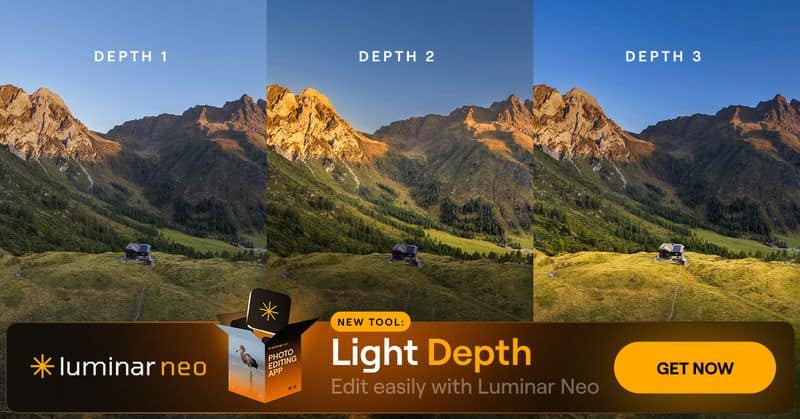
Luminar Neo is also delivering a new relighting engine with Light Depth, a one-click solution that treats lightning like a manipulable 3D component. With just a click you can add or remove light sources, adjust positions, shape shadows, build directional lighting, and craft studio-quality effects from a source image that’s flat. It’s rather impressive, and it’s available to all users.
What Else Is New
Were the above features not enough, Luminar Neo received an update in Spring 2025 that also delivered some new goodies to users, including Auto Adjust that automatically adjusts sliders for faster and powerful results; faster exporting options with a new Export menu; Catalog Cache cleaning to help keep disk space tidy; Atmosphere Depth Update that delivers improved depth mapping for more realistic fog; and Aperty plugin support.
While not as substantial as delivering an entirely new ecosystem, the new updates helped refine the Luminar Neo experience, making the software cleaner, faster, and overall more productivity-driven for those serious workflows.
Looking at the Core of Luminar Neo
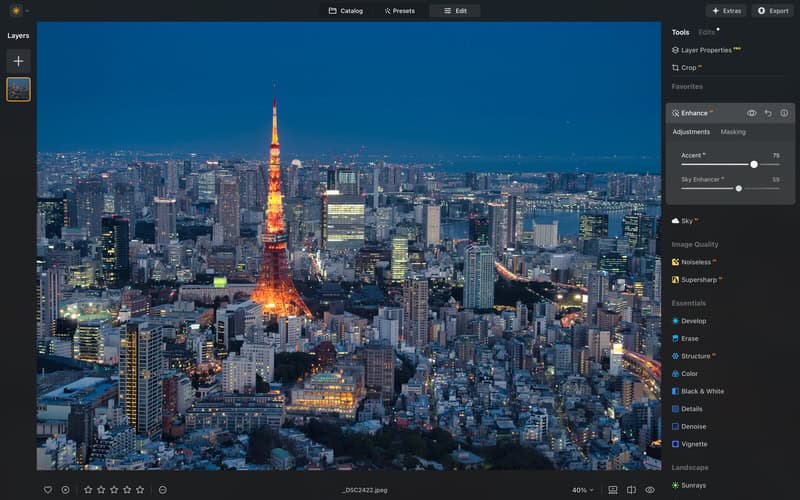
The new updates are but the cherry atop a rather sweet sundae, as many of Luminar Neo’s long-time features have consistently delivered a solid user experience. One of the biggest selling points of Luminar Neo is its rather powerful array of AI editing tools.
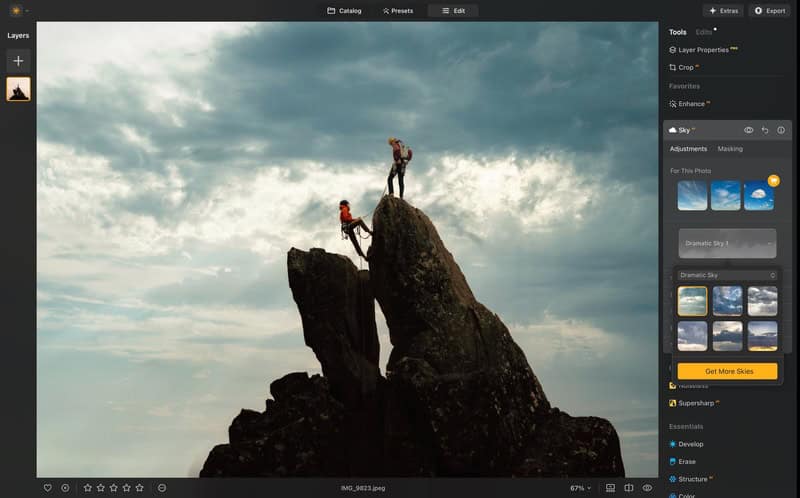
This includes Sky AI, which remains one of the realistic sky-replacement engines available and a powerful generative fill tool that helps edit and erase. The available portrait tools – including Skin AI, Body AI, Face AI, and Bokeh AI – deliver power and control, whereas Magic Light AI helps users create stylized glow and portrait effects. The available tools are going to perform well for a majority of tasks, as Luminar Neo provides fast, refined, and surprisingly intuitive controls that are suitable for virtually any need.
Layer-based editing is at the foundation of Luminar Neo, providing users with options for opacity control, blend modes, overlays, composites, sky replacements, and textures. It’s enough to cover the needs of most photographers, trimming away much of the fat from Photoshop to deliver the tools that matter for quality photos. Additionally, extensions like Nosieless AI, HDR Merge, Background Removal, Focus Stacking, Panorama Stitching and Upscale AI are but some of the highlights to a wide-array of additional tools that allow for some customization and modularity on the user’s end.
Luminar Neo also includes powerful masking features – one of its stronger features, in fact. This includes people detection, sky detection, subject masking, background/foreground separation, and water/building detection. It’s great for allowing natural-feeling localized adjustments, and it’s surprisingly accurate. Lastly, Luminar Neo also has a rather simple but clever catalog system that’s great for beginners. While it’s missing enterprise-level DAM capabilities, it’s easy to use and remains relatively straightforward.
What to Like About the New Ecosystem
Having covered what’s new and providing a small refresher course, naturally it’s time to take a look at how Luminar Neo actually functions. While new toys automatically foster excitement out of novelty, the energy can quickly dissipate into the night sky if they don’t actually serve a purpose. For me, I see a lot of use case scenarios that will make the new features a great experience for both emerging and veteran photographers, and it’s not just going to be all about workflow.
Cross-Device Compatibility Is a Game Changer
Having worked with the Luminar Neo ecosystem for a decent period of time, it’s clear that new and even returning users will have a lot to unpack – for the better. For me, the cross-device compatibility is one of the strongest new features, as it doesn’t feel like some lightweight option slapped together in haste. The team behind Luminar Neo really put the hours into developing a powerful system that really helps speed up much of the editing process since I’m now able to work more while on the go.
Delivering a cloud-based system that feels like Google Docs for photographers is also going to save plenty of folks from a lot of stress. Having everything available at any time – so long as you have an internet connection – isn’t just good for editing on the go, it can help save jobs. A photography friend recently had issues with a client after they sent over the wrong files. Unfortunately for them, they had already left to fly out for a different shoot, leaving the actual files at their workspace. A cloud-based solution could have helped them, and it’s a situation that could have easily been avoided.
Spaces Takes Us Places
While the new cloud system is one of my favorite aspects, it’s the new Spaces options that I think really hold the most potential. As a professional writer, building my portfolio was one of the most difficult things I had to do while getting my start. To be frank, I had no idea what I was doing. While in time I eventually figured it out, the overall process was not without its hiccups. I feel that Spaces eliminates a good deal of searching for the right web client for hosting files, and ultimately it’s going to do a lot of good for blossoming photographers who need to develop their first portfolio.
For me, this is the most exciting aspect of everything new with Luminar Neo, but that doesn’t mean only newbies can take full advantage of everything it has to offer. Any photographer who has spent enough time in the business has undoubtedly run into a client or two that needs everything yesterday. This is yet another area where Spaces are especially useful, as Spaces is fast, and the elimination of needing to use a web-based drive like DropBox means even the most impatient client will quickly be able to view your work.
What Could Use Work
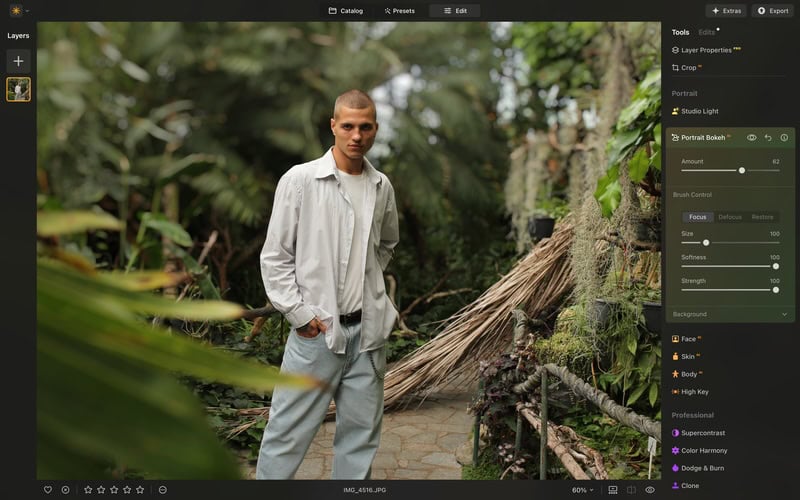
Though I may gush over the potentiality of Spaces and I’m a big fan of the cross-device action, nothing in this world is perfect. It’s clear that a lot of work was put into the new features, though there’s still some areas that can use improvement. For one, there are the occasional instability issues. Infrequent as they may be, they can still happen, and having them happen when you’re in the zone editing away can be incredibly frustrating. Nothing within my experience was catastrophic, but certain professionals may turn up their noses.
Having cloud access is beyond useful, though those new to photography should still learn to keep their own proper backups. Useful as it can be, it is important to remember that relying on the cloud does involve relying on an active internet connection. This isn’t necessarily a fault with the software itself; think of it more as a warning.
Pricing
Three different pricing structures help users decide what’s best for them. One of the most popular options would be the Cross-device Perpetual License, which provides Luminar Neo on Desktop and mobile options for iOS, Android, and ChromeOS for a one-time payment of $139. Going with the Perpetual Max License for $159 delivers everything within the Cross-Device license while also providing access to an expansive Create Library. For those that only work on their desktop, they can get a Windows and macOS compatible license for $99.
Regardless of what you choose, you’ll get a year of free updates, access to Luminar Neo on two computers, and access to Luminar Neo’s vast library of Pro Tools, Generative tools and AI photo editing tools. For those with an interest in the Creative Library within the Max License, you’ll gain access to presets, LUTs, overlays, and more. It’s worth considering your needs before diving right in, but a 30-day money back guarantee ensures you’re not leaving unsatisfied. Considering it’s currently a deal Skylum is offering, it’s worth considering, as it won’t last long.
The Final Word: Is Luminar Neo Worth Your Money?

The new update to Luminar Neo is big on ambition and reaches for it with style, and I would say my experience was overall positive. Spaces are going to be great for helping someone land a career, and those who have been photographing for years are really going to appreciate the cross-compatibility and additional tools. Even better, those with a knack for history or an interest in preserving old family archives will get a lot of value out of the Restoration features. From travel photographers to content creators, to even studios and hobbyists will find Luminar Neo to be highly suitable for their needs.
With even more on the horizon from Skylum, including a powerful AI assistant that will recommend edits and make tools even easier to use, the future certainly looks bright. For anyone looking for a smart, quick, and powerful photo editor with modern sensibilities, Luminar Neo is going to hit all of the marks. From building hybrid workflows and editing on the go to sharing your photography to the world, Luminar Neo continues to evolve into something special.




Discussion