

In the digital age, text message phishing scams targeting your Apple ID are increasingly common. These malicious texts create a false sense of urgency, claiming your account has detected unrecognized activity or unauthorized purchases. Recognizing the telltale signs of these fraudulent alerts is the first critical step in protecting your personal data and preventing financial loss. Stay informed and follow clear security protocols to secure your account.
Table of contents
Recognizing and Defending Against Phishing Attempts
1. Never Click Links or Provide Information
Scammers rely on panic to make you click without thinking. The text will often contain a deceptive link designed to steal your credentials by mimicking the official Apple sign in page. Always avoid clicking on any suspicious URLs found within unexpected text messages or emails.

The texts often pose as urgent authorization requests, like an unexpected “Apple Approval Notice.” Knowing how to identify and what to do when you receive a message about an Apple Approval Notice is key to preventing yourself from falling for this type of scam text.
Don’t miss the best of The Mac Observer
Set us as a preferred source and our Apple reporting ranks higher in your Google Search results and Discover feed — one tap, no account changes.
2. Directly Verify Account Status
If you receive an alert about unusual activity, bypass the link in the message entirely. Instead, use official, trusted methods to check your account status. This process ensures you are dealing with Apple’s genuine platform, not a fraudulent site designed to capture your login details.
Here are the proper steps to verify your account security:
- Close the suspicious text message immediately.
- Open your device’s Settings app or Safari browser.
- Manually navigate to appleid.apple.com and sign in.
- Review your recent purchases, devices, and security settings for any unauthorized changes.
3. Secure Your Account with Two Factor Authentication
The strongest defense against account takeover is enabling two factor authentication (2FA). Even if a scammer manages to steal your password through a phishing attempt, 2FA prevents them from signing in without a time sensitive verification code sent to your trusted device. This crucial layer of security ensures only you can access your information.
Here are the steps to enable Two Factor Authentication for your Apple ID:
- Go to Settings on your iPhone, iPad, or iPod touch.
- Tap your Name, then tap Sign In & Security.
- Tap Two-Factor Authentication.
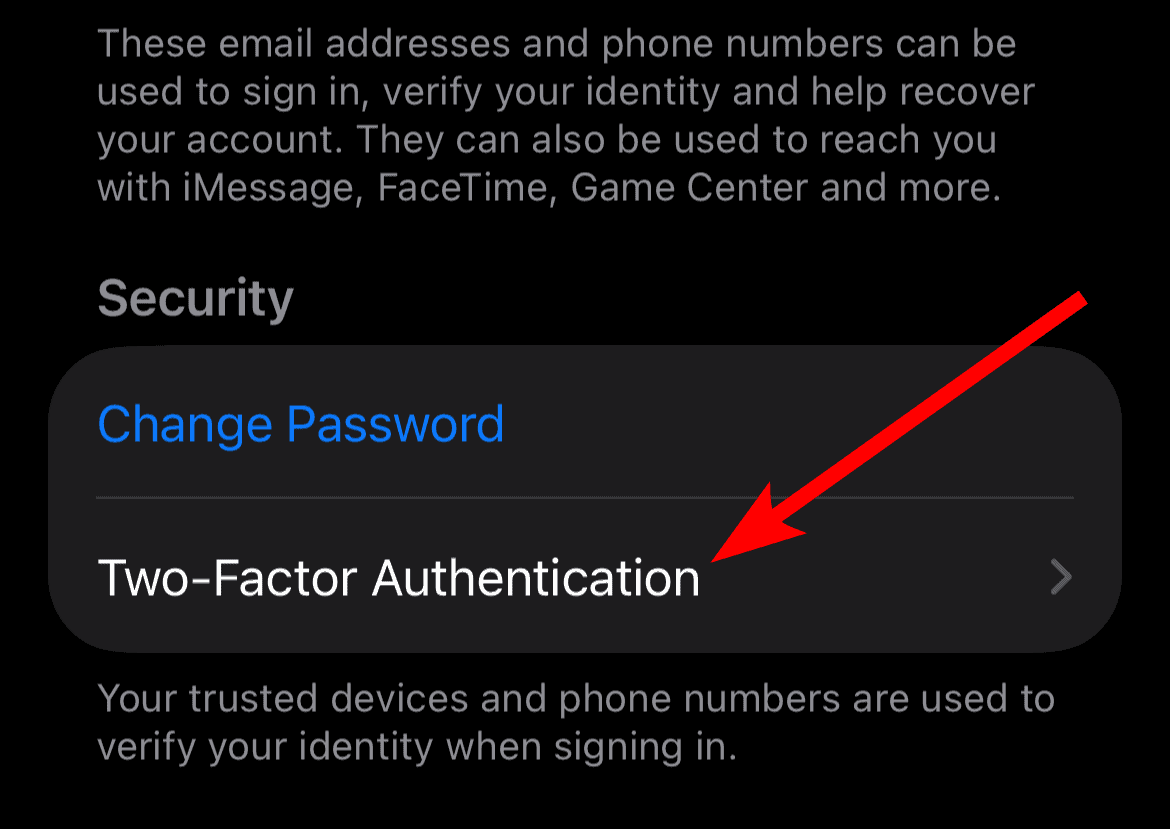
- Tap Turn On and Continue and follow the onscreen steps to verify your phone number and receive verification codes.

4. Change Your Password Immediately If Compromised
If you suspect you entered your credentials on a fake site, you must act fast. A quick password change limits the time an attacker has access to your account. Use a strong, unique password for your Apple ID that you do not use anywhere else. If you are receiving texts about unauthorized Apple Pay usage, be sure to check your account status and wallet details through official channels.
To change your Apple ID password on your iPhone, iPad, or iPod touch:
- Go to Settings.
- Tap your Name, then tap Sign In & Security.
- Tap Change Password.
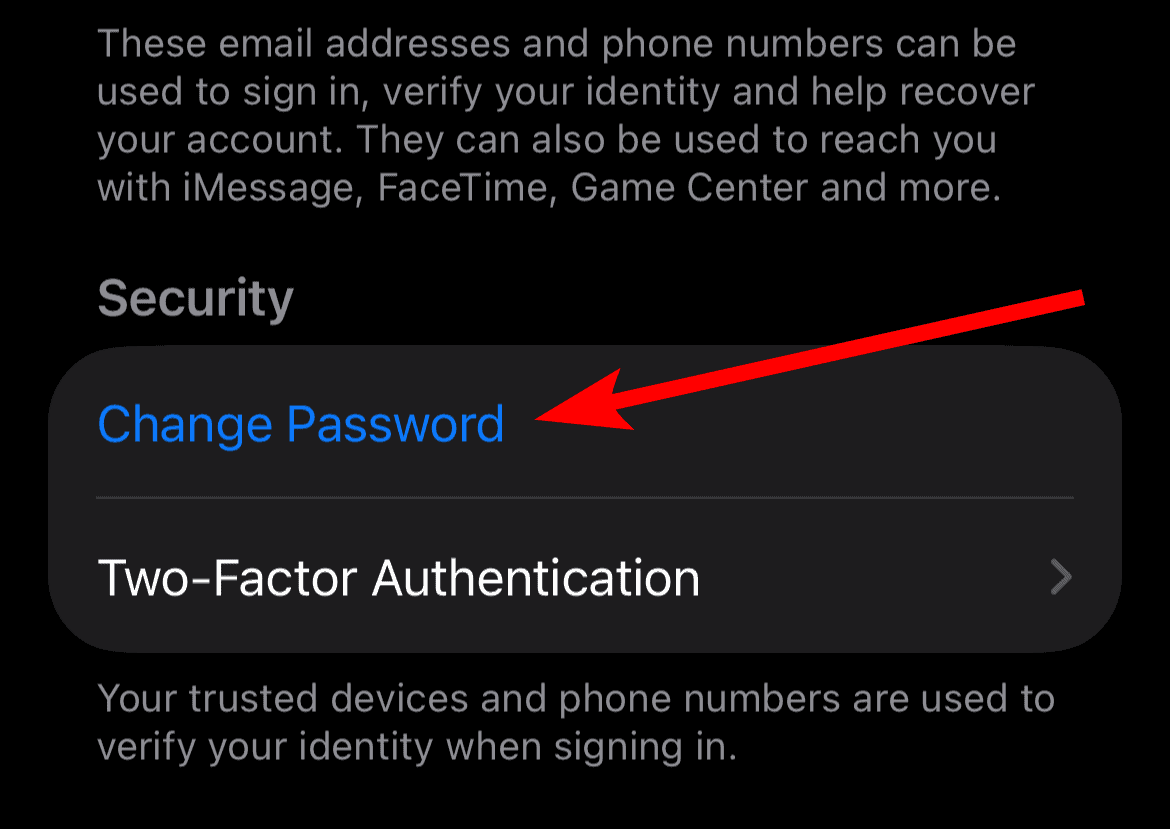
- Follow the onscreen steps to enter your new password, then confirm it.

5. Report the Scam to Apple and Authorities
Reporting phishing attempts helps Apple and law enforcement track and combat these threats, ultimately protecting other users. By forwarding the suspicious text message to Apple, you contribute to filtering efforts and security improvements.

Follow these reporting guidelines:
- Take a screenshot of the suspicious text message.
- Forward the screenshot to Apple at [email protected].
- Report the activity to your local law enforcement or consumer protection agencies.
FAQ
Apple generally prefers to communicate important security alerts via email from official domains or through notifications within your device’s settings. Unsolicited text messages claiming urgent account issues are highly suspicious and should be treated as phishing attempts.
Do not enter any information. Close the page immediately, clear your browser history, and manually navigate to your official Apple ID settings to check for any unauthorized logins or changes.
Protecting Your Digital Identity
Protecting your Apple ID requires continuous vigilance and adherence to core security practices. By learning to spot the common warning signs of fraudulent messages, such as generic greetings and threats of account suspension, you can easily dismiss these threats. It is also wise to understand how to protect yourself from general iMessage scams. Always remember: the official pathway is the safe pathway, and Apple will never pressure you into clicking unverified links.


Discussion