

You would have probably updated to iOS 26.2 and asked the same question everyone asks after a major release: Did battery life get better or worse? Early reactions split fast. Some people say they finished the day with plenty of charge left. Others say they charged twice, saw heat, or watched their battery percentage fall unusually quickly.
At the same time, iOS 26.2 adds new features and tweaks across the system, including more Lock Screen customization tied to the Liquid Glass look and practical changes in apps like Apple Music.
Why your battery can drop right after an update
Right after you install a new iOS version, your iPhone does extra work in the background. It re-indexes photos and files, refreshes system caches, and re-checks app data. That extra activity often shows up as faster drain and more warmth for a day or two.
Don’t miss the best of The Mac Observer
Set us as a preferred source and our Apple reporting ranks higher in your Google Search results and Discover feed — one tap, no account changes.
Also, some third-party apps lag behind iOS changes. Apple Support community replies often point to unoptimized apps as a common cause and recommend updating every app, then giving the phone time to settle.
What people report so far
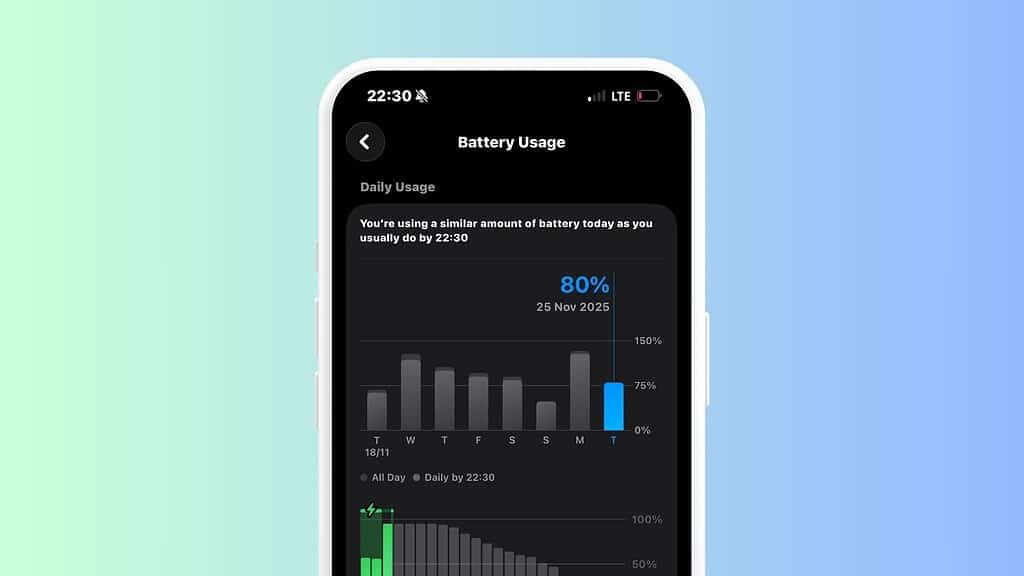
You can find three broad patterns in the early chatter:
- “All-day battery” reports: Some users say iOS 26.2 lasts longer than 26.1 and feels steadier through the afternoon.
- “Drain and heat” reports: Others describe faster drops during normal use, plus noticeable warmth.
- “Mixed but smoother” reports: A third group says the phone feels smoother, but battery drops a little faster than before.
You should treat all of that as anecdotal. Your results depend on your iPhone model, battery health, app mix, signal strength, and how heavily you use the new visual effects.
Quick checks you should run before you blame iOS 26.2
Start with the boring stuff. It often solves the problem.
- Update your apps: Open the App Store and update everything. App updates often land right after iOS releases.
- Restart once: A clean reboot clears out stuck background processes after installation.
- Check Battery settings: Go to Settings > Battery and look for an app that spikes in the last 24 hours. If one app dominates, you’ve found your culprit.
- Watch your signal: Weak 5G or constant switching between networks can drain power fast, especially while you move around.
- Give it 48 hours: If you installed iOS 26.2 today, your phone still does post-update housekeeping.
Settings that usually improve battery without breaking your day
If you need immediate relief, you can cut the drain without turning your iPhone into a brick.
- Reduce display load: Lower brightness and turn on Auto-Brightness. If you use an always-on display, test a day with it off.
- Trim background work: Turn off Background App Refresh for apps you do not need to update constantly.
- Use Low Power Mode when you need it: It remains the quickest battery band-aid during travel days.
- Review location access: Change heavy apps from “Always” to “While Using” if you can.
If you think the Liquid Glass design affects the battery, test it like a journalist. Keep your usage similar for a day, then reduce visual intensity where you can and compare results. iOS 26.2 also adds more Lock Screen control that ties into that design system.
When you should worry
Battery life drops happen. You should still pay attention when you see clear warning signs:
- Your iPhone heats up during light tasks like messaging.
- You lose a large chunk of battery in an hour with the screen mostly off.
- Battery health falls sharply in a short window.
If those symptoms persist after a few days, focus on app updates, battery usage logs, and repeatable tests. If the phone still drains fast, you have enough evidence to contact Apple Support with specifics instead of vibes.

Discussion