

Plugging in your iPhone is one of the most boring moments of the day. Same dull chime. Same nothing feeling. Here’s the thing: Apple quietly gave you the tools to turn that moment into something fun. If you want your iPhone to celebrate every time it gets power with a champagne cork pop, you can do that. No hacks. No jailbreaking. Just Shortcuts.
Table of contents
What You Need Before You Start
This works on iPhones running iOS 14 or later. If you’re on iOS 18, even better. You’ll also need the Shortcuts app, which is already on your phone.

Next, grab a short champagne cork pop sound. One or two seconds is perfect. You can download a free sound effect from the web and save it to the Files app on your iPhone. MP3 or WAV both work fine.
Don’t miss the best of The Mac Observer
Set us as a preferred source and our Apple reporting ranks higher in your Google Search results and Discover feed — one tap, no account changes.
That’s it. Now the fun part.
Create the Charging Automation
- Open the Shortcuts app and tap the Automation tab at the bottom. Tap New Automation, then scroll down and choose Charger.
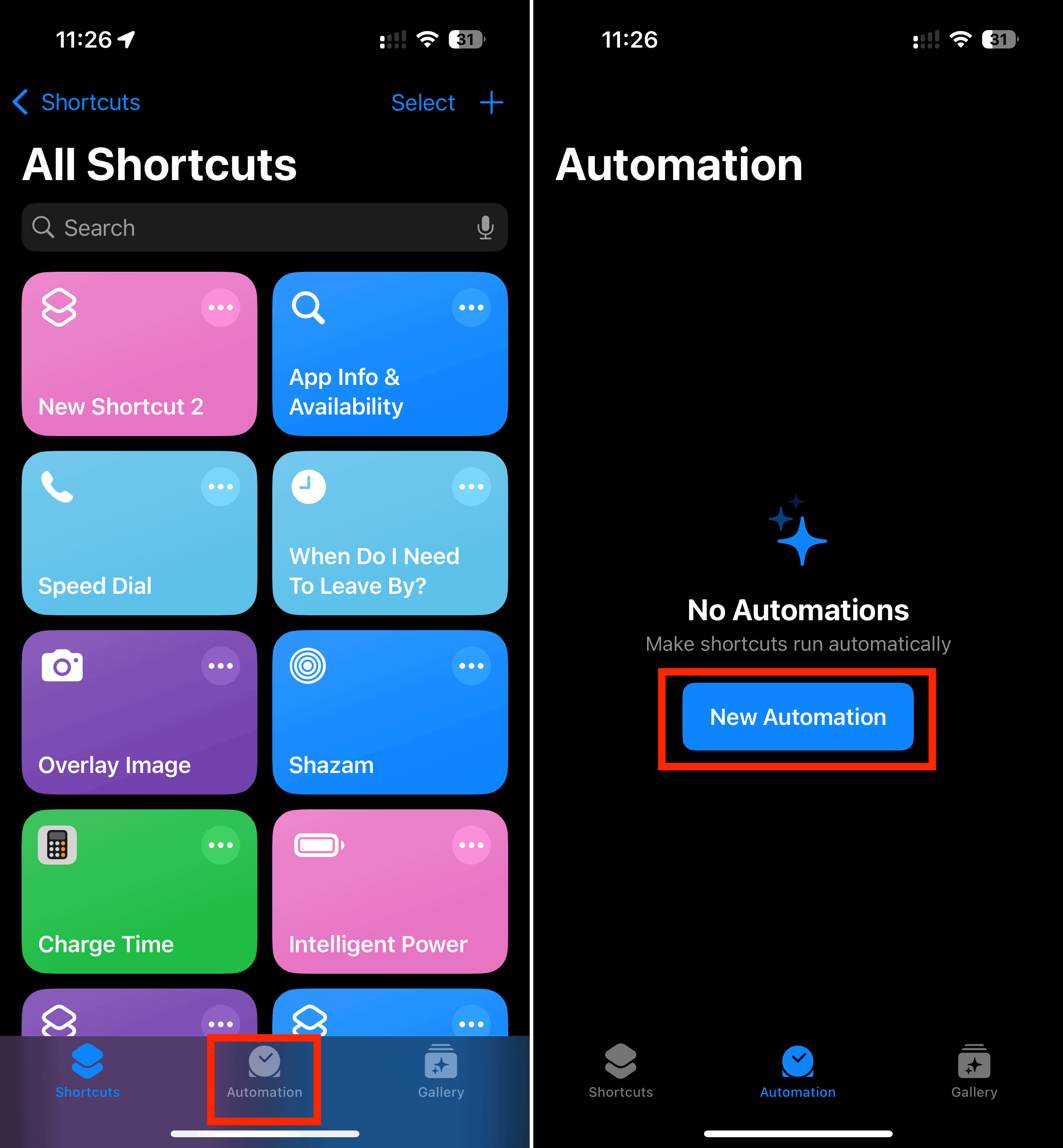
- Select Is Connected. This tells your iPhone to react the moment you plug it in or drop it on a wireless charger. Tap Next.

Now you’re deciding what happens when the charger connects.
Option 1: Use a Sound File Like a Cork Pop
- Tap Add Action and search for Run Shortcut. This method works best if you want a short sound effect instead of a full song.
- To make this work, you’ll need a shortcut that plays your sound file. The simplest approach is using a Play Sound or Play Music action tied to a local file or music track. If your cork pop is saved in Files, you can use a shortcut that plays audio from Files.
- Once the action is set, tap Next.
- Here’s the important part. Turn off Ask Before Running. Confirm by tapping Don’t Ask. This makes the sound play instantly, without permission prompts.
- Tap Done.

Option 2: Let Siri Celebrate for You
If you don’t want to mess with sound files, there’s another route. Instead of a cork pop, you can make Siri say something celebratory.
- Choose Add Action, search for Speak Text, and type something like Cheers or Pop goes the charger. You can even adjust the voice, pitch, and speed to make it dramatic or ridiculous.
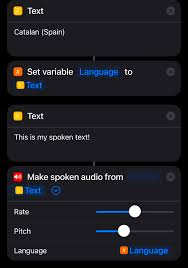
- Same rule applies. Turn off Ask Before Running. Tap Done.

Test It and Fine Tune
Plug in your iPhone. If everything’s set correctly, you’ll hear your champagne cork pop right after the standard charging sound. Want only your custom sound? Flip your phone to silent mode. The shortcut still plays.
If it feels too loud, too long, or too cringe, tweak it. That’s the beauty of Shortcuts. Nothing here is permanent.
Charging your phone doesn’t have to feel like a chore. Now it sounds like a celebration.


Discussion