
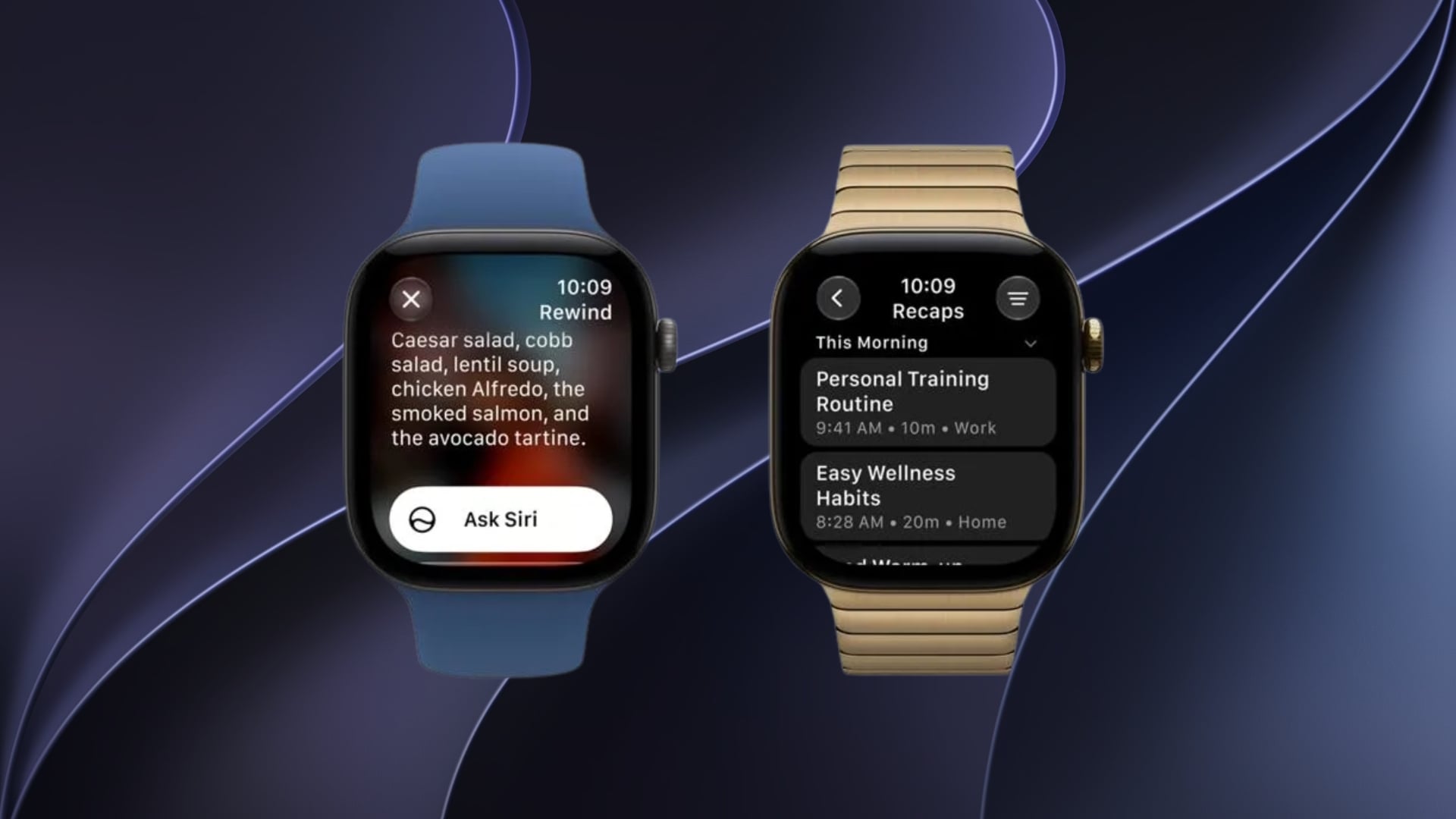
Apple has introduced two new Audio Intelligence features, Live Rewind and Siri Recap, with the first watchOS 27.3 developer beta released on November 3. The features allow users to revisit recent conversations and generate AI-powered summaries directly from their Apple Watch, expanding the capabilities of Siri AI on watchOS 27.
Apple first previewed these features in September alongside the Apple Watch Series 12 and Ultra 4. Both are now available for developers to test, although they require compatible hardware and remain in beta.
How Live Rewind and Siri Recap Work
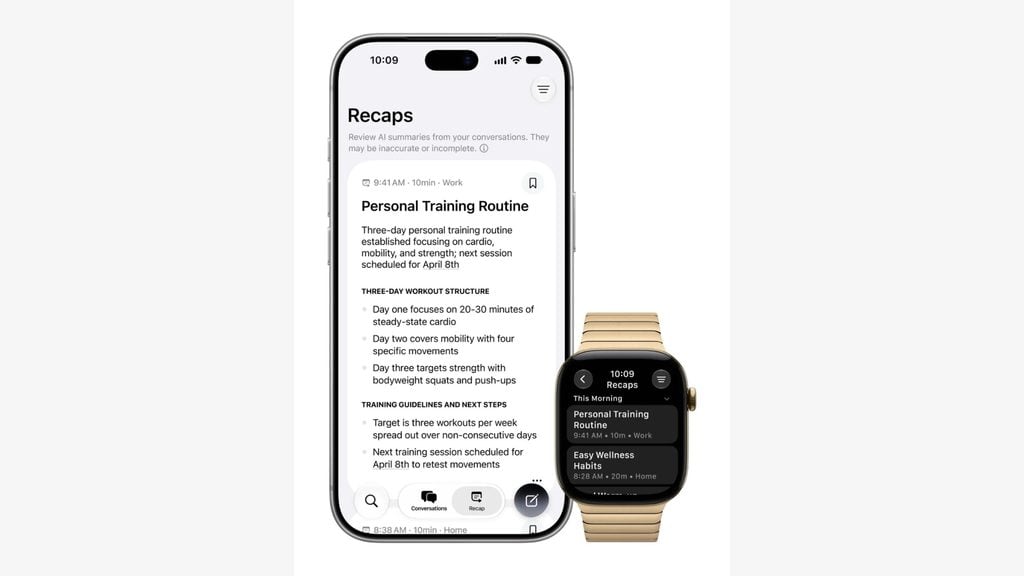
Live Rewind helps users recover something they missed during a conversation by displaying a text snippet of the previous 15 seconds of speech. Double-pressing the Digital Crown activates the feature, allowing users to review the text, ask Siri a follow-up question, or save it for later.
Don’t miss the best of The Mac Observer
Set us as a preferred source and our Apple reporting ranks higher in your Google Search results and Discover feed — one tap, no account changes.
Meanwhile, Siri Recap automatically creates short summaries of conversations throughout the day, including titles and important discussion points. Users can review these summaries in the Siri app without manually taking notes during meetings or conversations.
According to Apple’s support documentation, Siri Recap can operate on a schedule based on time or location, while users can also control it manually through Control Center.
Apple Focuses on Privacy and On-Device Processing
Both features use the S11 chip’s Secure Exclave to handle sensitive audio securely. Live Rewind processes speech locally, while Siri Recap uses Apple’s Private Cloud Compute infrastructure to generate summaries.
Apple also includes several privacy controls:
- Siri Recap summaries automatically disappear after seven days unless saved.
- Saved summaries and text snippets use end-to-end encryption when synced through iCloud.
- Live Rewind plays an audible chime and displays a visual indicator when activated.
- Raw audio recordings are not retained after processing.
Which Apple Watch Models Support These Features?
Live Rewind and Siri Recap require an Apple Watch Series 12 or Ultra 4 paired with a compatible Apple Intelligence-enabled iPhone 16 or newer, excluding the iPhone 16e.
The features initially support English and are unavailable in the European Union. Users also need Siri AI enabled, and certain features are subject to daily usage limits.
As explained in the watchOS 27 compatibility guide, older Apple Watch models cannot access these Audio Intelligence capabilities.
The watchOS 27.3 developer beta is available now, while Apple has yet to announce a public release date for the update.

Discussion