

Apple has introduced several new FaceTime features with iOS 27, improving how you share camera feeds, communicate during video calls, and stay connected in areas with poor network coverage. Subsequent iOS 27 updates have expanded these capabilities with better accessibility tools and dedicated video calling features for the iPhone Duo.
Here are five new iOS 27 FaceTime features you should know about, including how they work and which iPhone models support them.
1. Dual Capture for FaceTime Calls

One of the biggest additions to FaceTime in iOS 27 is Dual Capture, which allows you to share your front and rear camera feeds simultaneously during a video call.
Don’t miss the best of The Mac Observer
Set us as a preferred source and our Apple reporting ranks higher in your Google Search results and Discover feed — one tap, no account changes.
The feature displays your face in a small window over the rear camera feed, making it easier to show your surroundings, demonstrate something, or share experiences with friends and family.
Apple initially limited Dual Capture to one-on-one calls, but iOS 27.2 expanded support to Group FaceTime.
To activate it, tap the Flip camera button during a video call. Dual Capture requires an iPhone 17, iPhone Air, or newer supported model, while participants need iOS 27, iPadOS 27, or macOS 27 or later.
2. Better FaceTime Call Quality and Connectivity
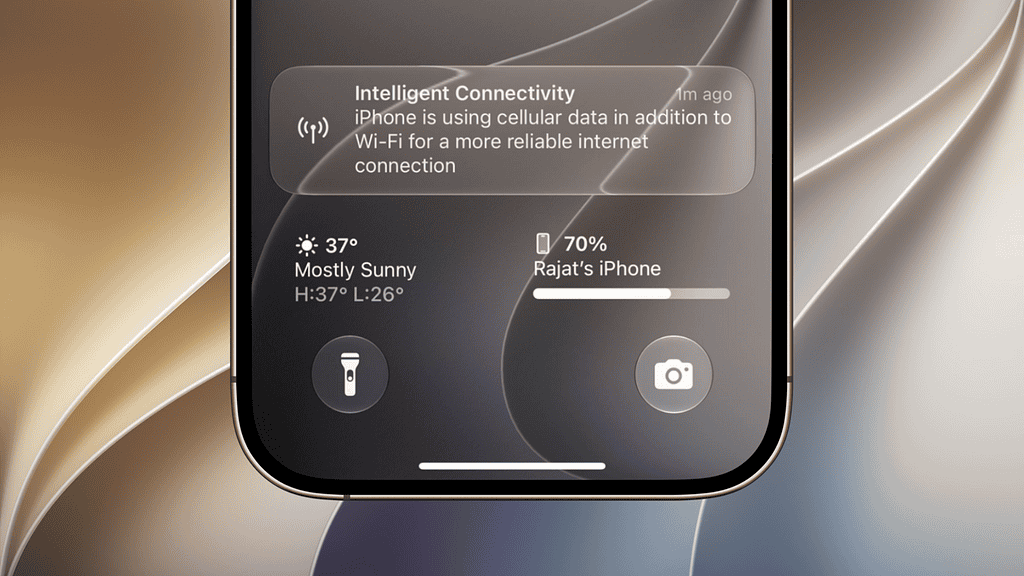
Apple has improved FaceTime performance over weak internet connections, helping reduce interruptions when available network bandwidth drops.
iOS 27 also handles transitions between Wi-Fi and cellular networks more effectively, reducing the likelihood of disconnected calls when you leave your home or move between different network coverage areas.
These improvements complement Apple’s new Connectivity Assist feature, which uses cellular data to improve internet connectivity when Wi-Fi becomes unreliable.
3. Expanded Live Captions and Accessibility Features
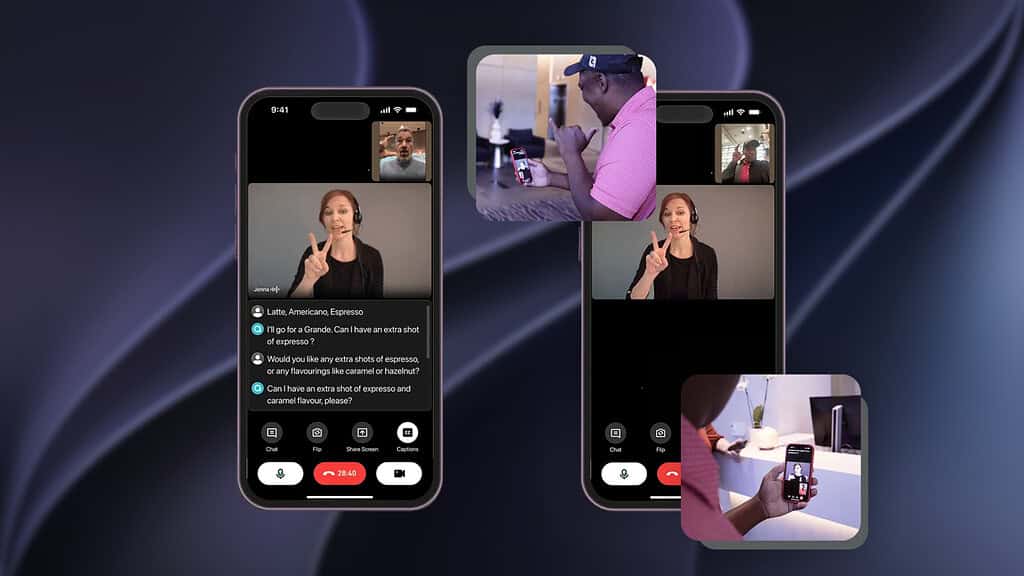
FaceTime gains support for Live Captions in Traditional Chinese with iOS 27, expanding accessibility for users who rely on real-time speech transcription.
Additionally, iOS 27.2 introduces support for third-party sign language interpreters and live captioning services directly within FaceTime calls.
Users can access supported interpretation services through the three-dot menu during a call, allowing an interpreter to participate in the conversation through a dedicated video tile.
4. Duo FaceTime for iPhone Duo

Available exclusively on Apple’s foldable iPhone, Duo FaceTime takes advantage of both displays and their respective front-facing cameras.
The feature allows someone sitting across from you to participate in the same FaceTime conversation using the outer display while you continue using the inner display.
According to Apple, this functionality makes it easier for people sharing a single iPhone to participate in group video calls without crowding around one screen.
5. Edge Light for Low-Light Video Calls

Apple brought the Mac’s Edge Light feature to iPhone Duo with iOS 27.2, allowing users to illuminate their faces during video calls in poorly lit environments.
The feature uses the edges of the inner display as a virtual ring light, with adjustable brightness and color temperature.
To enable Edge Light, open Control Center during a video call, select FaceTime Controls, and tap Edge Light. The feature also works with supported third-party video calling apps.
To access the latest FaceTime improvements, head to Settings > General > Software Update and install the latest available iOS 27 version.




Discussion