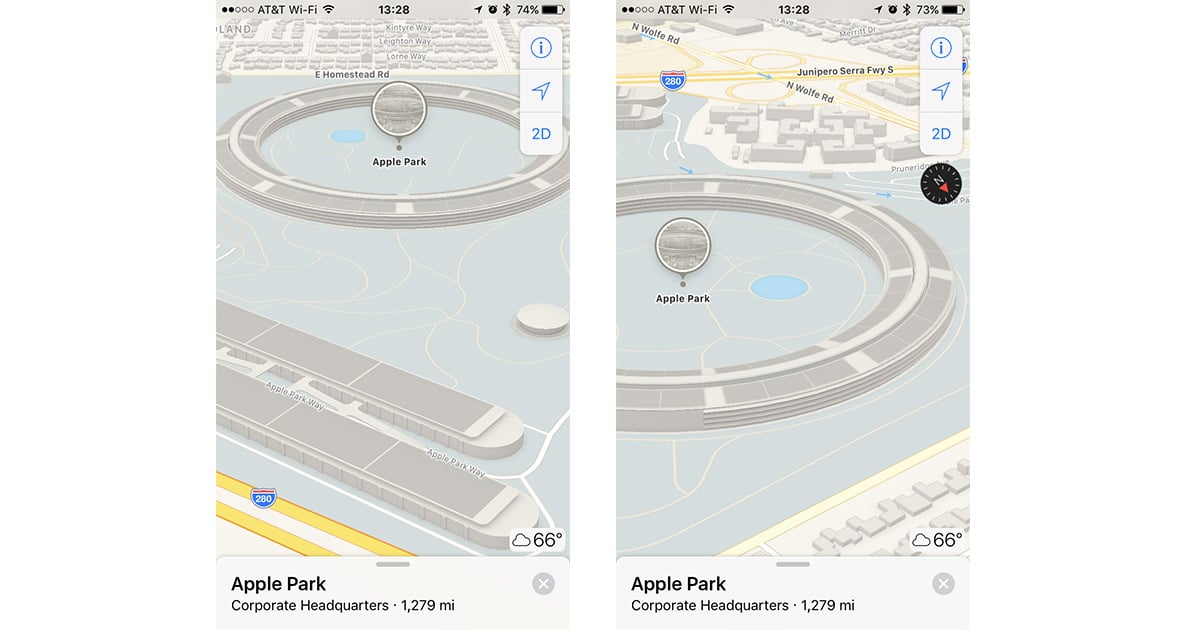
Apple Maps is making it easier to pretend like you’re flying your own drone over Apple Park because now it offers a 3D view of the campus. Just search for “Apple Park” in Maps and do a two-finger swipe up to switch to 3D view. Now you can swipe and twist around to see the structures and landmarks, including the giant ring-shaped main building. It’s not quite the same as actually going there, but it’s still cool to see the campus from the perspective you want.
Apple Maps Adds 3D View for Apple Park Campus



Nor in iOS 10.3.2 ;-(
Maybe you have to be located in the Good Old US Of A ?
In El Capitan & Maps it doesn’t 🙁
Maps offers up the same info to both Mac OS and iOS, so you should get the same view across all of your devices. If it’s still flat, try zooming in a bit more.
Unfortunately, the update is for the drawn “map” and “transit” views only. The satellite view is still working with mid-construction photos from around June 2016. I presume they’re waiting for the final completion before photographing it again.
Also interesting to note that the new buildings across the street at the Cupertino Village shopping center haven’t been added. So I guess there’s still some work to do.
It doesn’t appear that the Maps app for Mac OS has been updated yet.