

Apple has added a major health feature in watchOS 26. With the update, the Apple Watch Series 9 and later, along with the Apple Watch Ultra 2 and newer, can now deliver Hypertension Notifications. The feature alerts users when the watch detects signs of chronic high blood pressure, offering early insight into a condition that often develops quietly.
How the Feature Works
The notifications rely on the existing optical heart sensor, not new hardware. Apple uses a software-based algorithm to analyze long-term heart data and flag signs of hypertension. Here is the process:
- Enable Hypertension Notifications in the Health app on your iPhone.
- Data collection begins immediately after setup.
- The system tracks your heart readings for 30 days.
- If patterns linked to hypertension appear, the watch sends you a notification.
- You will be prompted to create a Blood Pressure Log, which requires a third-party cuff-based monitor.
Apple notes the feature is intended for users 22 or older, not pregnant, and not previously diagnosed with hypertension.
Don’t miss the best of The Mac Observer
Set us as a preferred source and our Apple reporting ranks higher in your Google Search results and Discover feed — one tap, no account changes.
What Happens if You Get a Notification
If your watch detects possible hypertension:
- Set up a Blood Pressure Log on your iPhone.
- Take blood pressure readings twice daily (morning and evening) for 7 days using a cuff-based monitor.
- Extend the log to 4 weeks if you want more detailed tracking of existing hypertension.
- Share your log with a healthcare professional during your next appointment.
The notifications are a prompt to act, not a replacement for diagnosis or treatment. Apple warns that not everyone with hypertension will get a notification.
How to Turn On Hypertension Notifications
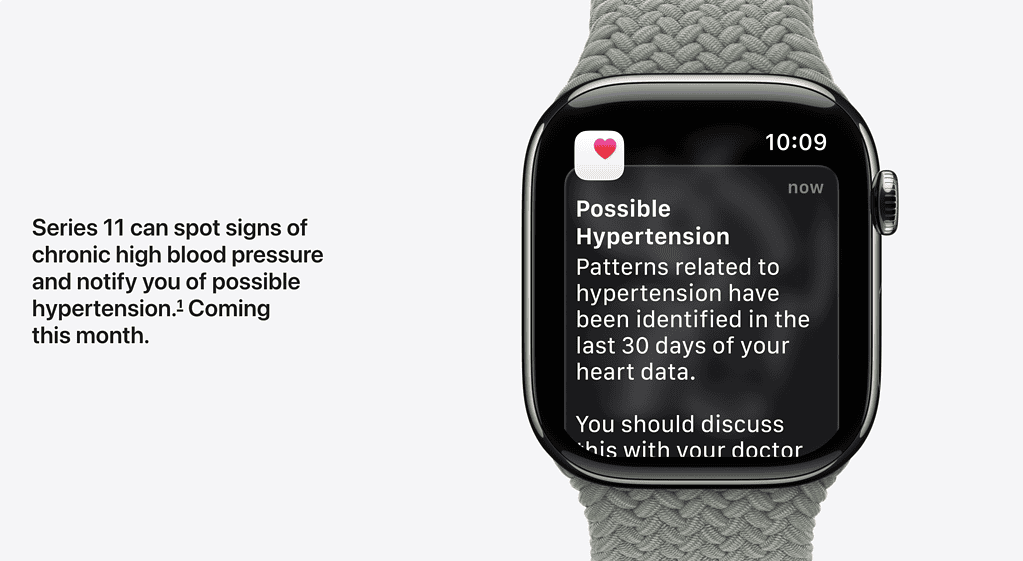
You can activate the feature directly in the Health app:
- On your iPhone, open the Health app.
- Tap your profile icon in the corner.
- Under Features, choose Health Checklist.
- Select Hypertension Notifications.
- Confirm your age and medical eligibility.
- Follow the on-screen steps explaining how the alerts work.
- Tap Done to finish setup.
What It Does Not Do
Apple makes clear that the feature cannot diagnose or manage hypertension. It is not designed to detect related conditions such as atrial fibrillation, heart failure, or high cholesterol. The Apple Watch also cannot detect or warn of heart attacks.
Apple explained the feature in its official watchOS 26 release notes and expanded on requirements and limitations in a support document. The company stressed that hypertension alerts are a screening tool, not a substitute for professional medical care.



Discussion