
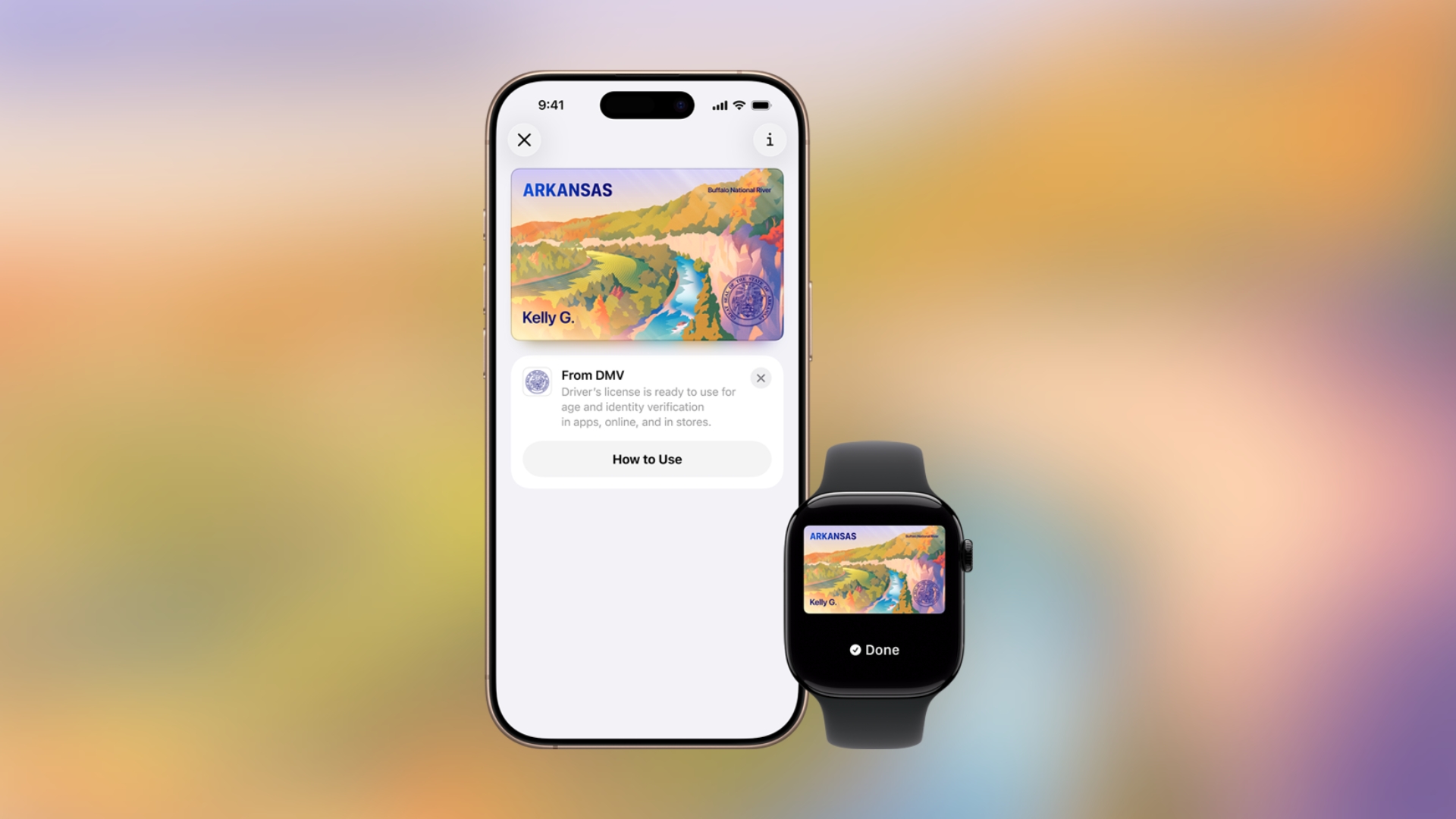
Apple Wallet support for digital driver’s licenses and state IDs is now available in Arkansas, giving iPhone and Apple Watch users another way to carry their identification digitally while still keeping their physical card with them.
The Arkansas Department of Finance and Administration officially announced the rollout today, and eligible users can now add their driver’s license or state ID directly to the Wallet app on iPhone. Some users may need to force-close the Wallet app and reopen it before the feature appears.
How to add your ID to Apple Wallet
Apple keeps the setup process simple, and users can add their ID in just a few steps:
Don’t miss the best of The Mac Observer
Set us as a preferred source and our Apple reporting ranks higher in your Google Search results and Discover feed — one tap, no account changes.
- Open the Wallet app on iPhone
- Tap the “+” button in the top-right corner
- Select Driver’s License or State ID
- Follow the identity verification process
- Complete the setup and sync it with Apple Watch if needed
Once added, users can use their digital ID at supported TSA checkpoints and participating businesses, apps, and websites that accept Apple Wallet identification.
States that support Apple Wallet IDs
Arkansas now joins a growing list of supported regions:
- Arizona
- California
- Colorado
- Georgia
- Hawaii
- Illinois
- Iowa
- Maryland
- Montana
- New Mexico
- North Dakota
- Ohio
- Puerto Rico
- West Virginia
Arkansas officials also reminded users that the digital ID does not replace the physical driver’s license or identification card, so residents must still carry the original card while using the Apple Wallet version as a secure digital companion.



Discussion