
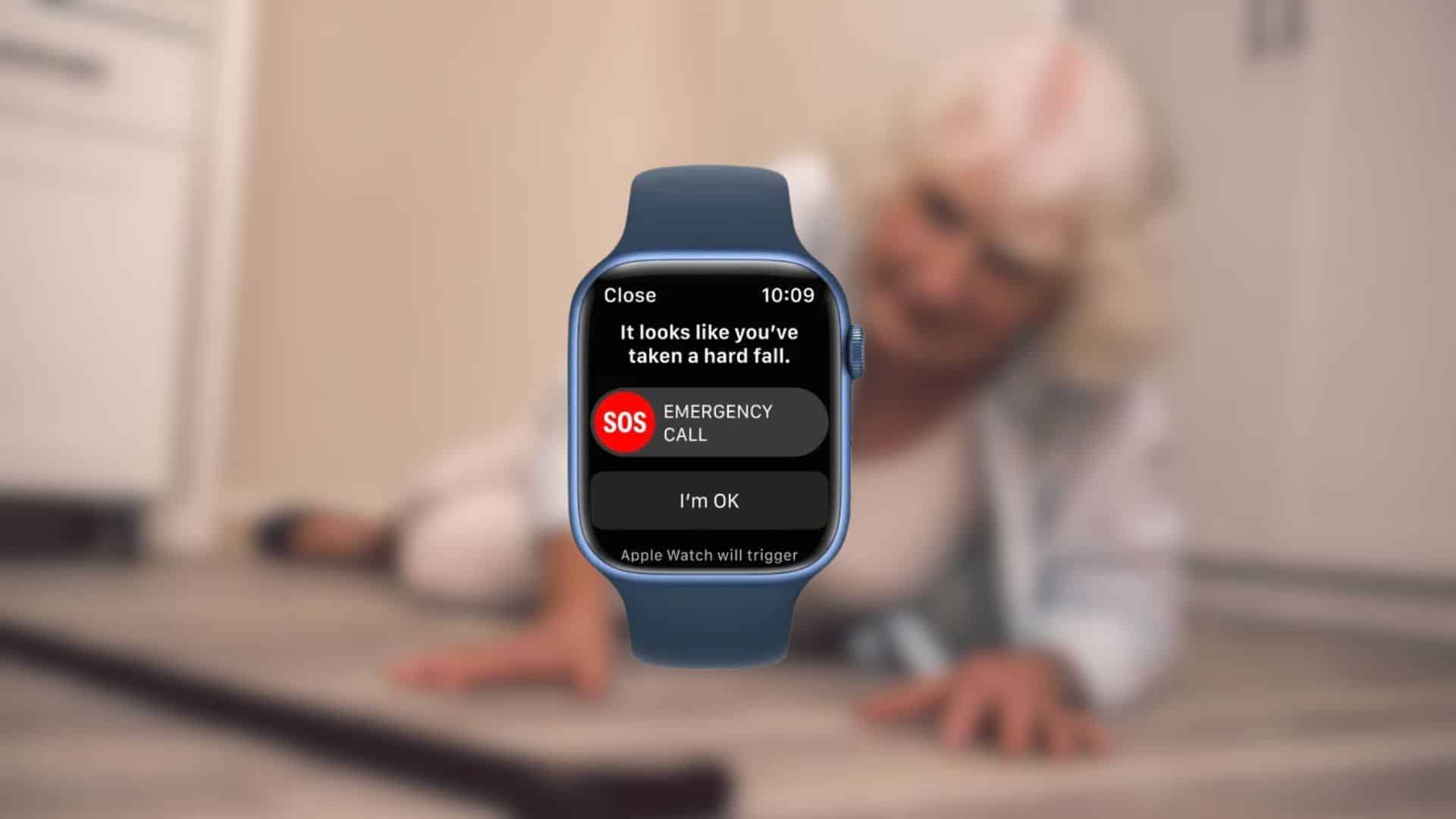
A 77-year-old woman collapsed at home on Friday morning. Her Apple Watch detected a hard fall, waited for a response she could not give, and placed the 911 call that brought paramedics to her closet floor. She survived the heart attack and now awaits a triple-bypass. A simple setting likely bridged the gap between crisis and care.
What happened
According to the family’s account, the woman felt unusual back discomfort the night before, then dizziness and fatigue the next morning. She went to fetch a space heater, blacked out, and fell. The Apple Watch recognized the fall, initiated its on-watch emergency prompt, and automatically called emergency services when she did not respond.
Crews arrived, transported her to the hospital, and doctors later found critical blockages in two of three coronary vessels. The story, posted in the Apple Watch community, echoes a growing body of similar rescue anecdotes.
Don’t miss the best of The Mac Observer
Set us as a preferred source and our Apple reporting ranks higher in your Google Search results and Discover feed — one tap, no account changes.
Why the watch intervened so quickly
Apple’s fall detection uses motion sensors and algorithms to spot a hard fall, then taps the wrist, sounds an alarm, and shows an “I’m OK” or “Emergency Call” screen. If there’s no response, it calls local emergency services and shares location, while also notifying emergency contacts.
Critically, fall detection turns on by default for users who enter an age of 55 or older in the Health app or during watch setup. Anyone 18 or older can enable it manually. Those details matter for seniors living alone.
Heart attack signals can look different in women
The mother’s first sign wasn’t crushing chest pain. Many women report subtler symptoms such as back or jaw pain, unusual fatigue, nausea, or shortness of breath. That divergence from the “classic” profile can delay help. Public health guidance stresses calling emergency services immediately if these symptoms appear, especially with risk factors like diabetes or high blood pressure.
The family noted they were surprised their Garmin and other GPS watches lacked a similar automatic 911 feature. Garmin’s safety tools focus on “incident detection” and “assistance,” which send texts and emails with your location to chosen contacts, typically during outdoor activities, and usually require a connected phone or an LTE plan.
Garmin’s own support pages state the system does not contact emergency services on your behalf. That distinction is important when minutes matter and no one is nearby to receive a text.
How to check your own settings in one minute
If you or a parent wears an Apple Watch, verify the following today.
- Confirm age in Health/Medical ID so fall detection can auto-enable for seniors.
- Open the Watch app on iPhone, tap My Watch, then Emergency SOS, and turn Fall Detection to “Always On.”
- Add emergency contacts in Health.
- Review Emergency SOS options for calling local services with a long press or five presses of the side button.
These steps ensure the watch can call 911 when you cannot, and that loved ones get your location.
Apple has steadily layered more safety and health features on its watches, from fall detection in Series 4 to Emergency SOS, AFib notifications, and sleep apnea alerts in newer watchOS releases. Our recent reporting also details hypertension notifications rolling out on supported models, aimed at flagging possible high blood pressure patterns over time. None of these replace medical care, but they widen the window for early action.
Reality Check
No device detects every fall or every emergency. Apple notes that high-impact motion can trigger false positives, and any wearable can miss events. Still, in this case, the watch recognized a hard fall, made the call, and bought the time doctors needed. That is the story.
If a parent or grandparent wears a smartwatch, verify whether it can call emergency services automatically and under what conditions. On Apple Watch, that capability is built in and, for many seniors, turned on by default. On other brands, emergency alerts may only reach contacts and may require a phone or subscription. The difference is not academic. It can decide who shows up at the door.


Discussion