There is a fixed order to Monday’s updates, and Apple publishes it in a footnote rather than an instruction. watchOS 27 requires a paired iPhone already running iOS 27, so the phone goes first and the watch cannot go at all until it does.
Apple Vision Pro sits outside that chain and updates on its own, and Apple TV has no place in the chain yet because Apple has published no tvOS 27 release date. Every dated release in the wave lands on Monday, September 14, and Apple has published no time of day for any of them.
Key facts on Monday’s update order
| Device | Update | What Apple requires first |
|---|---|---|
| iPhone | iOS 27 | Nothing, the update is dated Monday, September 14 |
| Apple Watch | watchOS 27 | A paired iPhone 11 or later, or iPhone SE, running iOS 27 |
| iPad | iPadOS 27 | Nothing, dated Monday, September 14 |
| Mac | macOS 27 Golden Gate | Apple silicon, since Intel Macs are not on the list |
| Apple Vision Pro | visionOS 27 | Nothing, dated Monday, September 14 |
| Apple TV | tvOS 27 | No release date published at all |
Why the iPhone has to go first
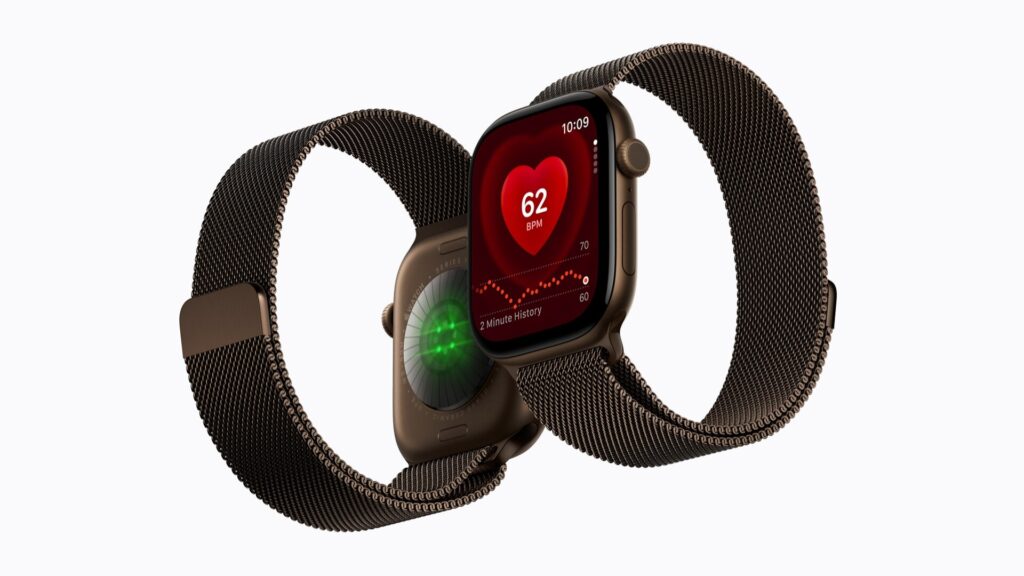
Apple’s watchOS compatibility footnote is explicit that the release requires “iPhone 11 or later or iPhone SE (2nd generation or later) with iOS 27” plus one of eight watch models: SE 3, Series 9, Series 10, Series 11, Series 12, Ultra 2, Ultra 3 and Ultra 4.
Don’t miss the best of The Mac Observer
Set us as a preferred source and our Apple reporting ranks higher in your Google Search results and Discover feed — one tap, no account changes.
Apple’s September 9 health announcement words the same requirement as iPhone 11 or later or iPhone SE (3rd generation), which is a tighter floor. Apple has not reconciled the two, so an iPhone SE (2nd generation) owner with a Series 9 has one Apple page saying yes and another saying no. The iOS 27 release is the gate in both versions.
Apple’s documented order, and the blanks in it
The only published step list is Apple’s general update article, which is dated December 5, 2025 and written for iOS 26. Labels may move once iOS 27 ships on September 14, but the order Apple puts them in is the useful part:
- Back up the device using iCloud or a computer, which Apple lists as step one, before anything else
- Plug the device into power and connect to the internet with Wi-Fi
- Open Settings, tap General, then tap Software Update
- Tap Download and Install, then follow the onscreen instructions
What Apple does not publish in that article is just as useful. There is no minimum battery percentage, no minimum Wi-Fi speed, no download size for iOS 27 and no free-space requirement. Apple does document that apps may be temporarily removed to make room and are automatically reinstalled afterwards, which is worth knowing before half a Home Screen greys out.
Apple has also published no statement that iOS 27 rolls out in stages, waves or regions, and no downgrade document for public releases, so there is no published route back to iOS 26 once the install completes.
Apple TV and Vision Pro sit outside the chain
visionOS 27 is dated Monday and needs no other device. tvOS 27 reached release candidate on September 9 with build 24J360, and Apple has published neither a release date nor a list of compatible Apple TV models, so there is nothing for an Apple TV owner to check against.
Nothing else in the wave depends on the Apple TV, with one exception worth noting: the new Home features in iOS 27 require a home hub, and Apple TV 4K is one of the three devices that can be one. Our event recap covers what Apple did and did not announce for the living room.
The documents that do not exist yet
| Document | Status |
|---|---|
| About iOS 27 Updates | Does not exist, three days before release |
| About watchOS 27 Updates | Does not exist, and watchOS 26 has one at article 123002 |
| Security content for iOS 27, watchOS 27 or macOS 27 | No rows, the index tops out at iOS 26.6.2 on September 8 |
| Apple Watch and iPhone compatibility table | Live, but it still only covers watchOS 26 |
| Update your iPhone or iPad | Live, dated December 5, 2025, written for iOS 26 |
Apple Watch Series 12 and Ultra 4 ship with the new release already installed, so their first update is somebody else’s problem. Full details are in our Series 12 and Ultra 4 coverage, and the phones that ship with iOS 27 are in our iPhone 18 Pro rundown.
What Apple has not said
- A release time on September 14 for any of the five dated updates
- Whether the public iOS 27 build is the same 24A435 release candidate developers already have
- Any tvOS 27 release date or Apple TV compatibility list
- Whether an iPhone SE (2nd generation) can update a paired Apple Watch, given its two conflicting pages
- Any download size, free-space figure or staged rollout plan
iOS 27, iPadOS 27, macOS 27 Golden Gate, watchOS 27 and visionOS 27 are all dated Monday, September 14. The safe sequence on the day is iPhone, then watch, with the Mac, iPad and Vision Pro in any order you like.