
Apple has introduced several useful improvements to the Phone app with iOS 27, making it easier to find important information during calls, remember special occasions, and take action on voicemail messages. The company has expanded the role of Apple Intelligence within the calling experience while reducing the need to switch between apps.
Following the release of iOS 27.2, the Phone app has also gained additional contextual capabilities. Here are five changes that make calling on your iPhone more useful.
1. Call Context automatically finds important information
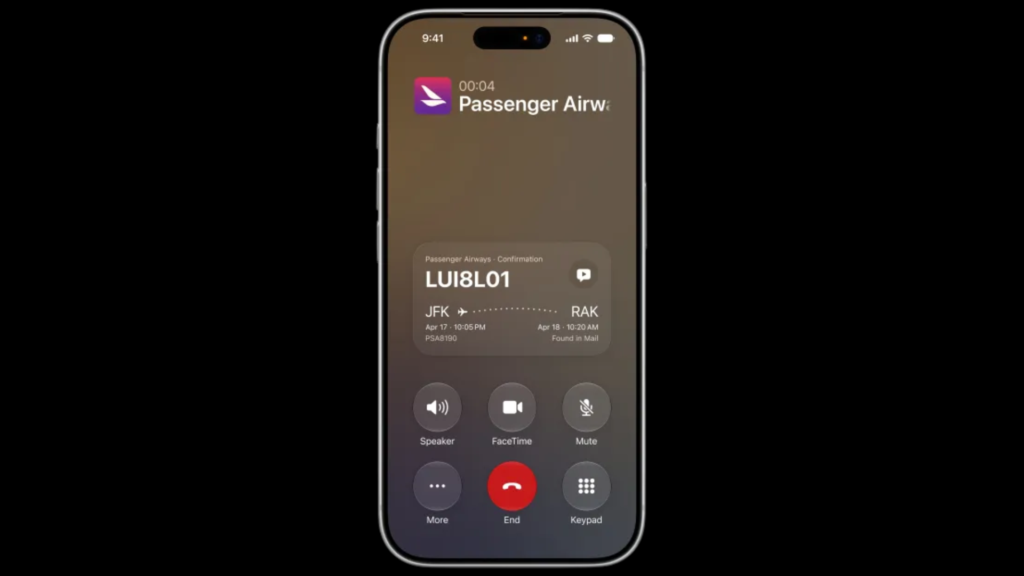
Call Context is the biggest addition to the Phone app in iOS 27. When you call a business, your iPhone can automatically display relevant information from Mail, Messages, Wallet, and Calendar.
Don’t miss the best of The Mac Observer
Set us as a preferred source and our Apple reporting ranks higher in your Google Search results and Discover feed — one tap, no account changes.
For example, when calling an airline to reschedule a flight, your iPhone can display your booking confirmation number directly on the call screen. The feature can also retrieve hotel reservation details, order numbers, and other relevant information.
According to Apple’s support documentation, Call Context identifies businesses using their phone numbers and searches for associated information. The feature processes information on your device without relying on the contents of your ongoing conversation.
You can manage Call Context settings under Settings > Apps > Phone > Apple Intelligence & Siri > Show When Calling.
2. Estimated wait times during customer service calls

Apple has integrated Call Context with Hold Assist to provide additional information when businesses place you on hold.
While Hold Assist originally debuted with iOS 26, its integration with Call Context in iOS 27 allows your iPhone to display an estimated waiting time when that information is available.
You can continue using other apps while waiting, and your iPhone will notify you when a representative becomes available. This is particularly useful when contacting banks, airlines, insurance companies, or businesses with long customer support queues.
3. Voicemail messages suggest reminders and calendar events
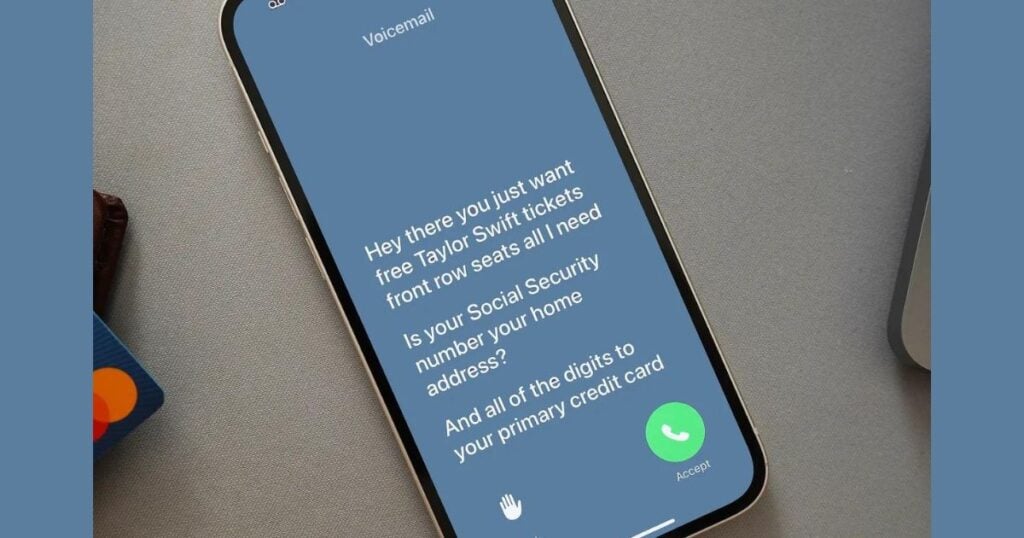
Apple Intelligence can now identify actionable information within voicemail transcripts and suggest relevant follow-up actions.
For instance, if someone leaves a voicemail asking you to attend a meeting on Friday, the Phone app can suggest creating a calendar event. Similarly, a message asking you to return a call can generate a reminder suggestion.
This expansion of intelligent voicemail suggestions reduces the need to manually copy information between apps, while you retain control over which suggested actions you accept.
To manage this feature, open Settings > Apps > Phone and enable Suggestions in Voicemail.
4. Birthday celebrations during phone calls
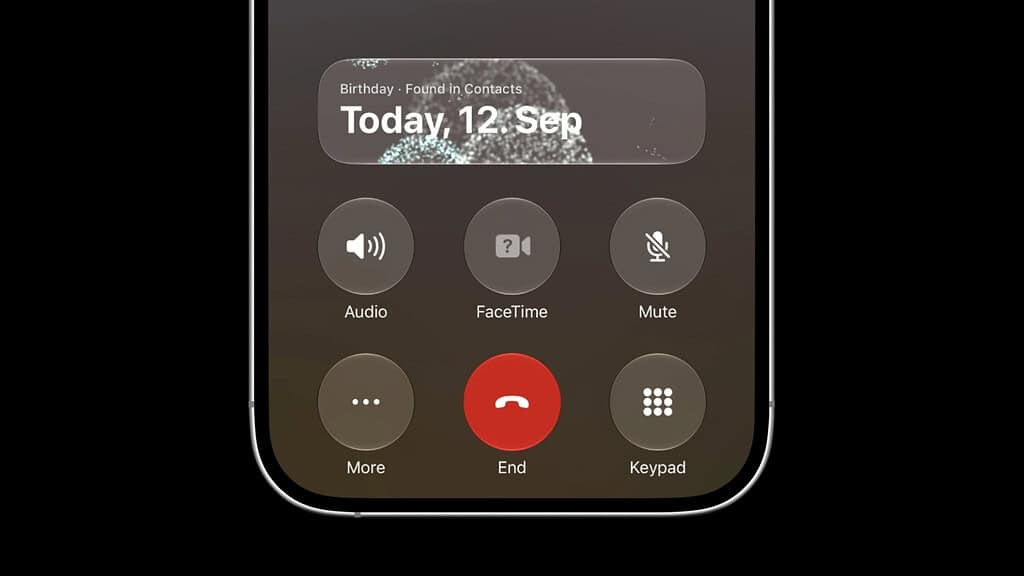
Apple has added a small visual improvement that makes calling friends and family more personal. When you call someone on their birthday, iOS 27 can display a fireworks animation on the calling screen.
The birthday fireworks animation relies on birthday information saved in the person’s contact card, giving you another opportunity to remember their special day during a conversation.
You can add someone’s birthday by opening Contacts, selecting their contact card, tapping Edit, and adding their birthday.
5. Anniversary reminders with iOS 27.2
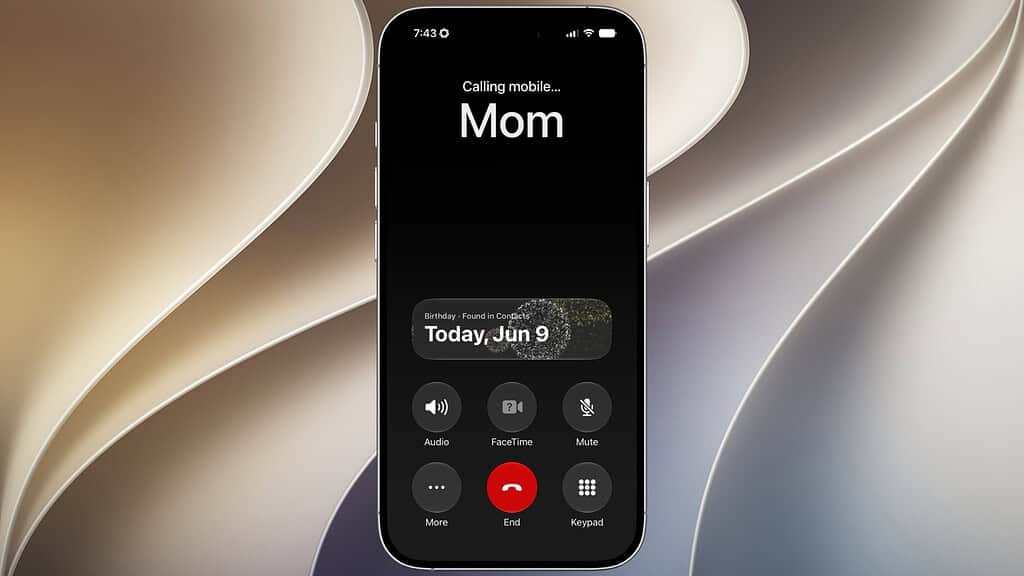
Apple expanded Call Context with iOS 27.2 to support anniversary reminders. When you call someone on their anniversary, the Phone app can display a reminder about the occasion, provided you have saved the relevant date in Contacts.
The anniversary reminder feature is particularly useful for remembering wedding anniversaries and other personal milestones.
Which iPhones support the new Phone app features?
Apple Intelligence-powered features, including Call Context and voicemail suggestions, require an iPhone 15 Pro, iPhone 15 Pro Max, or an iPhone 16 series model or newer.
Availability also depends on your device language and region, which you can check through Apple’s official iOS 27 feature availability page.
With these additions, Apple is gradually turning the Phone app into a more useful communication tool that helps you prepare for conversations, manage information during calls, and handle follow-up tasks afterward.




Discussion