Apple documents Mail Privacy Protection and iCloud Private Relay as two separate features built on the same idea: split a piece of network traffic across two relays run by different parties, so that neither one alone can see both who a person is and what they are doing. One covers email opens in Mail. The other covers Safari browsing.
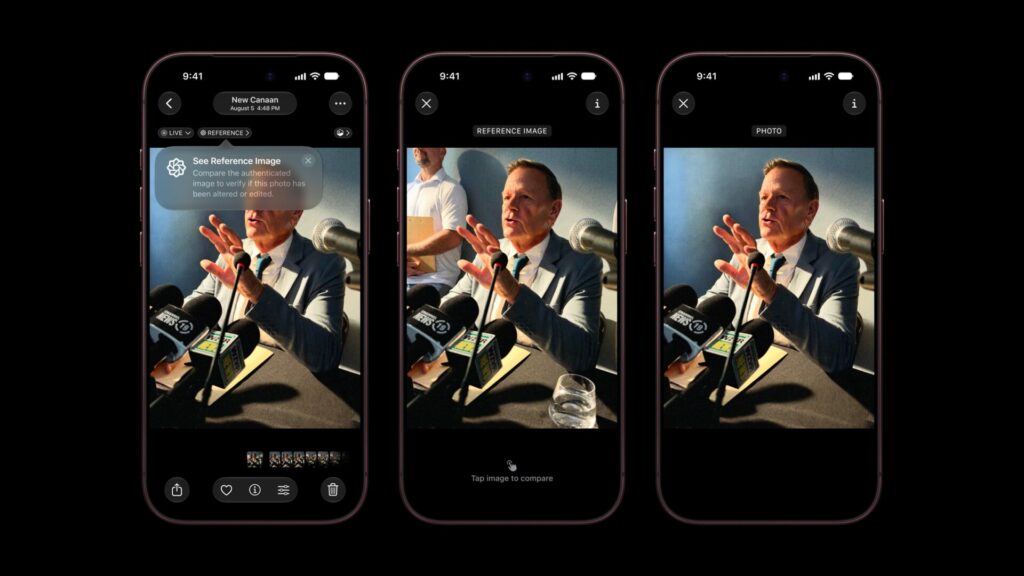
Apple’s support documentation describes each mechanism in near-identical terms, and reading them side by side shows how closely the two are built, and where each one’s protection actually stops.
Key facts, as Apple documents them
| Item | What Apple publishes |
|---|---|
| Mail Privacy Protection covers | Remote content in Mail messages, and whether a sender can see that a message was opened |
| Mail Privacy Protection requires | Nothing beyond turning it on in Mail settings; works on iPhone, iPad, Mac and iCloud.com |
| iCloud Private Relay covers | Safari web browsing traffic |
| iCloud Private Relay requires | An iCloud+ subscription |
| Shared mechanism | Traffic passes through two relays run by different entities before reaching its destination |
| Availability | Apple states Private Relay is not available in all countries or regions; it does not publish the specific list on this page |
How Mail Privacy Protection is documented to work
Apple’s support guide states that when Protect Mail Activity is turned on, Mail downloads remote content in the background regardless of whether a message is opened, and routes that download through two separate relays. The first relay knows the device’s IP address but not the message content being fetched. The second knows the content being fetched but not the IP address. Apple’s own description is that no single party has enough information to connect a person’s identity to what they received. The setting is reached through Settings, then Apps, then Mail, then Privacy Protection, on iPhone and iPad, or through Mail’s own settings on Mac.
Don’t miss the best of The Mac Observer
Set us as a preferred source and our Apple reporting ranks higher in your Google Search results and Discover feed — one tap, no account changes.
How iCloud Private Relay is documented to work
Apple’s support article for Private Relay describes the same two-hop structure applied to Safari traffic. The first relay, operated by Apple, sees a device’s IP address but not the site being requested, since that part of the connection stays encrypted. The second relay, operated by a separate partner, decrypts the destination and assigns a temporary address to complete the connection, without seeing the original IP address. Apple’s stated result is that neither relay operator, including Apple itself, can see both the identity behind a request and the site it was requesting.
Where the two features differ
| Mail Privacy Protection | iCloud Private Relay | |
|---|---|---|
| Cost | Included with Mail, no subscription named | Requires an iCloud+ plan |
| Traffic covered | Remote content loaded by Mail messages | Safari web browsing |
| Apple’s stated limitation | Applies only to Mail; other apps that load remote content are not named as covered | Not available in all countries or regions; some sites may require extra sign-in steps without a visible IP address |
What each one does not claim to do
- Apple’s Mail Privacy Protection page does not state that it prevents a sender from learning anything through means other than remote content loading, such as a reply.
- Apple’s Private Relay page does not state that it covers apps outside Safari, or traffic on a network that blocks the relay protocol outright.
- Neither page states what happens to relay-routed data after a session ends. Apple has not published a retention figure for either feature on these pages.
Both settings ship on the same software line running on the iPhone 18 Pro today, and continue under iOS 27 when it arrives Monday, September 14. Apple has not published a change to either feature tied to that release.
What Apple has not said
Apple has not published the specific countries or regions where Private Relay is unavailable, only that some exist. It has not published how the two relay operators are selected or rotated, and it has not published whether Mail Privacy Protection’s relays are the same infrastructure as Private Relay’s. Both pages describe the architecture; neither names its operators beyond Apple’s own role.
As of Saturday, September 12, 2026, both settings can be checked directly: Mail Privacy Protection under Settings, Apps, Mail, Privacy Protection, and iCloud Private Relay under Settings, tapping the Apple ID banner, then iCloud, on any iCloud+ account.