
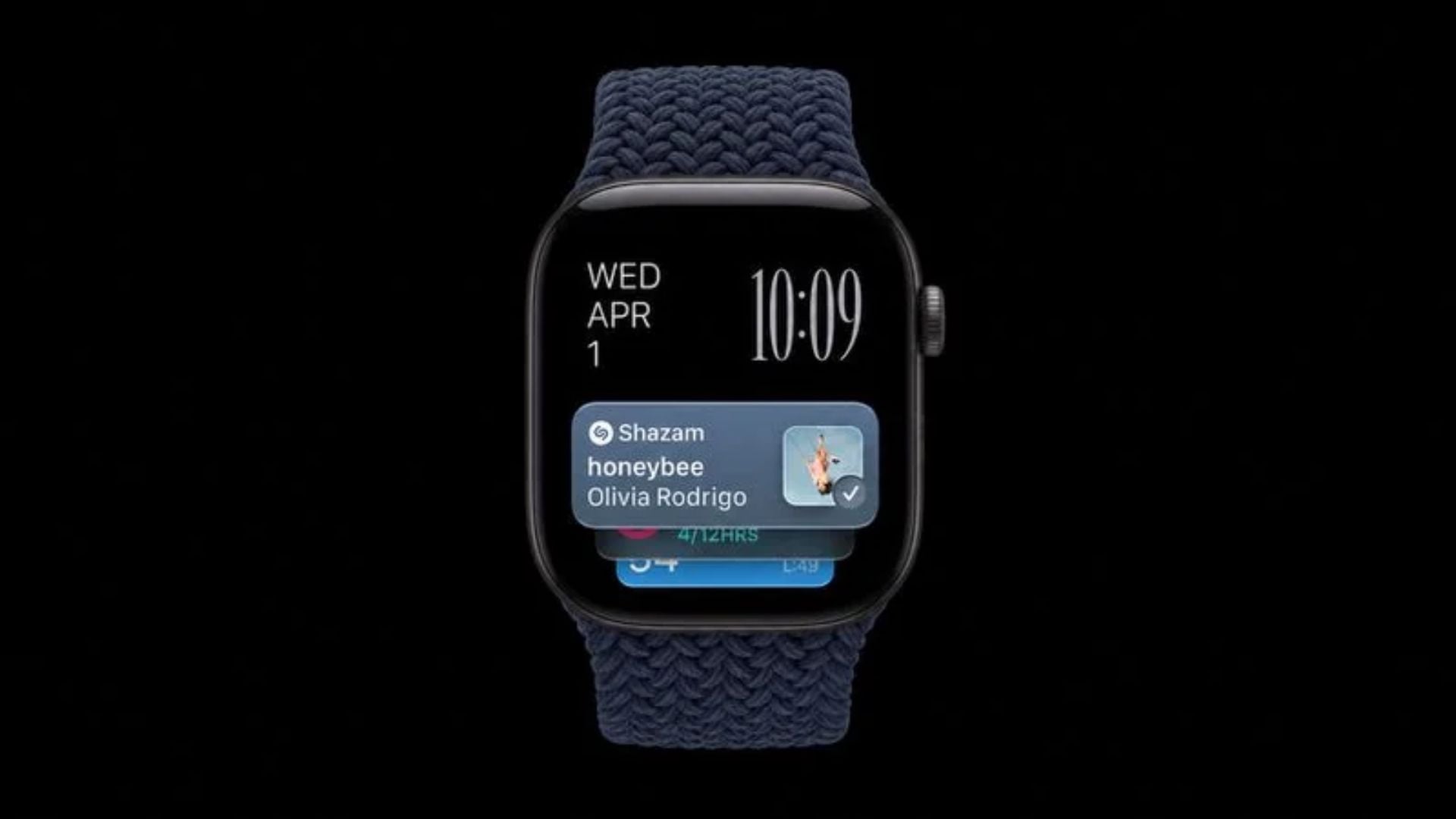
Hearing a great song in a coffee shop and not knowing the title is a common problem. Instead of pulling out your phone to search for the track, the latest Apple Watch models can now figure it out for you. A new automatic tool powered by Shazam allows your smartwatch to listen to the room and display the track details without you needing to press any buttons.
The new audio intelligence feature requires specific updated device hardware
The music recognition capability lives right inside the smart stack on your watch. It quietly listens when music plays nearby and instantly shows the song title and artist on your screen. This is a very helpful update from Apple that saves you the trouble of manually opening a search app when a good tune comes on.
You will need the right hardware to get this working. The background music detection only functions on the newer Apple Watch Series 12 or the rugged Apple Watch Ultra 4. You also need an iPhone 11 or any newer iPhone paired to the watch, and both devices need to run the iOS 27 software update.
Don’t miss the best of The Mac Observer
Set us as a preferred source and our Apple reporting ranks higher in your Google Search results and Discover feed — one tap, no account changes.
Privacy is a big part of how this tool operates. The device never records or stores the actual audio. The microphone just captures a quick audio signature inside a secure system buffer. That acoustic signature is then sent to Shazam servers to find a match, ensuring nobody keeps logs of your daily background noise.
Enable and use background music detection by following these steps
Setting up the feature takes just a few seconds, and it requires zero effort once it is running. Sometimes the widget pops up automatically and you just tap to enable it. If it does not appear on its own, you can manually turn it on in your system settings.
- Open the settings app on your watch.
- Scroll down and tap on the smart stack section.
- Turn on the music detection option.
- Whenever a song plays in the room, just swipe up from your watch face or turn the digital crown to view your smart stack.
- Look for the music recognition widget to see the artist and song title.
- Tap the widget to save the track to your Apple Music library or to view your Shazam history.
This background feature is perfect for those moments when a song is ending and you do not have time to launch an app. Just check your wrist and add the new music to your favorite playlist.




Discussion