
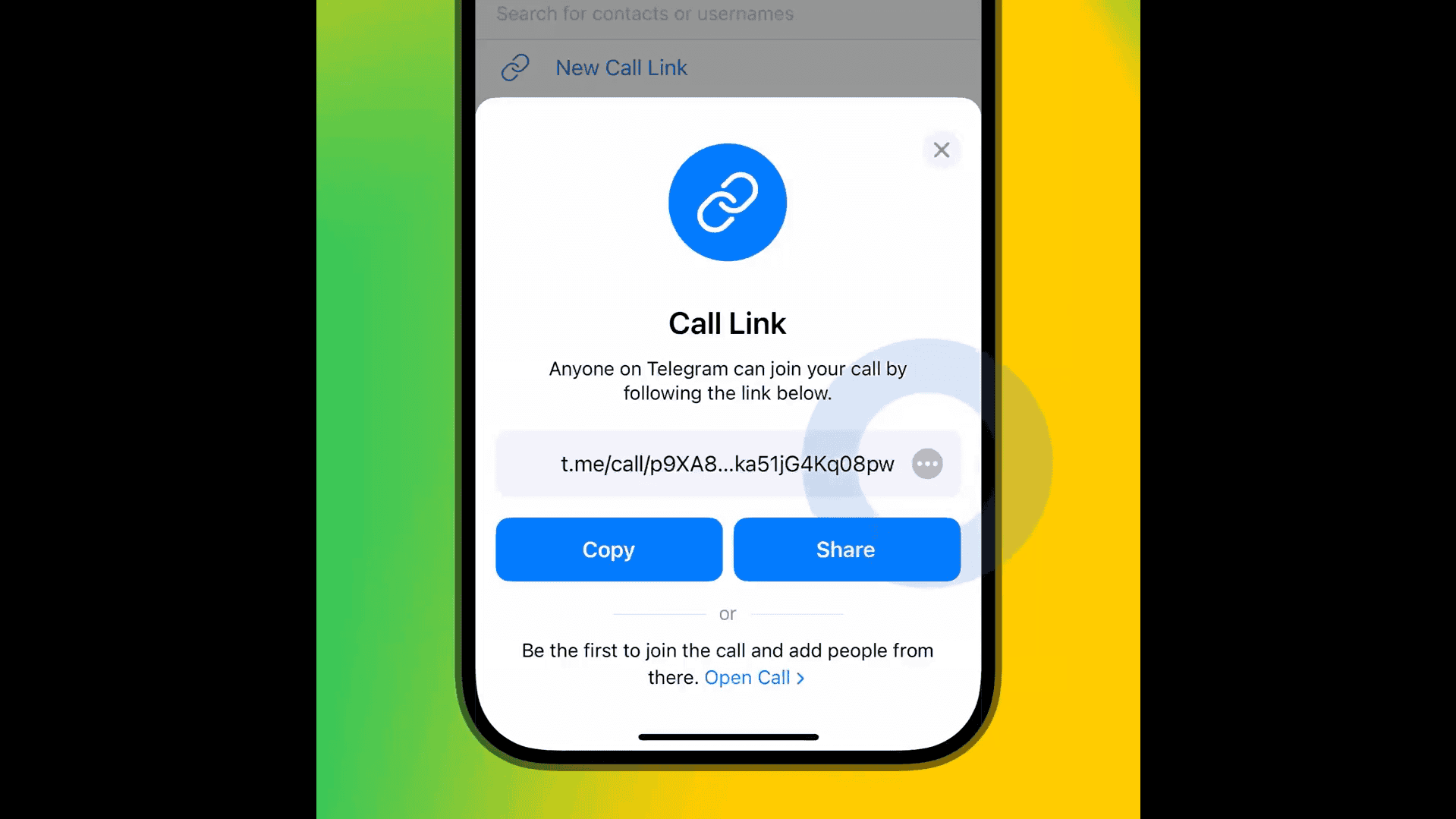
Telegram has rolled out support for invite links on iOS. You can now schedule encrypted group calls, share links or QR codes, and let others join at their convenience. This makes organizing calls easier without creating a group chat. It works well for casual conversations, work discussions, or interviews.
Users can now create a call link directly from the Calls tab, send it across apps or email, and generate a QR code for broader reach. All calls are protected with end-to-end encryption, and security can be confirmed using four matching emojis shown to all participants.
Encrypted Group Calls for Up to 200 Participants
Telegram first introduced group calls in 2021. With this update, users can instantly add up to 200 participants, share video, audio, or screens, and verify encryption using emojis. The encryption protocol uses blockchain-like technology, ensuring no one, not even Telegram, can secretly join.
Don’t miss the best of The Mac Observer
Set us as a preferred source and our Apple reporting ranks higher in your Google Search results and Discover feed — one tap, no account changes.
To start a call, users can either add participants during an active call, create one from the Calls tab, or share a generated link. These features are now live on iOS and give users more flexibility in how they connect.
Enhanced Privacy and Ease of Use
Telegram emphasizes privacy in all its calling features. Each group call is encrypted end-to-end, with open-source documentation available for review. The company continues to offer over $100,000 to anyone who can break its protocol — a challenge that remains unmet.
According to Telegram’s official announcement, this upgrade is part of a broader update that also includes new business tools, gifting options, gestures for faster navigation, and an improved appeal process for account restrictions. However, the invite links for group calls mark a significant improvement in usability and privacy on iOS.



Discussion