
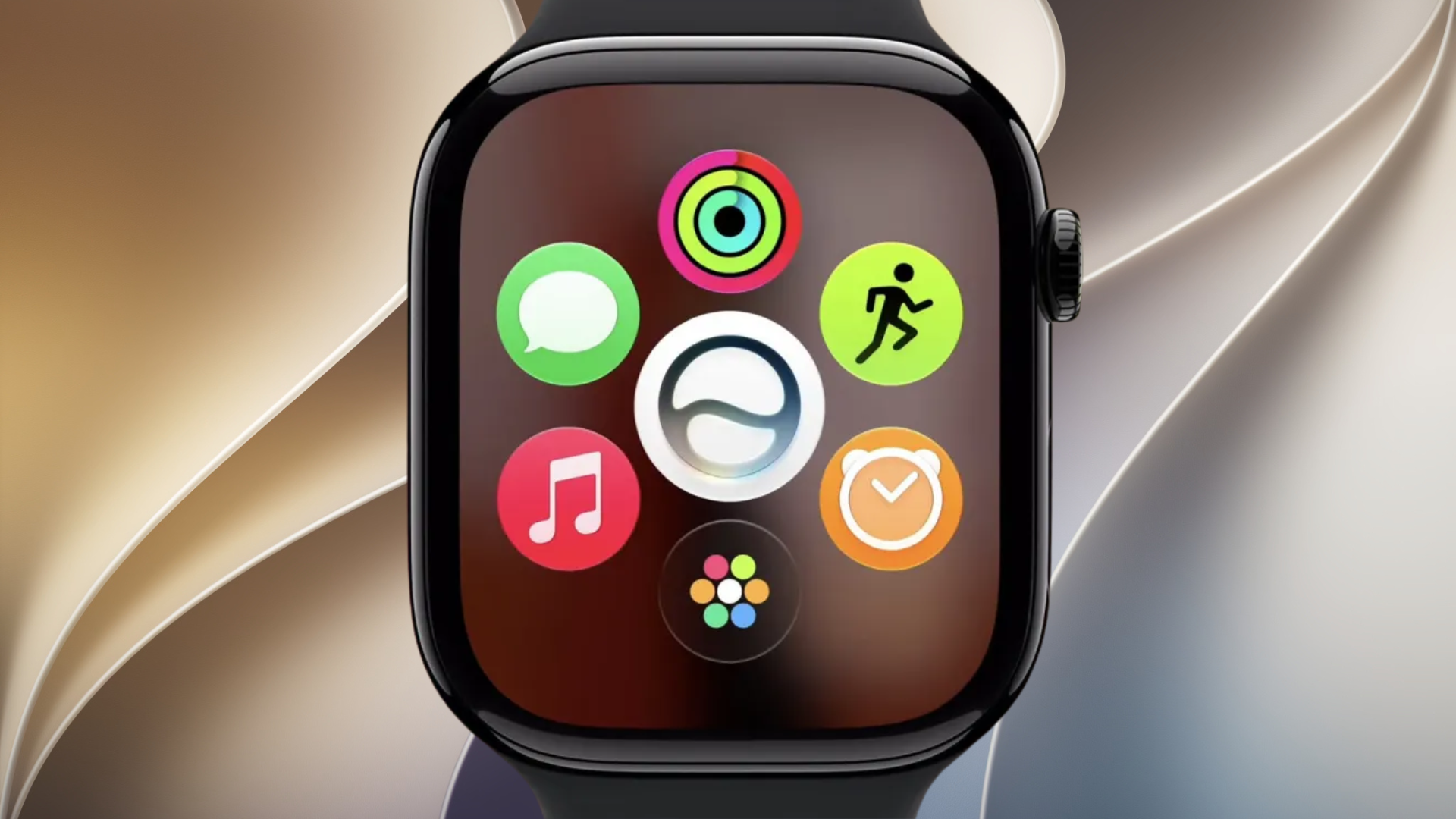
Apple has released watchOS 27 for compatible Apple Watch models, bringing Siri AI to the wrist alongside a redesigned app grid, new Smart Stack controls, expanded health features, Workout Buddy improvements, and several changes across the system.
The update is available starting September 14 and follows the watchOS 27 Release Candidate that Apple shipped to developers on September 9 with build number 24R363. Apple is also rolling out iOS 27 at the same time, which is required before users can install watchOS 27 on their Apple Watch.
Which Apple Watch models support watchOS 27?
Apple has dropped support for several models that could run watchOS 26. You can check our full watchOS 27 compatibility breakdown for more details.
Don’t miss the best of The Mac Observer
Set us as a preferred source and our Apple reporting ranks higher in your Google Search results and Discover feed — one tap, no account changes.
| Apple Watch family | Supported models |
|---|---|
| Apple Watch Series | Series 9, Series 10, Series 11, Series 12 |
| Apple Watch SE | SE 3 |
| Apple Watch Ultra | Ultra 2, Ultra 3, Ultra 4 |
Apple Watch Series 6, Series 7, Series 8, Apple Watch SE 2, and the original Apple Watch Ultra are not included in Apple’s watchOS 27 compatibility list. The update also requires an iPhone running iOS 27.
How to install watchOS 27
Before updating your Apple Watch, install iOS 27 on the paired iPhone. Then follow these steps:
- Connect your Apple Watch to its charger and make sure it has at least 50% battery.
- Keep your iPhone connected to Wi-Fi and close to your Apple Watch.
- Open the Watch app on your iPhone.
- Go to General > Software Update.
- Tap Download and Install when watchOS 27 appears.
- Keep the watch on its charger until installation finishes.
You can also start the update directly from the Apple Watch by opening Settings > General > Software Update.
What’s new in watchOS 27?
watchOS 27 is a significant update for Apple Watch, especially for Siri, navigation, health tracking, and everyday interactions.
Siri AI and a dedicated Siri app
Siri AI arrives on Apple Watch as part of watchOS 27, giving Apple’s assistant access to personal context and a more capable conversational experience. Apple has also added a dedicated Siri app, allowing users to revisit previous Siri conversations from their wrist.
The initial Siri AI beta is rolling out in English, while French, Japanese, Korean, Portuguese, and Spanish support is scheduled for October. Availability also depends on the paired iPhone and region. Our Siri AI on Apple Watch guide explains the hardware and language requirements in more detail.
Dynamic App Grid
Apple has redesigned the app grid so it can surface five Siri-suggested apps based on recent activity and the apps you use most often.
This reduces the amount of scrolling needed to find frequently used apps and gives the Digital Crown app view a more personalized layout.
New Smart Stack controls
Apple is expanding Smart Stack with contextual widget suggestions. For example, Maps can automatically surface a Parked Car widget when relevant, while Messages can show a birthday suggestion for one of your contacts.
Compatible Apple Watch models also gain a new single-handed tap gesture. Users can tap their index finger and thumb to select a Smart Stack widget, while Double Tap remains available for moving through the stack.
Workout Buddy gets smarter
Workout Buddy can now work on Apple Watch without requiring the paired iPhone to remain nearby during a workout.
Apple has also expanded the fitness information used for motivational insights and added Spanish alongside English. Improved machine-learning models provide more accurate treadmill distance measurements from the beginning of a walk or run.
More health and fitness changes
watchOS 27 expands several health-related features, including:
- Perimenopause and menopause support in Cycle Tracking.
- More contextual fitness insights through Workout Buddy.
- Improved treadmill distance calculations.
- Expanded GymKit support when using AirPods Pro 3 heart-rate data with compatible fitness equipment.
- Additional health information that works alongside the redesigned Health app in iOS 27.
Some health features depend on the Apple Watch model, age, region, and paired iPhone.
Liquid Glass, Find My, and other changes
watchOS 27 also adopts Apple’s updated Liquid Glass interface across system elements. Apple has combined Find Devices, Find Items, and Find People into a single Find My app, while other changes include Call Context and additional interface improvements throughout watchOS.
You can see the complete feature and hardware breakdown in our watchOS 27 full feature list.
Apple Watch Series 12 and Apple Watch Ultra 4 ship with watchOS 27 preinstalled when they reach customers on September 18. Existing users with a supported Apple Watch can install the update now through the Watch app on their iPhone.



Discussion