

Sonos Playbase Review Page 2:
Mixing TV and Music, Enhancing TV, and Subwoofer
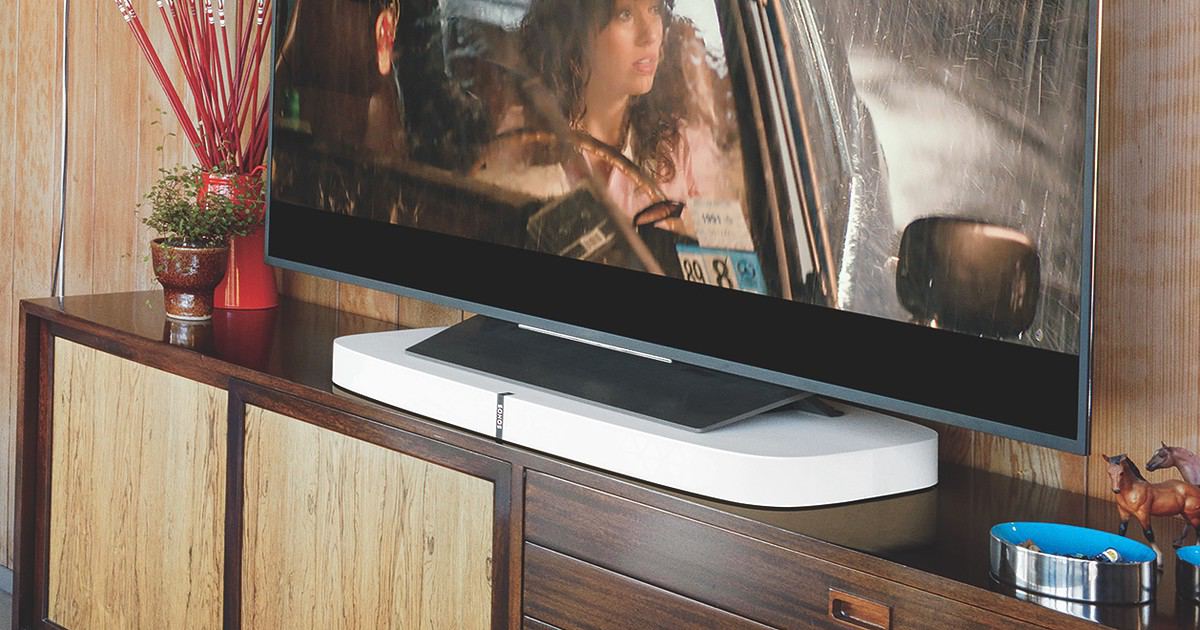
Mixing TV and Music Together
Because the Playbase is a first-class citizen in your Sonos network, an interesting option is presented: it can be the source of the audio played on other players throughout your house. If you’re playing a concert video in your living room, you can pair some or all of the other rooms in your house with the Playbase and hear that concert music everywhere. This is decadent, for sure, and that’s exactly as it should be!
Throw on your favorite concert video, stream it to all the other Sonos speakers in your home and enjoy the music everywhere. If some interesting moment comes up, you can just pop your head into the TV room to see what was happening on stage.
I can also imagine this being handy during football season, too. Streaming the audio this way lets you hear the announcers talk of the Patriots latest path to victory when you have to take a break to check something on the stove. You are all Patriots fans, right? Go Pats!
Enhancing the TV Experience
The Playbase isn’t Sonos’s first speaker aimed at delivering your TV’s sound, and it benefits from the four years of experience that Sonos has since releasing the Playbar.
I’ve written much about Sonos’s Trueplay technology that uses your iPhone or iPad microphone to custom-tune each Sonos speaker to its particular placement in your home. The Sonos Playbase, like its Playbar sibling, includes Trueplay, and it works a little differently than it does on music-only speakers. Tuning with Playbase is a two-stage process: first from the location at which you most often watch TV, and again throughout the room for music.

The customizations don’t end there, though. Within the Sonos iOS app are two more options specifically targeted at TV viewing. Night Sound applies dynamic compression to the audio output signal to keep loud sounds from being too loud and waking the kids (or the neighbors). Speech Enhancement adds additional clarity and articulation to the dialog in the center channel.
Volume, too, is handled gracefully. You can certainly use the Sonos app on your iPhone or Android to control the volume, but the Playbase’s setup process also adds support for your TV remote, as well. That part of the setup was so quick and seamless that it took me a few days to realize that we were still just happily using our normal remote to control the volume. It just worked.
Subwoofer, Included or External: Your Choice
The Playbase has an ingeniously-designed, built-in subwoofer, separating it even further from the Playbar. In order to keep the design as thin as possible, the Playbase’s subwoofer is mounted face-down, with a serpentine-shaped vent that allows for stellar low-end reproduction.
All by itself, the Sonos Playbase is more than capable of thumping sound from your movies and music.
But sometimes you want more thump… and that’s possible with the addition of a Sonos SUB, for another US$699. The SUB pairs wirelessly, as you would expect, and can then be tuned (manually, Trueplay, or both) to add just as much heavy thump and rumble as your heart desires.

When paired with the external Sub, I found an interesting thing happened to the sound of my music. I expected to hear extra low end, but what I didn’t expect was a wider, fuller sound in the midrange. I got all of that. This is the benefit of having a completely re-programmable speaker array inside the Sonos Playbase. As soon as the Sub is activated, the Playbase knows it doesn’t need to reproduce all those low frequencies anymore, so every speaker in there is repurposed to warm up the midrange and high-end frequencies. It’s decadent, for sure… blissfully so!
Next: Elusive 5.1 Sound, Price, and Verdict
Page 1: More Sound Than Would Appear, Not Just for TV and Movies
Page 2: Mixing TV and Music, Enhancing TV, and Subwoofer
Page 3: Elusive 5.1 Sound, Price, and Verdict
Don’t miss the best of The Mac Observer
Set us as a preferred source and our Apple reporting ranks higher in your Google Search results and Discover feed — one tap, no account changes.


Nice article Dave, I really enjoy my Sonos setup and am considering selling one of my Players for a Playbase as it will fit better into the aesthetics of the room.
I am lucky to have a Sony LED Television which fortunately “passes thru” the 5.1 signal from my other components. There are numerous articles about which TVs do that (not many, but a lot of Sony Products do) but I can tell that it is so worth shopping for one that does. It allows you to use your TV as your HDMI Switch and makes setup and operation so easy, my wife loves the simplicity.
Thanks for the article, well done.
David H