
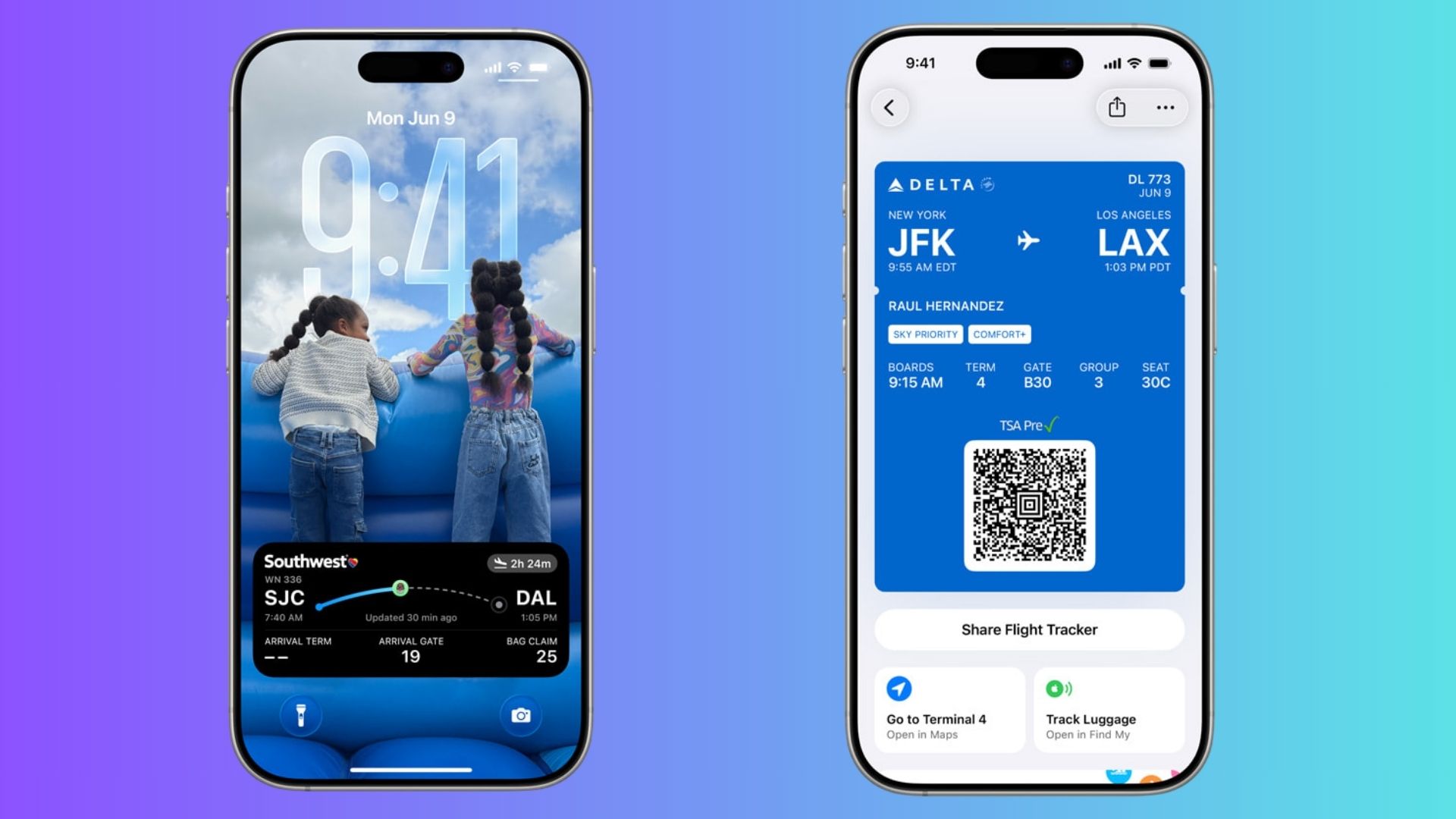
iOS 26 updates Apple Wallet boarding passes with Lock Screen Live Activities, airport directions, and integrated luggage tracking. The changes put travel details front and center so you do not need multiple apps on travel day.
Live Activities on the Lock Screen
Boarding passes in Apple Wallet now support Live Activities. This means your flight details appear directly on the Lock Screen, showing departure times, arrival updates, and real-time changes. The feature eliminates the need to unlock your phone or refresh an airline app for updates. Apple says the integration offers a consistent experience, regardless of which airline app you use.
Don’t miss the best of The Mac Observer
Set us as a preferred source and our Apple reporting ranks higher in your Google Search results and Discover feed — one tap, no account changes.
A useful addition here is sharing. You can send your flight’s Live Activity to friends or family so they can follow your journey without needing your airline’s app.
Quick access to airport Maps

Beyond Live Activities, Apple Wallet now provides quick links to Apple Maps for navigating terminals. When you open a boarding pass, Maps can guide you to the right gate, making it simpler to handle large airports.
Wallet now links directly to Find My so you can check an AirTag-equipped bag from the boarding pass. You also get a shortcut to report missing items. This places luggage status alongside flight status where you will see it when it matters.
How this changes travel in practice
Here is a simple step-by-step on how to use the updated boarding pass features on iOS 26.
- Save your boarding pass to Apple Wallet as you normally do.
- When the flight is active, view the Live Activity on your Lock Screen for real-time updates.
- Open the boarding pass inside Wallet for quick links to Apple Maps and Find My.
- If you need someone to track your flight, use the Share Flight Tracker option to send the Live Activity by Messages.
- If your luggage has an AirTag, tap the Find My link to check location or report a missing bag.
What to expect and caveats
These updates work best when airlines adopt the richer pass format. Some carriers will support the full set of features on day one. Other airlines may roll out partial support later. Live Activities simplify the experience, but adoption determines how seamless it will be for all travelers.
Bottom line: iOS 26 makes Wallet more useful on travel days. You get real-time flight updates on the Lock Screen, direct terminal navigation, and one-tap access to luggage tracking. If you use Wallet for boarding passes, the update reduces friction and keeps essential travel details together.




Discussion