

Short answer: The Apple Watch cannot measure blood pressure on its own today. It needs a validated Bluetooth cuff to obtain accurate systolic and diastolic values. The Watch can display and trend readings via companion apps and Apple Health. Industry reports suggest upcoming models may flag hypertension trends rather than provide exact numbers.
The Apple Watch lacks a cuff and cannot capture blood pressure independently. You can pair FDA-cleared Bluetooth arm cuffs to your iPhone and use companion apps to store readings in Apple Health. The Watch shows readings, reminders, and trends, but it does not produce clinical systolic or diastolic numbers by itself. Reports indicate future models will offer trend-based hypertension alerts as early warnings, not clinical-grade measurements. Until then, use a validated cuff for meaningful results.
Table of contents
- Methods to Track Blood Pressure
- 1. Pair a Bluetooth cuff and control it from the Apple Watch
- 2. Log and trend readings with third-party tracker apps
- 3. Use the manufacturer’s Watch app to start readings without the iPhone
- 4. iPhone-only workflow with Health sync
- 5. Prepare for future trend-only hypertension alerts
- 6. How cuffless measurement works in principle (not available yet)
- Tips
- FAQs
- Summary
- Conclusion
Methods to Track Blood Pressure
1. Pair a Bluetooth cuff and control it from the Apple Watch
Use a validated arm cuff such as QardioArm, Withings BPM Connect, Omron Evolv, or iHealth Feel. Their apps let you pair the cuff to an iPhone, sync data to Apple Health, and often provide a companion Watch app for on-wrist control and viewing.
Don’t miss the best of The Mac Observer
Set us as a preferred source and our Apple reporting ranks higher in your Google Search results and Discover feed — one tap, no account changes.
- Choose and pair your cuff to your iPhone through the manufacturer app.
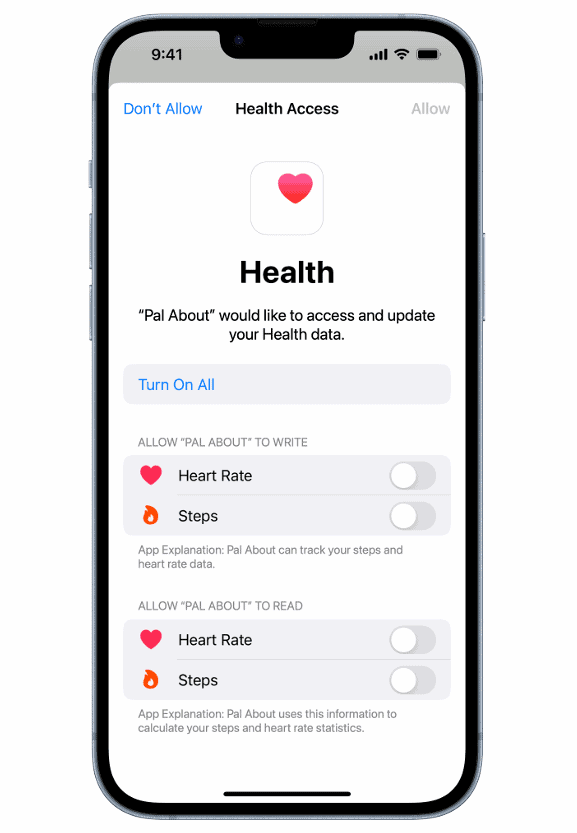
- Enable Apple Health permissions for blood pressure in the app.
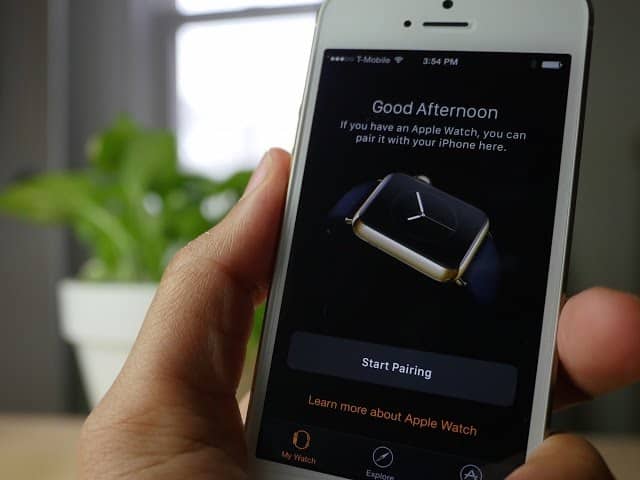
- Install or enable the companion Watch app if available.
- Secure the cuff on your upper arm at heart level. Sit quietly for five minutes.
- Start the reading from the Watch app or the iPhone app. The cuff inflates and records systolic and diastolic values.
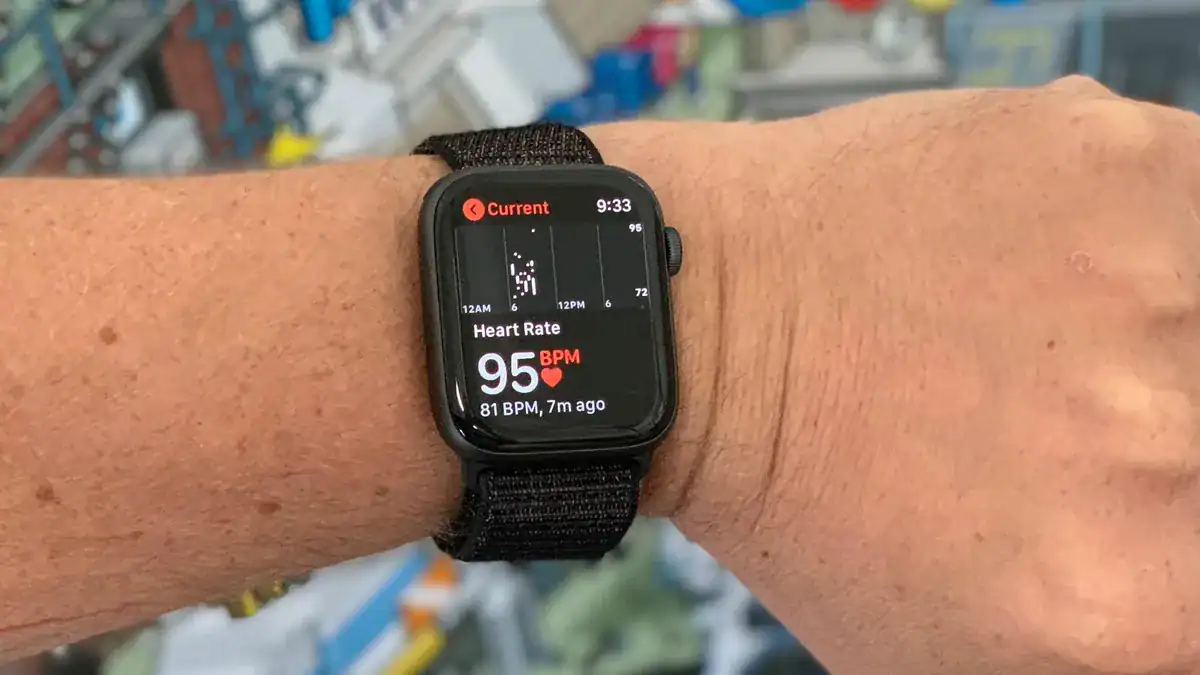
- View results on the Watch or iPhone and confirm the data writes to Apple Health for long term trends.


2. Log and trend readings with third-party tracker apps
Tracker apps such as SmartBP let you log cuff readings, view trends, generate reports, and export data for clinicians. Some allow manual entry on the Watch or automatic sync from a paired cuff.
- Install SmartBP or a similar tracker and grant Apple Health read and write access.
- After taking a cuff reading, enter values on the Watch or let the cuff app auto-sync.
- Use charts, averages, and color zones inside the app to view trends.
- Export PDF or CSV reports to share with your clinician.
- Set reminders and add context notes like medications or recent exercise to interpret trends better.
3. Use the manufacturer’s Watch app to start readings without the iPhone
Some cuffs have standalone Watch apps. These let you control the cuff and record readings from the wrist without taking out your iPhone.
- Install the cuff’s Watch app from the App Store on the Watch.
- Pair the cuff following the app instructions on either the iPhone or the Watch.
- Place the cuff properly, then tap Start on the Watch to begin the reading.
- Wait for inflation and results. The app shows values on the Watch and syncs to Apple Health.
4. iPhone-only workflow with Health sync
You can run the entire workflow on an iPhone and still use the Watch to view trends and receive reminders. This is a practical option if you prefer not to control the cuff from the wrist.
- Pair a Health-compatible cuff and enable Health sync in the cuff app.
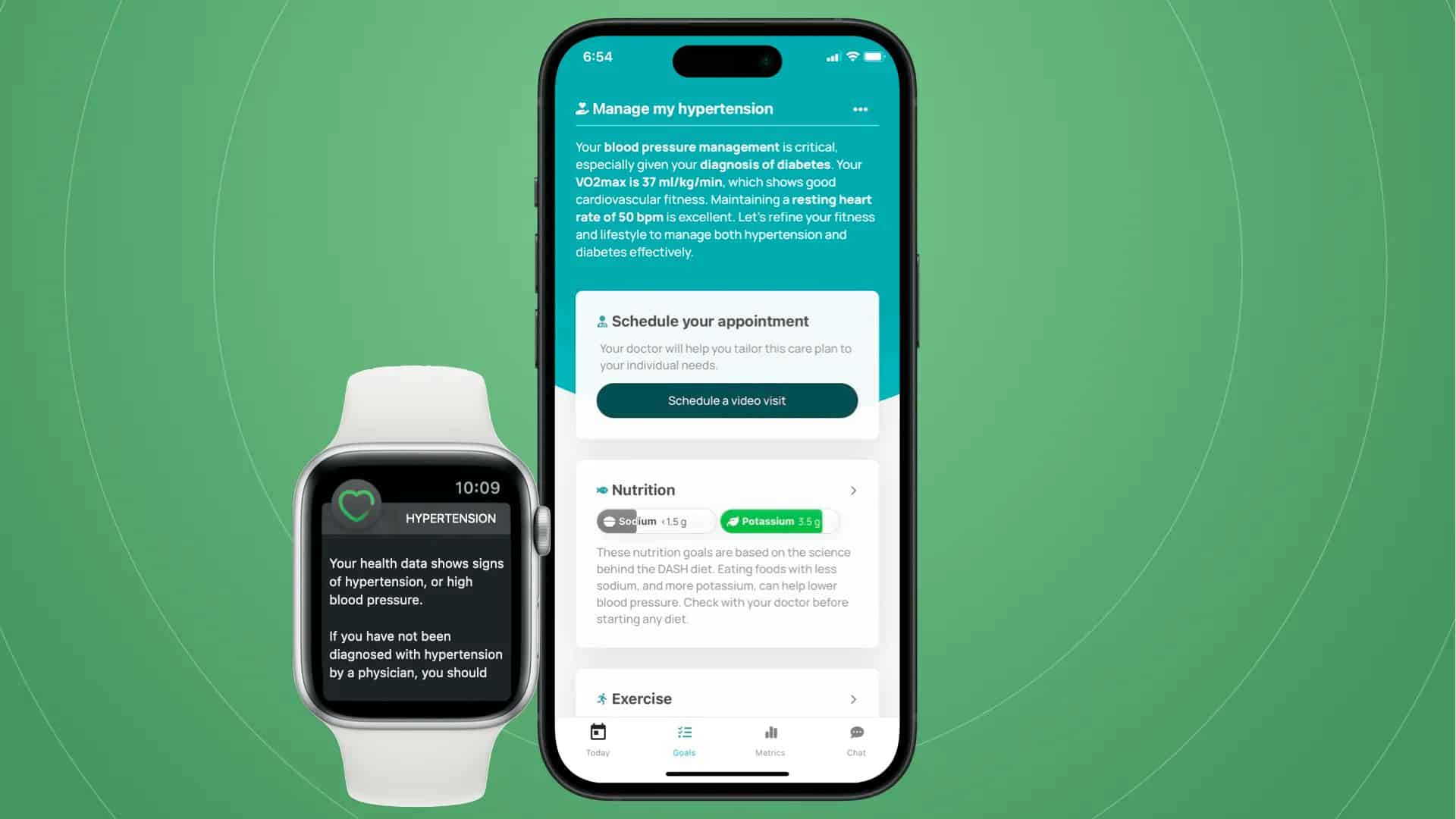
- Take readings with the iPhone app.
- Confirm Apple Health stores the readings.
- Use Watch complications or apps to view summaries and trends pulled from Apple Health.

5. Prepare for future trend-only hypertension alerts
Industry reports suggest Apple will add trend-based hypertension alerts in newer Watch models. These alerts will likely warn you about possible elevated patterns instead of reporting precise systolic and diastolic numbers. That means you should still confirm any alert with a validated cuff for clinical decisions.
- Understand that alerts indicate potential trends, not exact values.
- Keep using your validated cuff for accurate measurements.
- Follow Apple announcements and release notes to learn about availability and regional support.
See what experts expect from Apple Watch Ultra 3 hypertension detection.
6. How cuffless measurement works in principle (not available yet)
Cuffless methods estimate blood pressure using pulse wave timing and waveform analysis. They require calibration with a traditional cuff and periodic recalibration to reduce drift and individual variability. Early implementations focus on trend detection rather than exact numbers.
- Devices estimate pulse transit time using optical sensors and ECG timing.
- Algorithms analyze waveform features that correlate with arterial stiffness and pressure changes.
- Calibrate the system with a cuff at baseline and re-calibrate periodically.
- Expect initial outputs to classify trends or risk categories rather than report raw systolic and diastolic values.
Apple still faces hurdles, read about ongoing problems in blood pressure tracking.
Tips
- Choose validated cuffs with reliable iOS and Apple Health integration such as Withings, Omron, QardioArm, or iHealth.
- Sit quietly for five minutes before a measurement. Keep your arm at heart level and feet flat.
- Avoid caffeine or exercise for 30 minutes before measuring for consistent results.
- Grant full Apple Health access to all cuff and tracker apps you use.
- Use Watch reminders and schedule readings at the same times each day to build reliable trends.
- Export reports before doctor visits so you can share physician-friendly summaries.
- Record context like medication, stress, sleep, and sodium intake to interpret changes.
- Treat Watch trend alerts as prompts to check values with a validated cuff.
For more health tracking, learn how to track sleep with Apple Watch.
You can also check blood oxygen anytime using the Watch’s sensor.
FAQs
Can Apple Watch measure blood pressure on its own?
No. Current models do not have a cuff and cannot produce systolic or diastolic numbers by themselves.
cuffs work well with iPhone and Watch?
QardioArm, Withings BPM Connect, Omron Evolv, and iHealth Feel integrate via their apps and with Apple Health.
The iPhone is sufficient for accurate measurements. The Watch adds on-wrist control, reminders, and easy trend viewing.
SmartBP and manufacturer apps such as Qardio, OMRON connect, Health Mate, and iHealth provide logging, charts, and reporting.
Yes, if the cuff app supports it. Some cuffs offer a Watch app that can start a reading from the wrist.
Reports indicate Apple plans trend-based hypertension alerts in future Watch models. Those alerts will signal possible hypertension trends rather than replace cuff-based readings.
They analyze pulse wave timing and waveform features and require calibration with a cuff to maintain accuracy. Early implementations focus on trends rather than exact values.
Summary
- Apple Watch cannot measure blood pressure directly. Use a Bluetooth cuff for clinical systolic and diastolic values.
- Pair validated cuffs to the iPhone, sync to Apple Health, and view trends on the Watch.
- Third-party tracker apps improve logging, analytics, reminders, and exportable reports for clinicians.
- Future Watch models will likely provide trend-based hypertension alerts, not exact numbers.
- Cuffless methods estimate trends using pulse wave analysis and require periodic calibration with a cuff.
You can use ECG on Apple Watch to monitor your heart rhythm.
Conclusion
For now, the only reliable way to use your Apple Watch for blood pressure is to pair it with a validated Bluetooth cuff. This gives you clinically meaningful readings, synced to Apple Health and accessible on your wrist. Apps like SmartBP and manufacturer apps streamline tracking and reporting. Expect trend-based alerts in future Watch models, but continue relying on a cuff for accurate values and medical decisions.


Discussion