

Apple Watch users can easily adjust text size for better readability. Whether it’s to make notifications clearer or improve visibility during workouts, increasing the font size can make a real difference. There are multiple ways to do it, like directly from the watch or using the iPhone’s Watch app. Here’s how to change the text size on any Apple Watch model in a few quick steps.
Table of contents
Quick Ways to Increase Text or Font Size on Apple Watch
Apple offers more than one method to adjust text size. You can do it directly on the watch, through the iPhone’s Watch app, or by using accessibility options for even larger text.
1. Change Font Size from Apple Watch Settings
- Press the Digital Crown to open the Home Screen.
- Tap Settings.
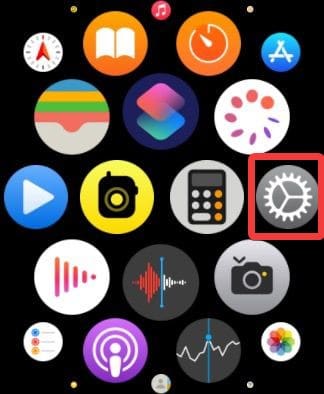
- Scroll down and select Display & Brightness.
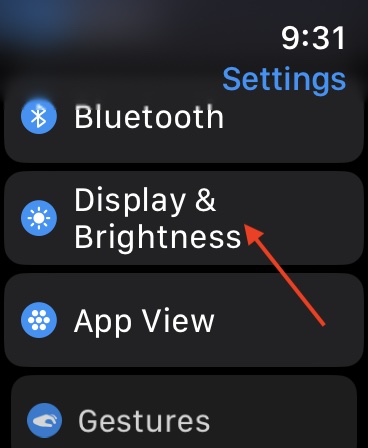
- Tap Text Size.
- Use the Digital Crown to adjust the size.
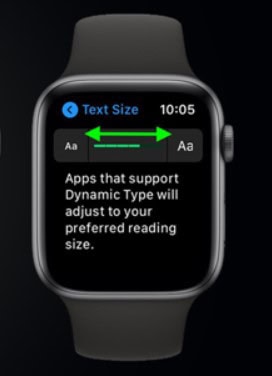
- Exit settings, and the changes will apply instantly.


If you’re unsure where to find the settings app on your watch, here’s a quick look at how to go to Settings on Apple Watch.
Don’t miss the best of The Mac Observer
Set us as a preferred source and our Apple reporting ranks higher in your Google Search results and Discover feed — one tap, no account changes.
2. Change Font Size Using the Watch App on iPhone
- Open the Watch app on your iPhone.
- Tap Display & Brightness under the My Watch tab.
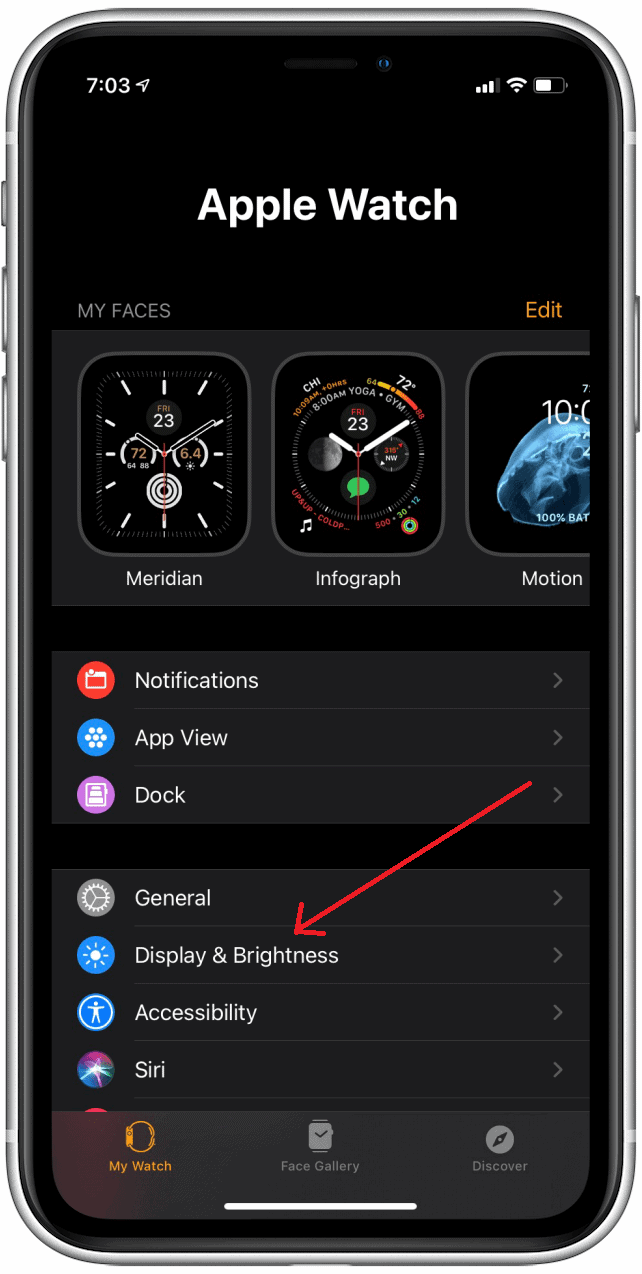
- Move the Text Size slider to increase or decrease font size.
- Changes will automatically sync with your Apple Watch.

If you’re setting up a new Apple Watch, ensure both devices are running the latest updates. You can learn how to update your Apple Watch with your iPhone.
3. Use Accessibility Settings for Larger Text
- On your Apple Watch, open Settings.
- Tap Accessibility.
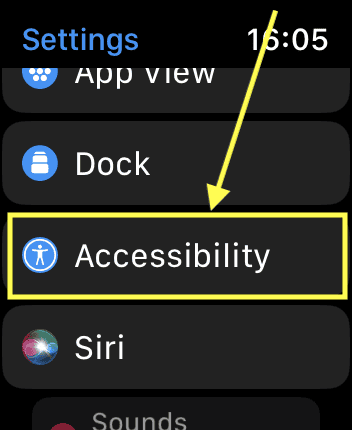
- Choose Larger Text.
- Turn on Larger Accessibility Sizes.
- Use the Digital Crown to pick your preferred size.

This method is best for users who need significantly larger text for better readability. It’s available on most models, including the latest ones listed in the full list of Apple Watch models.
Additional Tips
- Choose a bold text style for better contrast.
- Adjust brightness under Display settings to make text clearer.
- Use Zoom from Accessibility settings for quick enlargement.
- Keep your watch updated to get the latest display options.
- Explore more ways to use your Apple Watch for daily productivity.
Conclusion
Changing text size on Apple Watch takes only a few seconds and can greatly improve readability. Whether done from the watch or the paired iPhone, these adjustments make it easier to view messages, menus, and notifications. Apple’s flexible options ensure users can personalize their experience for comfort and clarity.
FAQs
Yes. Every model, from Series 3 to Ultra, supports text size adjustments.
Some apps may show less content on-screen, but readability improves.
Yes. Combining both can make the screen easier to read.
Yes, if your Apple Watch is paired and connected to your iPhone.


Discussion