

Spatial Audio creates an immersive, three-dimensional soundscape, making audio seem to come from all around you, even when using headphones. It brings a cinematic experience to your movie watching and music listening, especially with dynamic head tracking. But the question remains for many users: is it better on or off? The answer depends entirely on your content and personal preference.
Table of contents
Understanding Spatial Audio and Its Purpose

To determine if Spatial Audio is right for you, it helps to understand what the technology actually achieves. This feature goes beyond traditional stereo, employing sophisticated algorithms to simulate a virtual surround sound system, creating a sense of depth and position. For a complete breakdown of this technology, learn what spatial audio means and how it changes your listening.
Setting Up Personalized Spatial Audio
For the best results, you should ensure your device is configured to your unique ear shape. Personalized Spatial Audio uses the TrueDepth camera on your iPhone to scan your head and ears, tailoring the sound field specifically for you. This configuration drastically improves directional cues and tracking accuracy, making the experience much more compelling.
Don’t miss the best of The Mac Observer
Set us as a preferred source and our Apple reporting ranks higher in your Google Search results and Discover feed — one tap, no account changes.
Here is how to complete the setup:
- Connect your compatible AirPods (Pro or Max) to your iPhone.
- Go to Settings, tap the section for your AirPods near the top.
- In the Spatial Audio section, tap Personalized Spatial Audio.
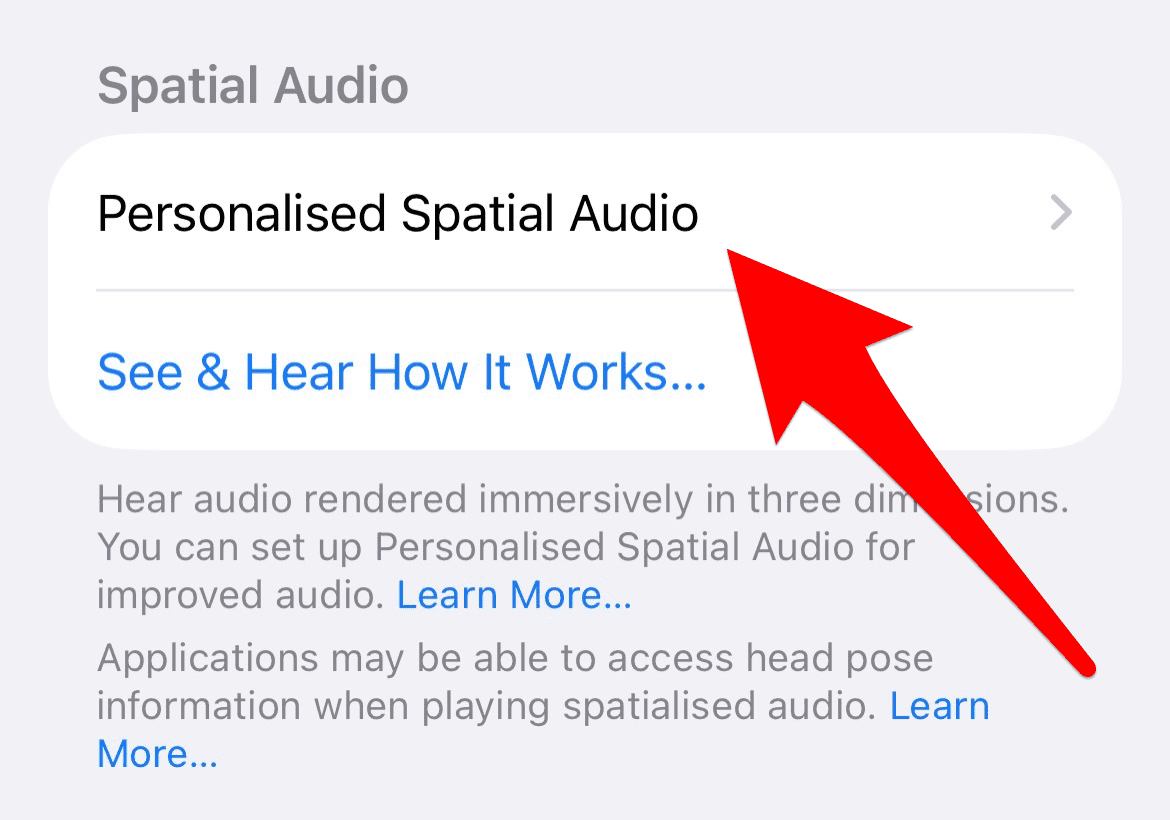
- Tap Personalized Spatial Audio again and follow the on-screen prompts to scan your face and both ears using the front camera.

Troubleshooting Spatial Audio Issues
1. Check App Compatibility and Device Settings
Not all apps or streaming services support the full Spatial Audio feature set. Older video players or non-standard music apps may only output stereo sound. If you experience inconsistent results, confirm the application is fully updated and supports multi-channel audio output.
Furthermore, verify that the Spatial Audio setting is enabled in the Control Center for the specific content you are enjoying. You can typically find this option by long-pressing the volume slider.

2. Content Consideration: When to Choose Off
While the immersive quality is excellent for films and supported music, some users find the effect jarring or unnatural for dialogue-heavy content or podcasts. If your priority is pure, unaltered stereo mixing, you should manually switch the feature off.

Switching it off is also crucial if you plan on creating an audio mix in the Photos app on iOS to ensure the final product retains its intended characteristics without virtual processing.
FAQ
No, only certain models like AirPods Pro (all generations), AirPods Max, and third-generation AirPods support Spatial Audio. Older models, like the first or second-generation standard AirPods, do not have the required hardware.
Yes. Since the feature requires additional computational processing to simulate the virtual surround soundscape and perform dynamic head tracking, it generally consumes slightly more battery power on both the host device and the connected AirPods.
Spatial Audio is Apple’s implementation of an immersive sound experience. It often utilizes content encoded in formats like Dolby Atmos and 5.1/7.1, but it adds dynamic head tracking and personalization layers that make it distinct.
Making the Choice: Spatial Audio On or Off
The decision to keep Spatial Audio on or off depends entirely on the content and your preference for acoustic immersion. For supported movies and music, it is a transformative feature, creating a three-dimensional soundscape. However, its dynamic tracking can feel disruptive when you are active. Try it on for high-quality video; switch it off when consistency is more important. To get the best experience, ensure you have completed setting up personalized Spatial Audio for your AirPods.


Discussion