

Unpairing your Apple Watch from your old iPhone is essential before pairing it with a new device or preparing it for resale. This process ensures that your personal data is removed and that Activation Lock is disabled, allowing the new owner to set it up without issues.
Whether you have access to your old iPhone or not, this guide will walk you through the necessary steps!
Table of contents
How to Unpair Apple Watch from Old iPhone?
1. Unpair Using the Apple Watch App on Your Old iPhone
If you still have your old iPhone, follow these steps:
Don’t miss the best of The Mac Observer
Set us as a preferred source and our Apple reporting ranks higher in your Google Search results and Discover feed — one tap, no account changes.
- Keep your Apple Watch and iPhone close together.
- Open the Apple Watch app on your iPhone.
- Tap the My Watch tab, then tap All Watches.
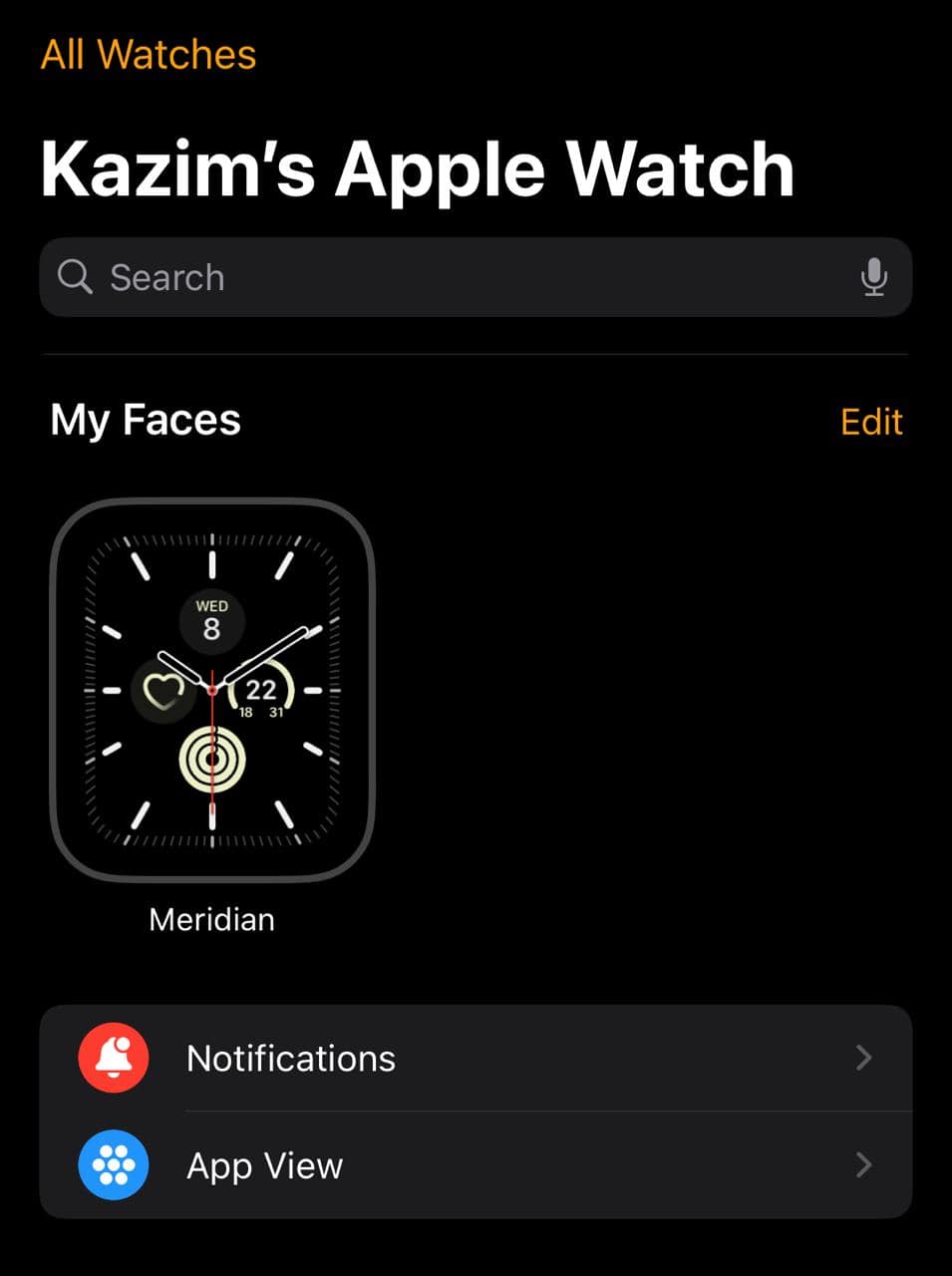
- Tap the info (i) button next to the watch you want to unpair.
- Tap Unpair Apple Watch.

- For GPS + Cellular models, choose whether to keep or remove your cellular plan.
- Enter your Apple ID password to disable Activation Lock, then tap Unpair.


This process will erase all content and settings on your Apple Watch and remove it from your iCloud account, making the Apple Watch ready for pairing with another iPhone.
2. Unpair Without Access to Your Old iPhone
If you no longer have your old iPhone, you can unpair your Apple Watch directly:
- On your Apple Watch, tap Settings, then General, then Reset.
- Tap Erase All Content and Settings, then tap again to confirm.
- For GPS + Cellular models, choose to keep or remove your cellular plan.
- Wait for the process to complete.
Please note that erasing your Apple Watch this way will not remove Activation Lock. To disable Activation Lock, you will need to unpair the watch using the Apple Watch app on your old iPhone or remove it from your iCloud account.
3. Remove Apple Watch from Your iCloud Account
To ensure Activation Lock is disabled:
- Go to the iCloud website and sign in with your Apple ID.
- Click on Find My.
- Click All Devices at the top, then select your Apple Watch.
- Click Remove and follow the on-screen instructions to complete the process.

This step is crucial to unpairing and removing the Apple Watch if you no longer have access to your old iPhone.
Tips
- Backup your data before unpairing to retain your health and activity information.
- Keep your devices close together during the unpairing process to ensure a smooth connection.
- Decide whether to keep or remove cellular plans if your Apple Watch has one.
- Make sure both your iPhone and Apple Watch are updated to the latest software versions to avoid compatibility issues.
Frequently Asked Questions
Yes, you can erase all content and settings directly on your Apple Watch. However, this will not disable Activation Lock. To do so, you will need to remove the watch from your iCloud account.
Sign in to iCloud.com, go to Find My, select your Apple Watch under All Devices, and click Remove.
If Activation Lock remains, you will need to enter the Apple ID and password that were used to set up the watch. If you do not have this information, contact Apple Support for assistance.
Yes, once unpaired and Activation Lock is disabled, you can pair your Apple Watch with a new iPhone by following the on-screen instructions.
Summary
- Unpair using the Apple Watch app by selecting your watch and choosing Unpair Apple Watch.
- Unpair without the old iPhone by erasing all content and settings directly on your Apple Watch.
- Remove the Apple Watch from your iCloud account to disable Activation Lock.
- Make sure Activation Lock is disabled before pairing with a new device.
Conclusion
Unpairing your Apple Watch from your old iPhone is a simple process that ensures your personal data is secure and the device is ready for its next user. Whether you have access to your old iPhone or not, following the steps outlined above will help you complete the unpairing process effectively.
Remember to back up your data and remove the watch from your iCloud account to disable Activation Lock if you plan to connect the Apple Watch to a new iPhone!
If you are planning to get a new Apple Watch, find out how long the Apple Watch lasts to make an informed decision!


Discussion