

One of the best things about a music-listening experience is when you can share it with someone else. You might think that’s almost impossible with AirPods, but it isn’t. Follow along as I show you how to share audio with AirPods or Beats headphones.
How To Share Audio on AirPods
Apple has built this functionality into iOS and its most popular wireless headphones. You’ll need a compatible iPhone, iPad or iPod touch running the latest version of iOS or iPadOS.
To get started with the Share Audio feature, follow these steps:
Don’t miss the best of The Mac Observer
Set us as a preferred source and our Apple reporting ranks higher in your Google Search results and Discover feed — one tap, no account changes.
Time needed: 1 minute
- Connect your compatible wireless headphones to your iOS or iPadOS device.
- Tap the AirPlay button on your device in Control Center, from the Lock Screen or in the app that you’re listening to.
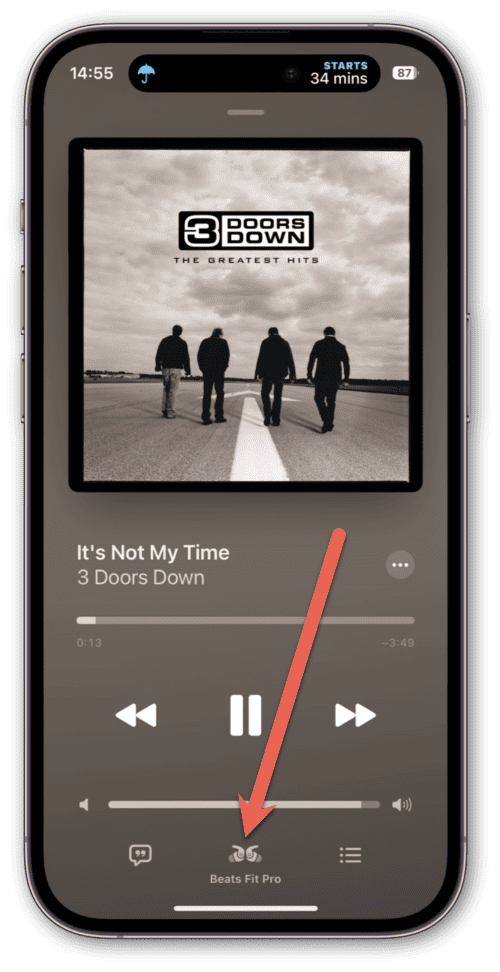
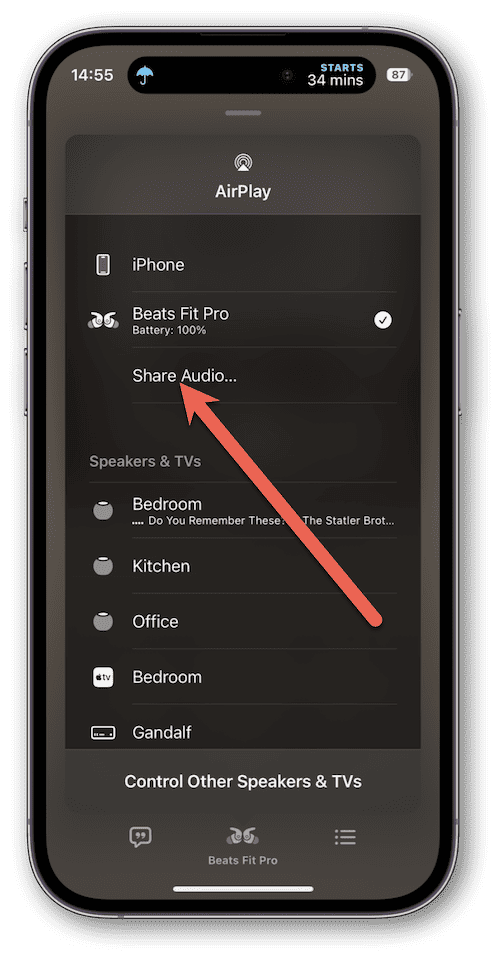
- Tap Share Audio.
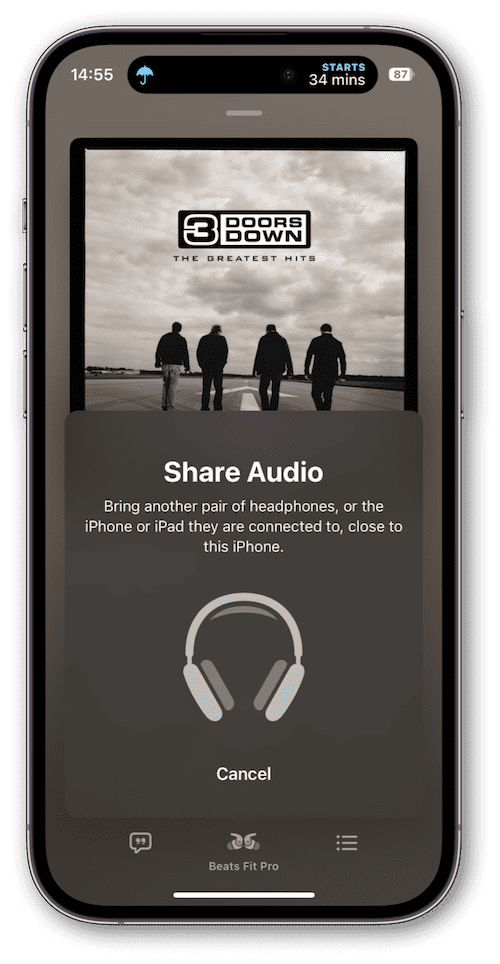
- Bring your friend’s headphones, or the iPhone or iPad they’re connected to, close to your iPhone.
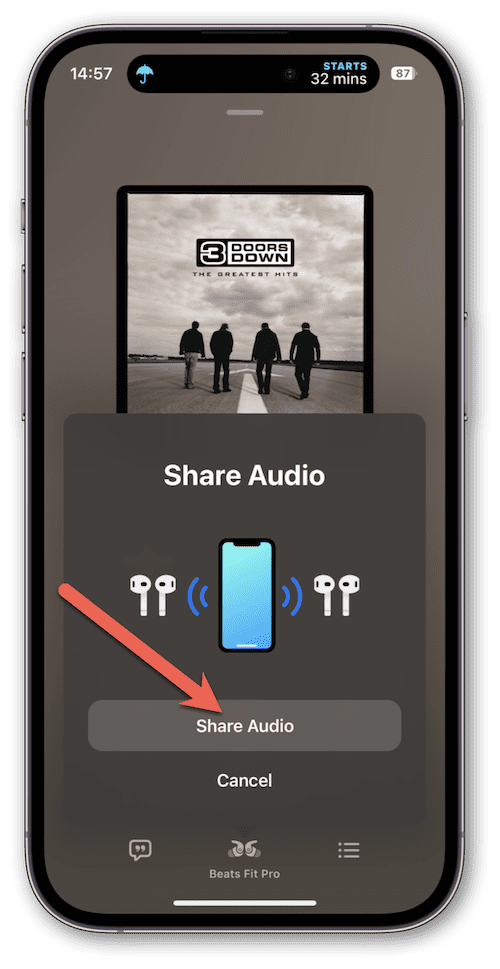
- When the Share Audio dialog appears, tap the Share Audio button.
- On your friend’s device, they’ll be prompted to start listening with you. All they have to do is tap Join and your music will start playing in their ears.
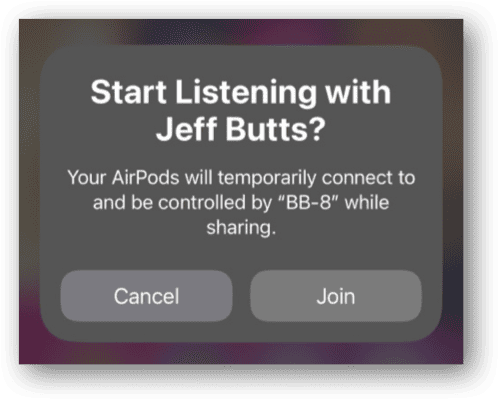


To stop sharing, just return to the AirPlay button and tap the checkmark beside the headphones you don’t want to share with any longer.
What Devices Will Work?
Compatible devices include:
- iPhone 8 and later
- iPad Pro 12.9-inch (2nd generation) and later
- 11-inch iPad Pro
- 10.5-inch iPad Pro
- iPad Air (3rd generation) and later
- 5th generation iPad mini and later
- iPad (5th generation) and later
- iPod touch (7th generation)
Next, you’ll need a compatible headphone model. These include both AirPods and Beats wireless headphones. The following models of AirPods and Beats headphones should work with Share Audio:
- AirPods Max
- AirPods Pro (1st generation) and later
- 1st-generation AirPods and later
- Powerbeats
- Beats Solo Pro
- Powerbeats Pro
- Powerbeats3 Wireless
- Beats Solo 3 Wireless
- Beats Studio3 Wireless
- BeatsX
- Beats Flex
- Beats Fit Pro
Apple points out you can also share audio on Apple TV 4K with tvOS 14 and later. It will be interesting to see what integration Apple might introduce between Share Audio and the new Apple Music Sing feature.


Discussion