

Your iPhone’s screen is the primary interface for almost all its functions. Whether you need to browse the internet, send a text, make a call, or snap a picture, you’ll need a responsive display. That’s why touch issues can be a major disruption. They manifest in different ways, but more often than not, either the left or right side will stop working. Even minor glitches will make it impossible to perform basic actions, e.g., swiping and tapping.
In all likelihood, you might be dealing with a hardware defect. But considering the cost of a screen replacement, you’d do well to try some software troubleshooting steps first. If they work, you’ll save yourself a (costly) trip to the Genius Bar. Follow these tried-and-tested solutions.
What To Do If Your iPhone’s Left Or Right Side Of The Screen Not Working
1. Force Restart Your iPhone
Time needed: 5 minutes
A simple restart may not work to fix this issue—you need to hard reset your device. Here’s how:
- Press and quickly release the Volume Up button.
- Press and quickly release the Volume Down button.
- Then, press and hold the side button on your iPhone.
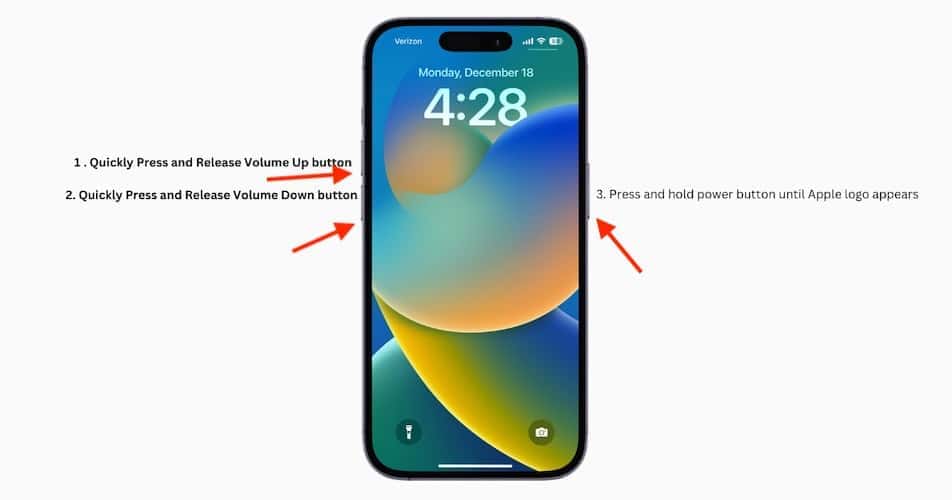
- Release it as soon as you see the Apple logo appear on the screen.
- Wait for the iPhone to start.

2. Check The Case Or Screen Protector
If you have a screen protector or case on your iPhone, try removing it to see if it’s affecting the touch sensitivity. The screen protector may be misaligned. Air bubbles might get trapped underneath, causing certain areas of the screen to become unresponsive. Likewise, a low-quality case can cause uneven pressure on your screen.
Don’t miss the best of The Mac Observer
Set us as a preferred source and our Apple reporting ranks higher in your Google Search results and Discover feed — one tap, no account changes.
3. Check For Software Update
If this unresponsiveness stems from software update bugs, the best approach is to check for iOS updates.
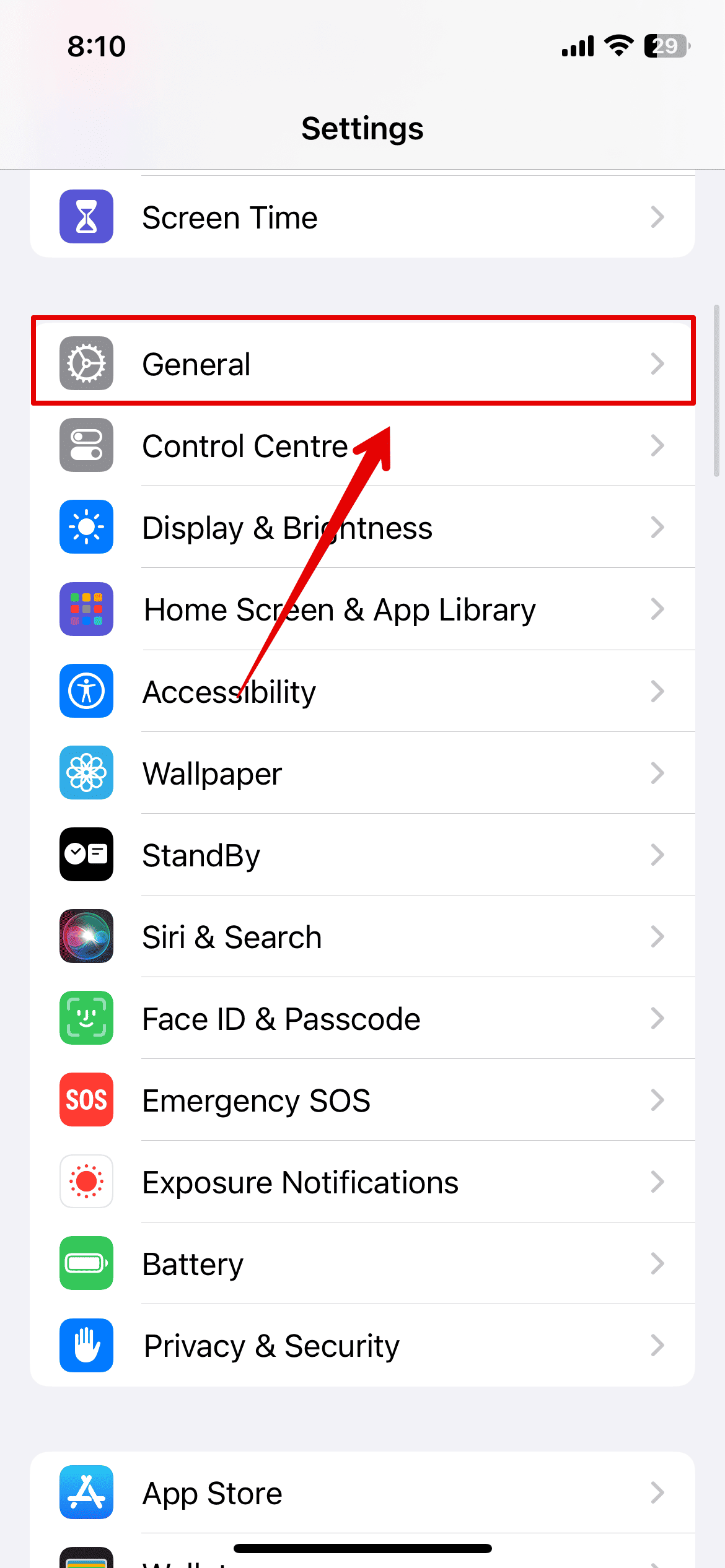
- Open the Settings app on your iPhone and go to General.
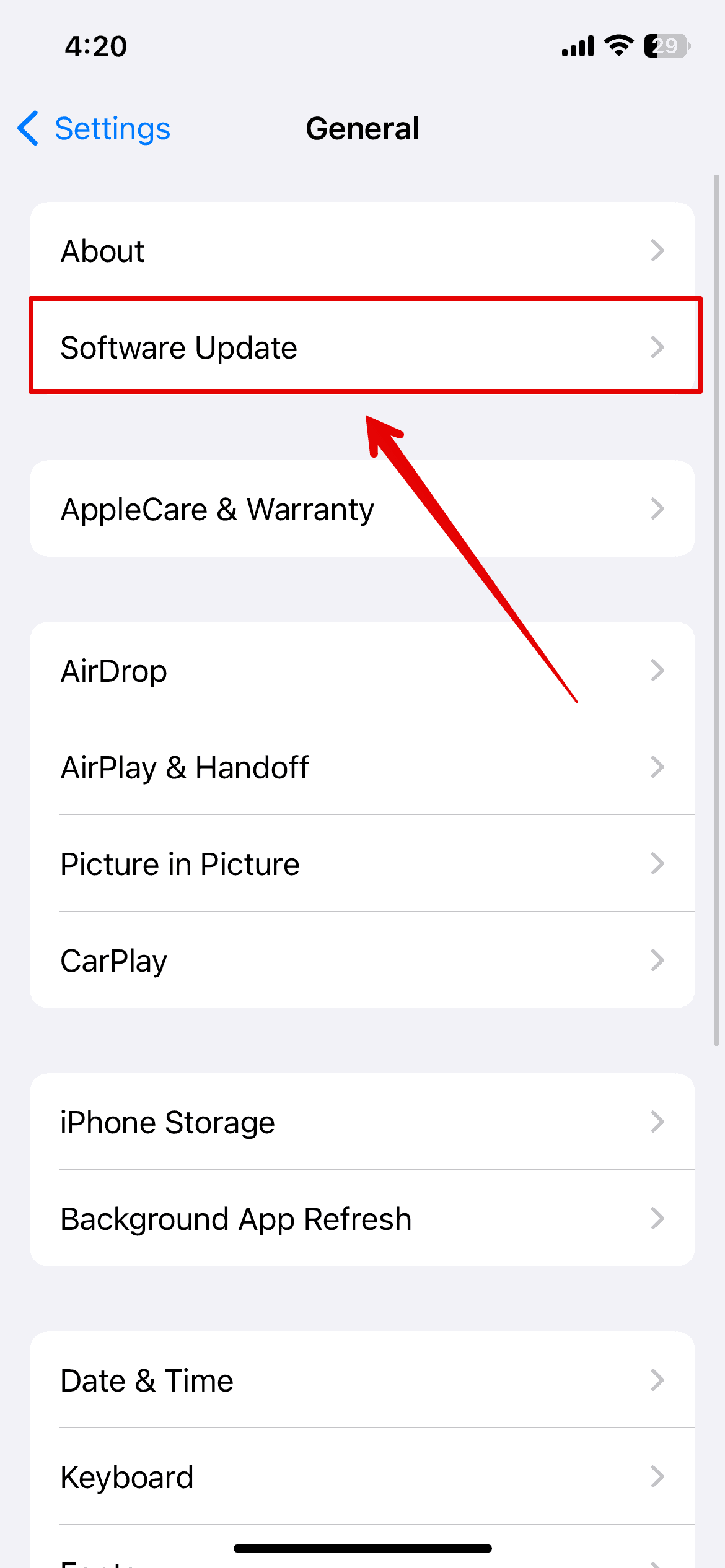
- Tap on Software Update.
- Wait for the system to check for any available updates.
- Install the update and wait for the system to restart.


If you can’t update your device using the above method, plug your iPhone into your Mac and update it from there.
4. Get A Genius Bar Appointment
If none of the above solutions work, your screen issues likely stem from hardware defects. Contact Apple Support for repairs. Make sure to set up iCloud Backup before sending your device for repairs; otherwise, you’ll permanently lose your files once technicians perform a factory reset.


My screen on my ACA suddenly will not respond when I try to hit the 1 or Q unless I turn my phone sideways…like a just did for this post. I tried the restart, nothing. Changed screen protectors, nothing. Without a screen protector, same issue. Guessing it’s a software thing after the last update (I am currently at 18.7.6 and it will not update anymore). Apple phasing my phone out since I’m not buying a new one yet???
I’ve had this issue since several software updates ago. one of the eariler updates took the use of call waiting as well. The keyboard keys P, backspace, return and sometimes O do not work in addition some sites won’t let you turn it on it’s side. Waiting now for the reboot. Thanks for the suggestion, wish me luck.
George
The right side of my screen stopped working randomly, like one day it worked fine and the next day, boom! it makes it so difficult to try to send texts, slide to answer calls or anything
Just got same problem today on my SE. 1st time ever. Did all the above suggestions, still have right-edge keyboard fails. Did just have it on a power bank charger (only 3rd time I’ve used it) so am now fully charging on wall outlet as others suggest, hopefully that fixes it. (Battery capacity is 84% so first thought a new battery must be needed even tho Apple says 80% is bare minimum.)
This issue has only happened since the latest update! I cannot manipulate any of the changes….its a total disaster in my opinion.
Which update was it? My screen has suddenly lost responsiveness on lower right corner- unless I turn phone horizontally, I cannot use the Delete or Send buttons for messages, etc