
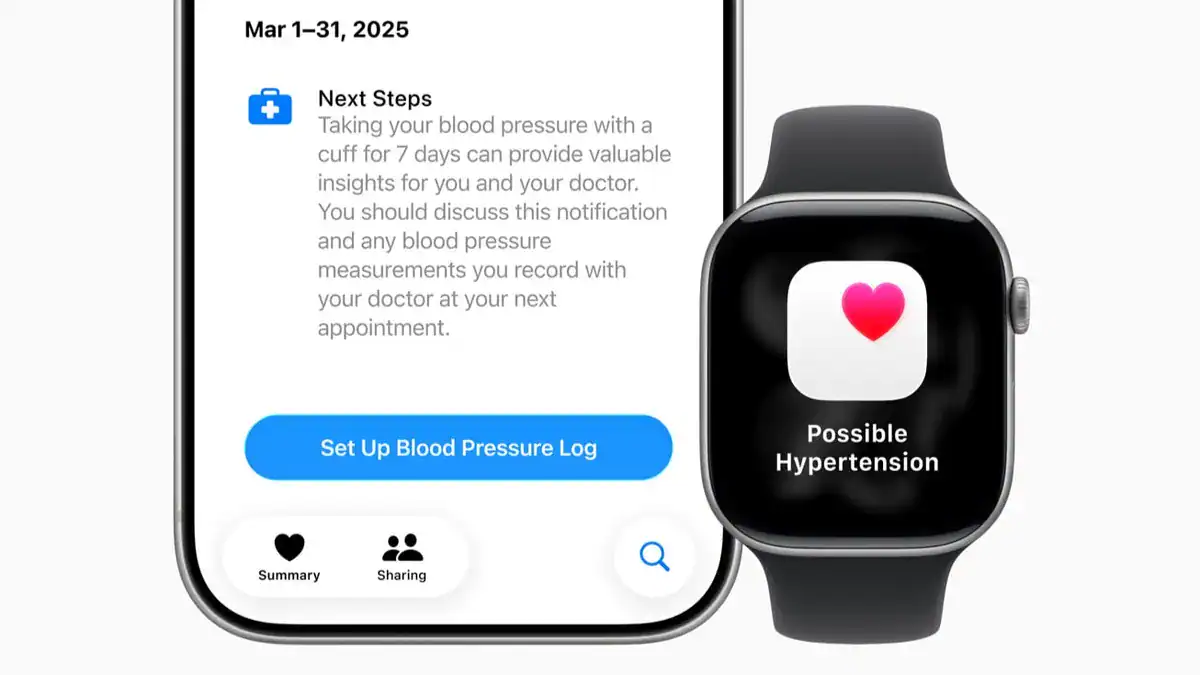
High blood pressure is tricky—you often don’t feel it until it causes real problems. That’s why Apple added hypertension alerts to the Apple Watch Ultra 2 with watchOS 26. The watch doesn’t measure blood pressure like a cuff. Instead, it looks for patterns in your blood flow over 30 days. If it spots something that points to hypertension, it notifies you so you can check with a proper cuff and, if needed, your doctor.
This feature won’t diagnose you, but it helps you catch warning signs early.
How to set it up:
- Update your Ultra 2 to watchOS 26 or later.
- On your iPhone, open the Health app and turn on Hypertension Notifications.
- Wear your watch daily. Make sure it’s snug but comfortable.
That’s it. From now on, your watch will quietly track your data in the background.
Don’t miss the best of The Mac Observer
Set us as a preferred source and our Apple reporting ranks higher in your Google Search results and Discover feed — one tap, no account changes.
What Happens When You Get an Alert
If your watch thinks you might have hypertension, it sends a notification. Here’s what to do:
- Don’t panic. It’s not a diagnosis.
- Use a cuff. Take your blood pressure with a proper device for 7 days.
- Log results. Record readings in the Health app.
- Talk to your doctor. Share the data so they can guide you.
The Apple Watch Ultra 2 won’t replace a blood pressure cuff, but it gives you a helpful early warning system. You wear it, it watches for patterns, and if something looks off, you follow up with real measurements and your doctor.


Discussion