

The native iOS Camera application is undoubtedly powerful and offers excellent results automatically, but for dedicated photographers seeking greater manual control, advanced editing tools, or specialized effects, the App Store offers a rich selection of third party options. These applications transform your iPhone from a simple point and shoot device into a sophisticated photographic tool. Whether you are aiming for professional grade RAW images or quick, stylized edits, exploring the right applications is key to unlocking the full potential of your device’s advanced imaging capabilities.
Table of contents
Essential iPhone Apps for Capturing and Editing Stunning Photos
1. Halide Mark II: Professional Manual Control

Halide is consistently praised for providing a mirrorless camera experience on the iPhone. It targets serious photographers by offering granular manual controls over aspects like exposure, focus peaking, and white balance. Crucially, it fully supports shooting in ProRAW format, giving users the maximum amount of data for post processing. This level of technical oversight is invaluable for those who want to move beyond the automatic settings and capture images with precise creative intent.
2. ProCamera: DSLR-Like Features and Low Light Mastery

ProCamera is a long standing favorite among serious iPhone photographers, known for its extensive feature set that closely mimics a DSLR. It provides full manual control over shutter speed, ISO, and focus, and supports formats like RAW, ProRAW, and TIFF. A standout feature is its powerful Low Light mode, including the specialized Lux+ mode, which excels at capturing detail rich, low noise photos in dim conditions. It also features an Anti Shake shutter release and customizable shooting presets, making it a flexible tool for various photography styles.
Don’t miss the best of The Mac Observer
Set us as a preferred source and our Apple reporting ranks higher in your Google Search results and Discover feed — one tap, no account changes.
3. Adobe Lightroom Mobile: The All-in-One Workflow

Adobe Lightroom is an indispensable application that blends a capable camera function with industry leading editing tools. The mobile version allows for RAW capture, which can then be seamlessly synced with the desktop application or edited directly on the phone. Its robust feature set includes selective adjustments, curves, and HSL tools, making it the perfect ecosystem for managing, editing, and sharing your entire mobile portfolio. Before jumping into third party apps, sometimes it helps to master the built in software. For example, learning how the iPhone camera app changed in iOS 26 and how to use it can enhance your editing results later.
4. VSCO: Filters and Creative Presets

For photographers who prioritize aesthetic styling and quick, film inspired looks, VSCO remains a top choice. The app gained initial popularity for its extensive library of filters and presets that mimic the look of various analog films. Beyond one tap edits, VSCO also provides advanced editing tools for fine tuning exposure, color, and grain. This combination of powerful editing and artistic filters makes it a favorite for quickly preparing images for social media or personal projects. Learning the best iPhone 17 camera settings is an excellent step for optimizing the capture settings that VSCO then stylizes.
5. Snapseed: Powerful, Free Photo Editor
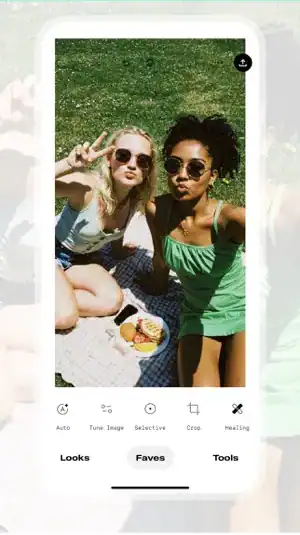
Snapseed, a free offering from Google, is a comprehensive photo editor known for its intuitive interface and high quality tools. It stands out due to its non destructive editing capabilities and powerful features like the selective tool, which allows users to adjust brightness, contrast, and saturation on specific areas of an image. It is an excellent starting point for users looking to achieve rich contrast and detail without committing to a paid subscription.
FAQ
They are different. The stock app is designed for speed and computational photography, offering excellent results automatically. Third party apps like Halide or ProCamera offer greater manual control, allowing you to set shutter speed, ISO, and manual focus, which is essential for specialized shooting like long exposures or capturing RAW files for maximum editing flexibility.
Apps like TouchRetouch specialize in content aware object removal, making it simple to erase power lines, distracting people, or other imperfections from your photos with highly effective results.
Yes. While some camera apps focus on stills, dedicated professional video apps like FiLMiC Pro or Blackmagic Camera offer cinema grade controls for frame rate, bitrate, and color profiles, turning the iPhone into a viable tool for serious filmmaking.
Finalizing Your iPhone Photography Setup
Selecting the ideal application depends entirely on your photographic needs, whether you prioritize precise manual exposure, robust RAW editing, or creative styling. By moving beyond the native camera app and integrating one of these powerful tools into your workflow, you take control of your creative process. Leveraging the latest new iPhone camera technology with the right software is the ultimate way to achieve truly professional results with your mobile device.




Discussion