

If you’re searching for apple watch how to connect to android phone, the short answer is simple: you can’t pair an Apple Watch directly with any Android device. Apple designed the watch to depend on the iPhone for activation, updates, and core features. But that doesn’t mean you can’t use an Apple Watch at all if you own an Android phone; there are a few important exceptions worth knowing.
Table of contents
Why Apple Watch Doesn’t Pair With Android

The Apple Watch relies on the iPhone for setup, iCloud syncing, software updates, Health data, and Apple ID authentication. That’s why the only official pairing process is the one explained in how to connect Apple Watch to iPhone, which walks through the activation steps that Android simply cannot replicate.
Even if your Android phone supports Bluetooth, it cannot complete the watchOS setup or maintain the encrypted connection the watch needs to function fully.
Don’t miss the best of The Mac Observer
Set us as a preferred source and our Apple reporting ranks higher in your Google Search results and Discover feed — one tap, no account changes.
What Does Work Without an iPhone
Although you can’t pair the watch directly to Android, you can still use certain features after the Apple Watch has been activated with an iPhone first.
Once the watch is set up, you can continue using:
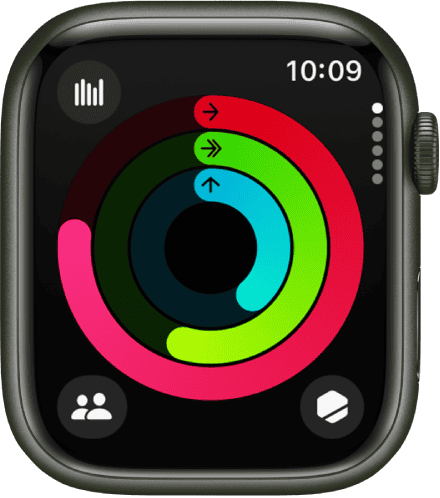
- Fitness tracking (steps, calories, workouts)
- Heart rate monitoring
- Alarms and timers

- Music downloaded to the watch
- Apple Pay (if already configured)
- Wi-Fi connectivity for some apps
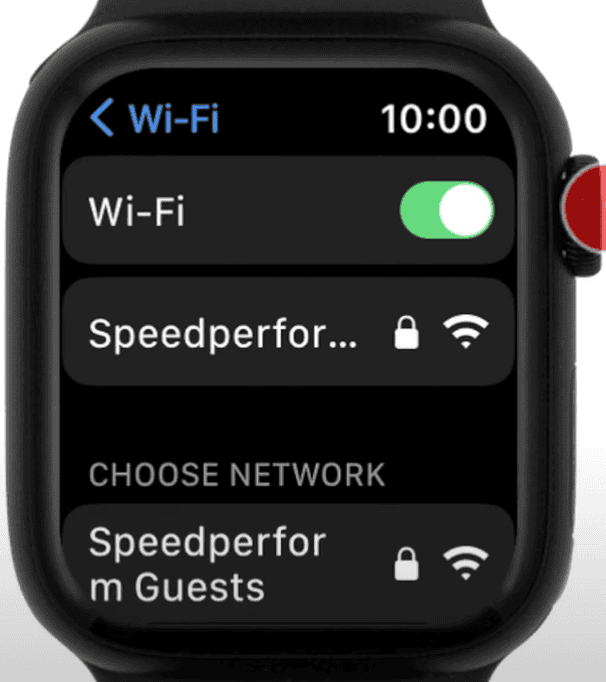


Apple outlines these standalone capabilities in its guide on what Apple Watch can do without an iPhone. It makes it clear that some features remain functional even when the iPhone is no longer nearby.
Can You Use an Android Phone and an Apple Watch Together?
You can use them side-by-side, but not together.
Here’s the real-world scenario:
If you have access to an iPhone for setup (your own or borrowed), you can activate the Apple Watch once. After that, you can switch your SIM back to your Android phone and still use standalone Apple Watch features.
But you won’t get:
- Messages syncing
- Calls from your Android device
- App updates
- Health/iCloud syncing
- Notifications from Android
If you try to reconnect the watch later or update watchOS, you’ll need an iPhone again.
If you’re considering switching from Android to iPhone just to use the watch more fully, it helps to understand the broader setup workflow described in how to use Apple Watch, which covers how the device behaves once it’s paired properly.
What About Cellular Apple Watch Models?
A cellular Apple Watch can stay connected without an iPhone nearby, but only after activation. Even with cellular, you still cannot pair or re-pair the watch with Android; it must be tied to an iPhone and an Apple ID.
Apple explains the pairing process in its step-by-step Apple Watch setup guide, which makes it clear that activation is iPhone-only.
Final Thoughts
If your goal is to directly pair an Apple Watch with an Android phone, it’s not possible. Apple Watch is built around the iPhone ecosystem, and the setup process can’t be completed on Android.
But if you only need fitness tracking, offline music, Apple Pay, or standalone apps, you can still use the Apple Watch as long as you have temporary access to an iPhone for the initial setup.


Discussion