

Millions of people build playlists on Spotify, and you might be one of them. If you want to switch to Apple Music without losing your favourite playlists, you can now do that faster than before. Both Apple and third-party tools let you move your Spotify playlists to Apple Music. Some methods work on mobile, others in your web browser, and they vary in cost and convenience. Here’s everything you need to know.
Moving a playlist from Spotify to Apple Music used to be a pain. You had to rebuild playlists manually or rely on apps that could fail. That changed recently. Apple added a transfer feature inside its Music settings that lets you import playlists from Spotify directly. Third-party services like TuneMyMusic, Soundiiz, and FreeYourMusic also offer more control and flexibility.
Built-In Apple Music Transfer
Apple Music now offers a direct way to import Spotify playlists without external tools in many countries. It uses a third-party service under the hood but runs inside Apple Music settings.
Don’t miss the best of The Mac Observer
Set us as a preferred source and our Apple reporting ranks higher in your Google Search results and Discover feed — one tap, no account changes.
Transfer with Apple Music (Official)
This method works on iPhone, iPad, Android, and the Apple Music web app.
- On your mobile device, open Settings and go to Apps, then Music, or open the Apple Music app on Android.
- Tap Transfer Music from Other Music Services.
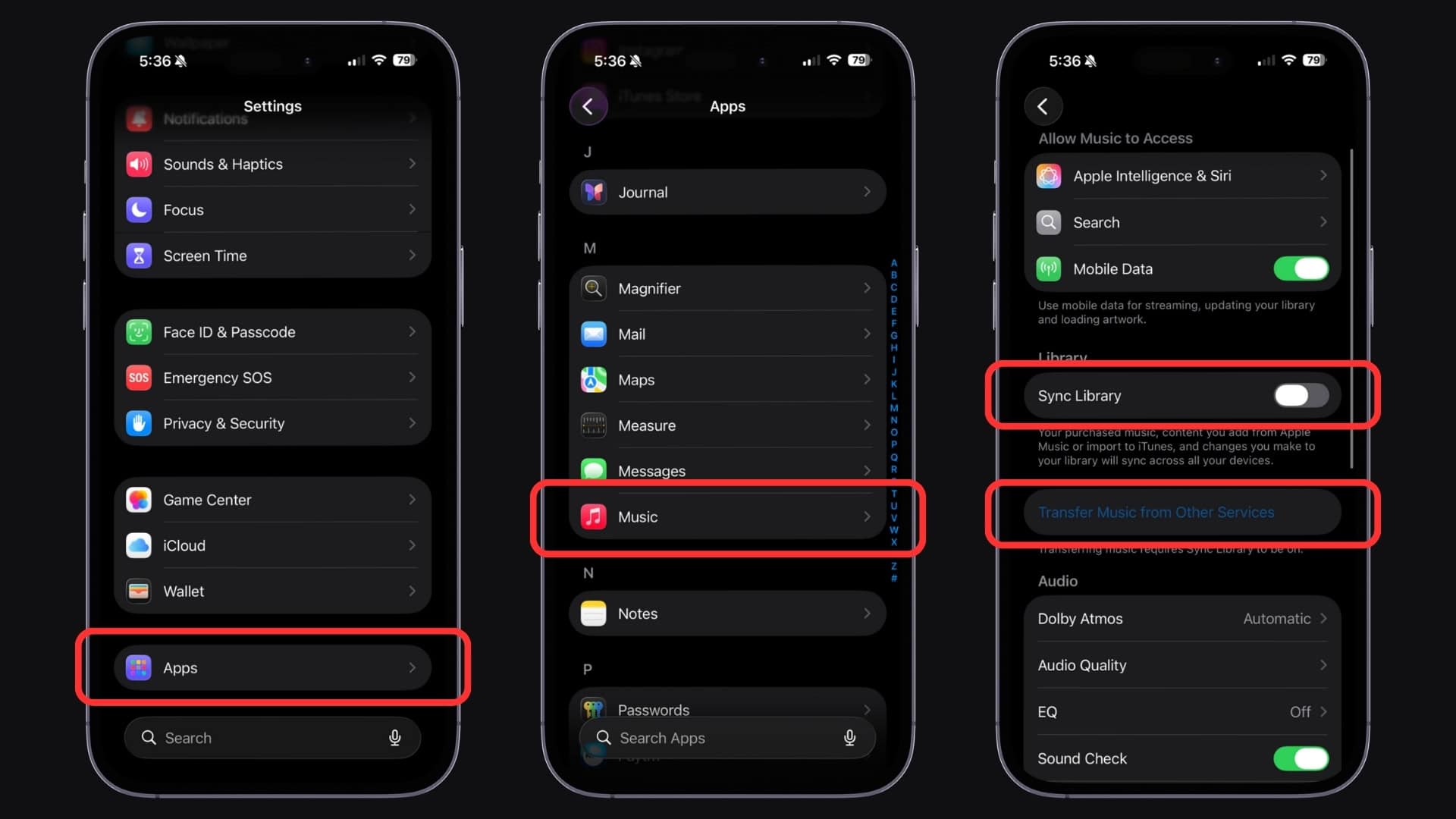
- Choose Spotify from the list and sign in with your Spotify credentials.
- Pick the playlists, songs, and albums you want to move.
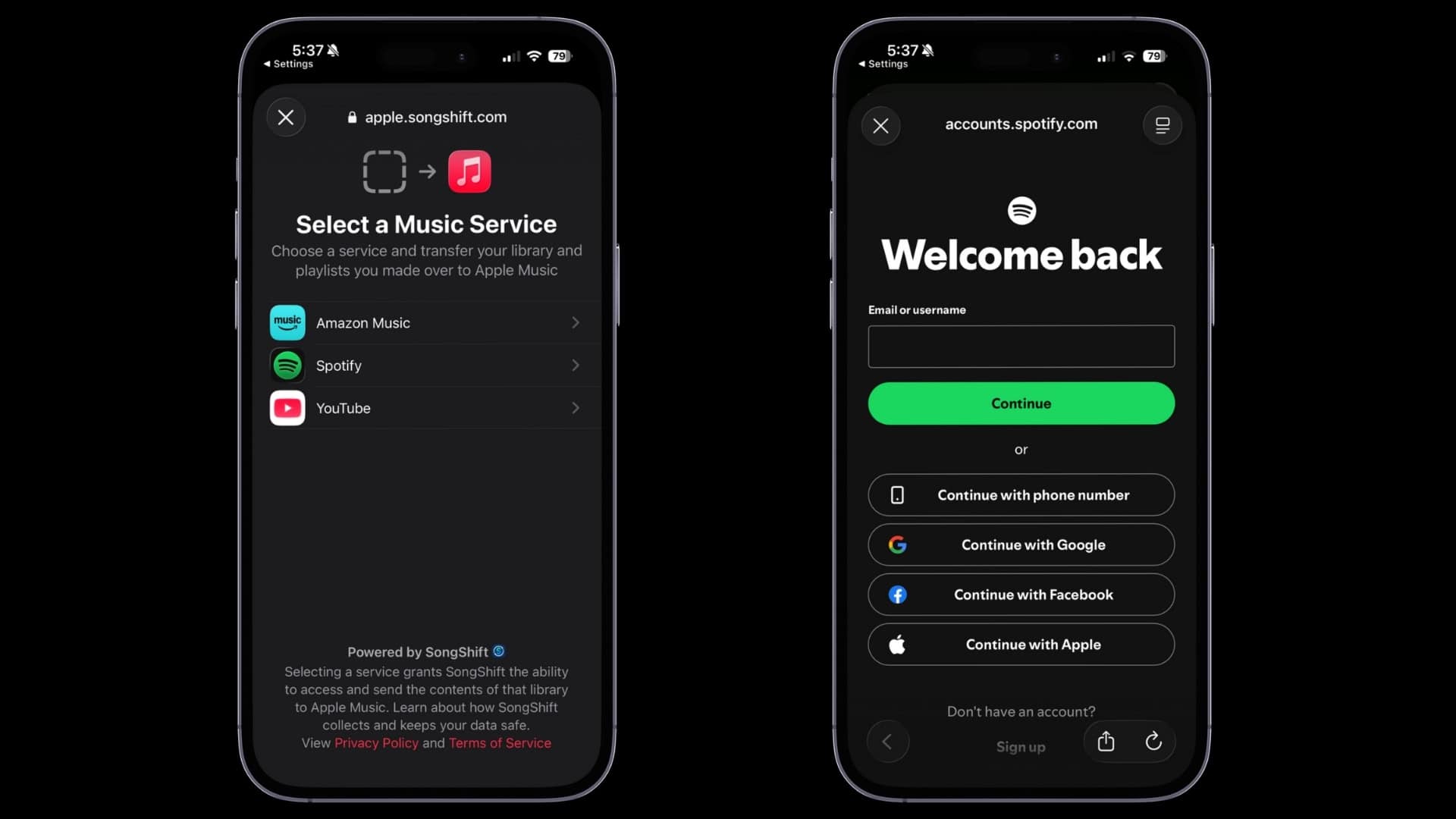
- Tap Add to Library to begin.
- Wait for Apple Music to match tracks in its catalog.


Apple Music will show a Transfer Complete message once done. If some songs don’t match exactly, you may see a prompt to review alternatives within 30 days.
Third-Party Transfer Tools
If the built-in method isn’t available or you want more control, several third-party tools can help. These services connect to both Spotify and Apple Music and move your playlists for you.
TuneMyMusic
A web-based tool that moves playlists, favourites, albums, and more.
- Visit TuneMyMusic in your browser.
- Choose Spotify as the source service and log in.
- Select the playlists you want to transfer.
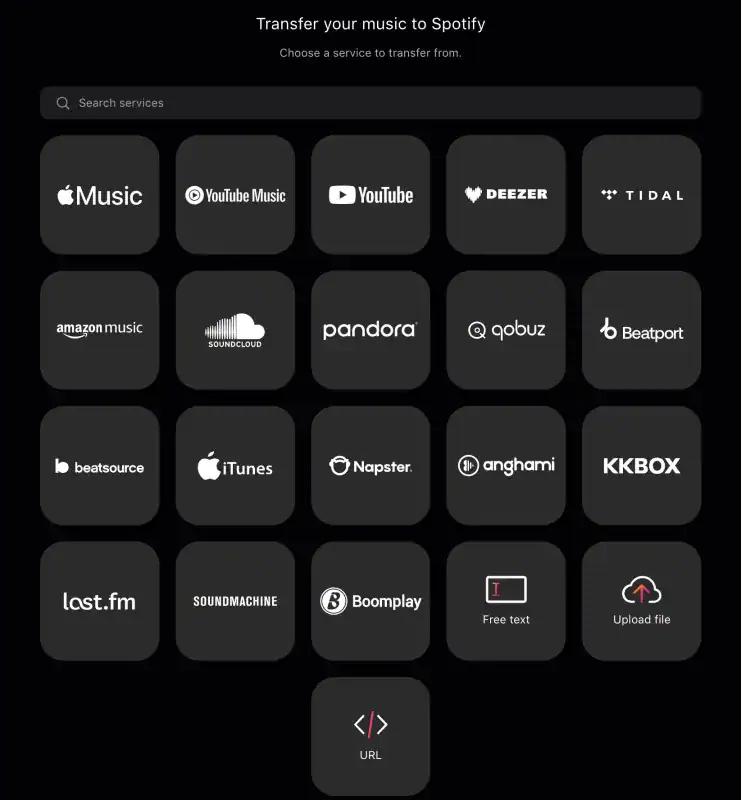
- Choose Apple Music as the destination and sign in.
- Start the transfer and wait for it to finish.
TuneMyMusic can move full music libraries and multiple playlists at once. It also supports syncing lists between services.
Soundiiz
A playlist management service with support for many streaming platforms.
- Open Soundiiz in a web browser.
- Connect your Spotify and Apple Music accounts.
- Select the playlists you want to convert.
- Confirm and start the transfer.
Soundiiz works well when you have many playlists to move. It supports tracks, albums, artists, and more.
FreeYourMusic
A dedicated app for moving playlists between platforms.
- Install FreeYourMusic on your device or desktop.
- Sign in to Spotify and Apple Music.
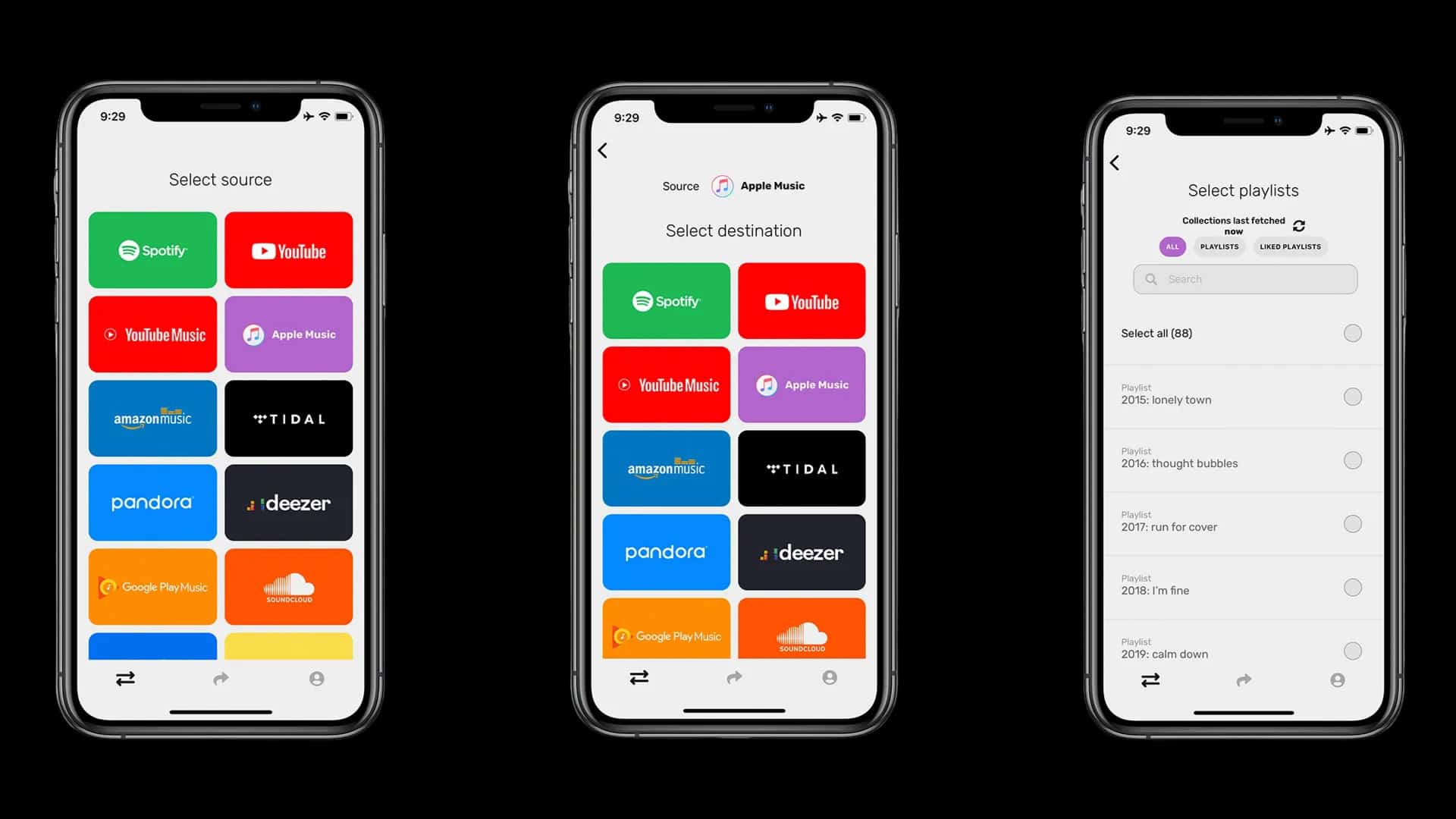
- Pick playlists and begin the transfer.
- Let the app match and move the music.

FreeYourMusic keeps playlist names and order intact. Some songs may not match if they aren’t in Apple Music’s catalog.
Tips
- Make sure both your Spotify and Apple Music subscriptions are active before starting.
- Playlists with rare tracks may not transfer perfectly.
- If songs don’t appear in Apple Music after a transfer, search for them manually.
- Use the web versions of tools if you need to transfer many playlists at once.
FAQs
Yes. Most tools let you move liked songs as playlists, but the match quality may vary.
No. Transferring creates copies in Apple Music. Your originals stay in Spotify.
Not always. If a song isn’t in the Apple Music catalog, you need to add a similar version.
Apple has rolled it out in many countries, but availability may vary.
Summary
- Apple Music now has a built-in transfer feature that works on mobile and web.
- TuneMyMusic offers a simple web-based playlist transfer process.
- Soundiiz can move multiple playlists with more control.
- FreeYourMusic handles cross-platform playlist migration and preserves order.
- Always check for unmatched songs and correct them manually.
Conclusion
You can move your Spotify playlists to Apple Music using Apple’s official transfer feature or third-party tools. Each method gives you options depending on how many playlists you have and how much control you want. Most processes take just minutes. Just log in, select what you want to move, and transfer your music.



Discussion