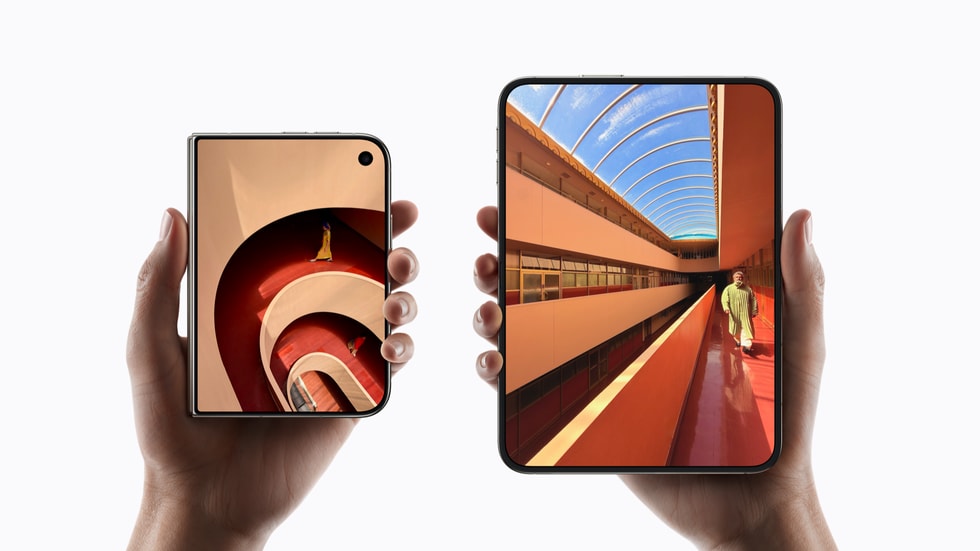
iPhone Duo uses Touch ID built into the side button rather than Face ID, according to Apple’s product page and tech specs for the foldable. iPhone Duo starts at $1,999, opened for pre-orders on October 16 and is available starting October 23, and Apple says the fingerprint sensor works the same way whether the phone is closed or open.

That sets it apart from the other new flagship models. iPhone 18 Pro and iPhone 18 Pro Max both keep Face ID, which Apple describes as “Enabled by TrueDepth technology in the Center Stage front camera.”
What Apple says about Touch ID on iPhone Duo
The clearest statement is in the FAQ on Apple’s iPhone Duo product page. Asked whether the phone comes with Touch ID or Face ID, Apple answers: “iPhone Duo uses Touch ID, which is integrated into the side button. This gives you an easy, secure, and consistent way to authenticate iPhone Duo, whether it’s closed or open.”
Don’t miss the best of The Mac Observer
Set us as a preferred source and our Apple reporting ranks higher in your Google Search results and Discover feed — one tap, no account changes.
The tech specs page lists “Touch ID: Fingerprint sensor built into the side button” and includes a “Touch ID fingerprint sensor” in the sensors section. Apple’s iPhone comparison page places iPhone Duo under Touch ID in its Secure Authentication row, next to Face ID for iPhone 18 Pro and iPhone 18 Pro Max.
Apple does not explain why it chose Touch ID for the foldable.
iPhone Duo vs iPhone 18 Pro: authentication at a glance
| iPhone Duo | iPhone 18 Pro and 18 Pro Max | |
|---|---|---|
| Secure authentication | Touch ID | Face ID |
| Where it is | Fingerprint sensor built into the side button | Enabled by TrueDepth technology in the Center Stage front camera |
| Apple Pay | Pay with your iPhone using Touch ID in stores, within apps, and on the web | Pay with your iPhone using Face ID in stores, within apps, and on the web |
| Front cameras | Outer 12MP Center Stage camera, inner under-display FaceTime camera | 18MP Center Stage camera |
| Starting price | $1,999 | $1,199 |
The two front cameras matter here. iPhone Duo has a 12MP Center Stage camera on the outer display and an under-display FaceTime camera on the inner display, so there is a selfie camera in both positions. Apple ties authentication to the side button instead, which it calls a consistent way to unlock the phone in either position.
Apple Pay and App Store purchases
Apple’s specs say iPhone Duo lets you “Pay with your iPhone using Touch ID in stores, within apps, and on the web.” You can also “Complete purchases made with Apple Pay on your Mac,” the same as on Face ID models.
Apple’s Touch ID support page says Touch ID can replace your Apple Account password for purchases in the iTunes Store, App Store and Apple Books. To turn that on, open Settings, tap Touch ID & Passcode and make sure iTunes & App Store is switched on. When you buy something, you get a Touch ID prompt and lightly touch the sensor to confirm.
How to set up Touch ID
Apple’s general Touch ID guide was written before iPhone Duo and describes sensors in the Home button or the top button, but it says “your device’s onscreen instructions will tell you which button to use.” The steps are:
- Create a passcode first. Touch ID needs one before you can set it up.
- Make sure the sensor and your finger are clean and dry.
- In the Settings app, tap Touch ID & Passcode, then enter your passcode.
- Tap Add a Fingerprint and hold the phone as you normally would when touching the sensor.
- Touch the sensor without pressing, and hold until you feel a quick vibration or are asked to lift your finger. Keep lifting and resting your finger, adjusting its position slightly each time.
- When asked to adjust your grip, touch the sensor with the outer areas of your fingertip.
Apple says you can enroll up to five fingerprints, and that each new print might make recognition take slightly longer. Because you will likely hold iPhone Duo differently when it is folded and when it is open, it is worth enrolling a finger for each grip, such as a thumb and an index finger.
What changes if you are coming from Face ID
After setup, Apple says you unlock the phone by pressing the Touch ID sensor with a registered finger, rather than raising it to your face.
The passcode rules are familiar. According to Apple, you must enter your passcode after you restart your iPhone, when more than 48 hours have passed since you last unlocked it, to add or delete a fingerprint, and after five unsuccessful fingerprint match attempts.
On security, Apple puts the probability of a different fingerprint registering as a match at 1 in 50,000 with a single enrolled finger. Your fingerprint data is encrypted and protected by the Secure Enclave. Apple says it is never stored on Apple servers or backed up to iCloud, and Touch ID stores only a mathematical representation of your fingerprint, never an image of it.
If iPhone Duo is lost or stolen, Apple says Find My Lost Mode can stop Touch ID from being used to unlock it.
When you can get one
Apple’s iPhone Duo press release confirms pre-orders began at 5 a.m. PT on October 16 on apple.com and in the Apple Store app. The U.S. store lists the 256GB model at $1,999 in Night Sky or Star White, available starting October 23. If you have not ordered yet, our guide to pre-ordering iPhone Duo with Apple Upgrade covers the monthly option.