
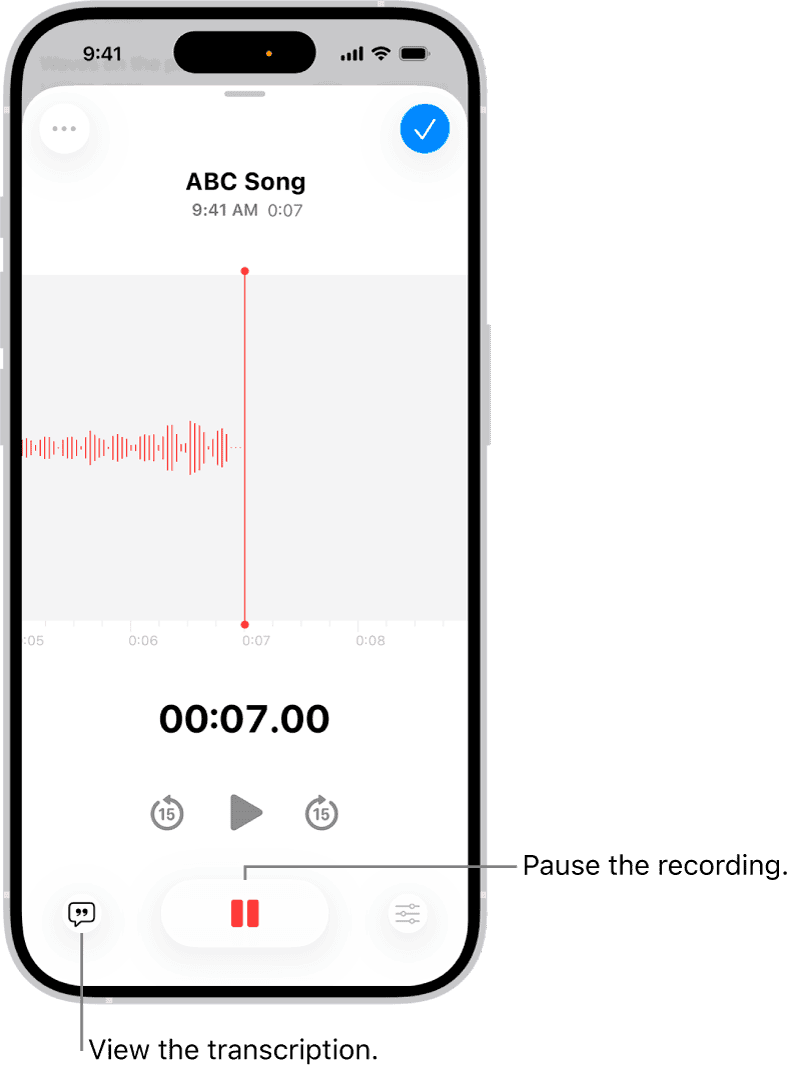
You can take a short excerpt from a long recording without giving up the original. Select the passage in Voice Memos, preview the selection, and choose Save as New Recording at the end. Save Recording writes the edit over the version you opened, so the last prompt matters as much as the trim handles.
Isolate a passage
- Open Voice Memos, select the full recording and note its name and duration. Tap Edit Recording. Open the editor’s More menu and choose the Trim control if it is not already visible.
- Drag the yellow handles so they surround the passage you want to keep. Pinch open on the waveform to zoom in for finer placement. Leave a little room before the first word and after the last.
- Tap Play to hear the selection. For a 30-second quote from an interview, the handles should enclose the quote. Tap Trim to discard the audio outside them in the edited version.
- Confirm the edit, then tap Done to finish. At the save choice, tap Save as New Recording. Go back to the list and check for the longer original and the shorter excerpt.
Rename the short version so you can distinguish the two in a share sheet. Play its opening and closing words before sending it. If the end cuts off midway through a syllable, return to the long original and take a slightly wider selection.
Cutting out an interruption works the other way around
If you want a full conversation minus a pause in the middle, enclose only the unwanted section and choose Delete inside the trim editor. That removes the audio between the handles. Using Trim on that same selection would leave you with just the pause. Preview first, and save the edited conversation as a new recording if the original matters.
If your iOS version presents different save choices, return to the recordings list and duplicate the original before editing an irreplaceable memo. The goal is two separate entries you can verify before sharing either one.
Apple’s Voice Memos editing guide
Featured image: Voice Memos on iPhone. Credit: TMO archive.
Don’t miss the best of The Mac Observer
Set us as a preferred source and our Apple reporting ranks higher in your Google Search results and Discover feed — one tap, no account changes.

Discussion