

Learning how to use an ECG on an Apple Watch will help you monitor your heart health directly from your wrist.
The ECG app on the Apple Watch can record an electrocardiogram, which shows how your heart is beating. It is not a replacement for professional medical devices, but it can help you detect irregular rhythms and share results with your doctor.
This guide will walk you through the process in simple steps.
Don’t miss the best of The Mac Observer
Set us as a preferred source and our Apple reporting ranks higher in your Google Search results and Discover feed — one tap, no account changes.
Table of contents
How to Use ECG on Apple Watch?
Step 1: Check Device Compatibility
Not every Apple Watch supports ECG. The feature is available on Apple Watch Series 4 and later models, including SE (2nd generation).
You also need an iPhone with the latest iOS version. Make sure your devices are updated before moving forward.
Step 2: Set Up the ECG App
To use ECG, you must first enable it on your iPhone.
- Open the Health app on your iPhone.
- Tap Browse and go to Heart.
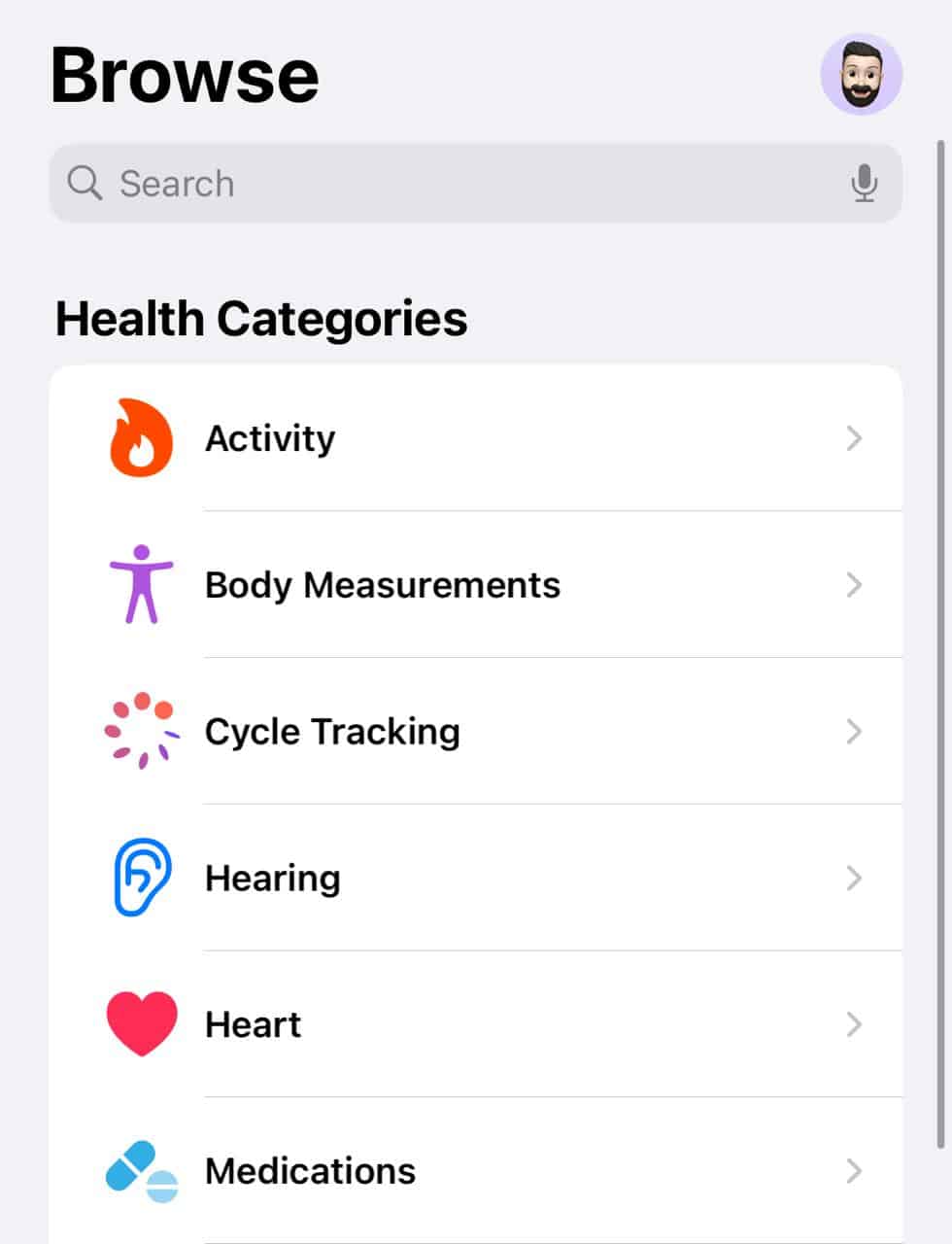
- Select Electrocardiograms (ECG).
- Follow the setup instructions and provide basic details like age and health history

Once done, the ECG app will appear on your Apple Watch.
Step 3: Prepare for an ECG Reading
- Before you start recording, sit in a comfortable position and rest your arms on a table or your lap. Make sure your watch is snug on the wrist you selected during setup. Stay still and relaxed during the reading.
Step 4: Record the ECG
- Open the ECG app on your Apple Watch.
- Rest your arm and place your finger on the Digital Crown.
- Hold it for 30 seconds while the watch records your heart rhythm.
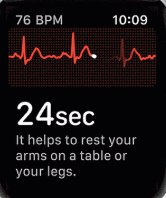
- You will see a countdown on the screen until the test finishes.

Step 5: Review the Results
Once the test is complete, the watch will show a classification such as:
- Sinus rhythm (normal heartbeat)
- Atrial fibrillation (irregular rhythm)
- Low or high heart rate
- Inconclusive (if the watch cannot read properly)
These results are stored in the Health app on your iPhone, and you can export them as a PDF to share with your doctor.
Also, learn how to check the blood oxygen level on your Apple Watch!
Tips for Accurate ECG Readings
- Keep your wrist and finger dry during the test
- Avoid moving or talking while recording
- Sit upright with your arm resting on a surface
- Use the wrist where you normally wear your Apple Watch
- Make sure the back of the watch is in contact with your skin
Frequently Asked Questions
No, the Apple Watch ECG cannot detect a heart attack. It can only record electrical signals related to your heartbeat and identify irregular rhythms like atrial fibrillation.
The ECG feature is approved in many countries, but not everywhere. Availability depends on local health regulations, so check if it is enabled in your region.
You do not need to use it daily unless advised by a doctor. Many people use it when they feel an unusual heartbeat, dizziness, or chest discomfort.
Yes, the results are saved in the Health app on your iPhone. You can export them as a PDF file and send them to your doctor for review.
Summary
- Confirm your Apple Watch and iPhone support ECG.
- Set up the ECG app in the Health app on your iPhone.
- Sit comfortably and keep still before recording.
- Open the ECG app on your Apple Watch and place your finger on the Digital Crown.
- Wait 30 seconds for the test to complete and review the results in the Health app.
Conclusion
Learning how to use an ECG on an Apple Watch can give you a better understanding of your heart health and help you take action when needed. While it does not replace professional medical testing, it is a powerful tool that allows you to keep track of your heart rhythm anywhere.
By following the simple steps above and using the tips for accuracy, you can make the most out of this life-saving feature.
And if you just got it, learn how to use an Apple Watch and explore more such features!


My Apple Watch ECG is hit or miss, usually miss. It’s been this way since new.