
Dr. Mac explains why he gets nostalgic about Macworld Expo at this time of year as he reflects on some of his favorite moments at the show.
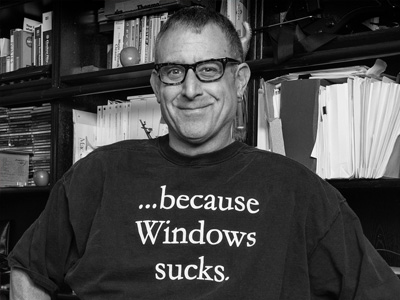
Bob LeVitus
Bob LeVitus, often referred to as “Dr. Mac,” is considered one of the world’s leading authorities on Mac OS X and one of the Mac community’s most trusted gurus for almost thirty years. He’s known for his trademark humorous style and unerring ability to translate ‘techie’ jargon into usable and fun advice for regular folks. A prolific author, LeVitus has written or co-written over 75 popular computer books with more than two million copies sold worldwide in a dozen languages. His most recent titles include: iPhone For Dummies, macOS Sierra For Dummies, and iPad For Dummies, all for Wiley Publishing. LeVitus is currently a columnist for the Mac Observer and has written the Dr. Mac column for the Houston Chronicle since 1996. While LeVitus has seen his work published in more than a dozen computer magazines over the past eighteen years, including: a three- year stint as Editor-in-Chief of the irreverent and unpredictable MACazine; and four different columns in MacUser magazine—Beating the System, Personal Best, Game Room, and the Help Folder (with Andy Ihnatko, and later, Chris Breen). Though best known for his writing, he’s also dabbled in broadcasting with a radio show (Inside Mac Radio, CNET Radio, 2001-2002) and a television series (Mac Today, Syndicated, 1992-1993). In addition to his writing, LeVitus runs a consulting business that provides expert technical help and training to Mac users anywhere in the world, in real time and at reasonable prices, via telephone, e-mail, and/or its own unique Internet-enabled remote control software. If you’re having a problem with your Mac or want to learn how to do almost anything with it, point your browser at: https://www.boblevitus.com. Always a popular speaker at Mac user groups and trade shows, LeVitus has presented more than 200 seminars, workshops, conference, and training sessions in the U.S. and abroad, including keynote addresses in three countries. (He also won the Macworld Expo MacJeopardy World Championship three times before retiring.) His most recent foray is Working Smarter for Mac Users, a site, newsletter, and more, all aimed at helping Mac users do more work in less time so they have more time for the things they love. Prior to giving his life over to computers, Bob worked in advertising producing television commercials, radio spots, and print ads at Kresser & Robbins and SelecTV. He holds a B.S. in Marketing from California State University and currently lives in central Texas with his wife, kids, and a plethora of pets
Articles by Bob LeVitus

CleanMyMac X: Finally a Mac-Cleaning App That Doesn't Suck!
Dr. Mac says CleanMyMac X is the first Mac “cleaner” app he likes using, and says he runs it full-time on his daily driver. Find out why in this week’s Dr. Mac’s Rants & Raves Episode #302.

Automation for iOS 12? Try Shortcuts!
If you always wished you could automate iOS, Bob “Dr. Mac” LeVitus has good news for you—you can with Apple’s new (kinda) Shortcuts app!

Three macOS Mojave Features You’ll Love…
Having recently finished updating macOS Mojave For Dummies, Dr. Mac offers three of his favorite new Mojave features.

About Mojave (macOS 10.14) and 32-bit Apps
In Rants & Raves Episode 295, Bob “Dr. Mac” LeVitus clarifies the confusion surrounding 32-bit apps and macOS 10.14 Mojave.

Can Photoshop Be Replaced: The Thrilling Conclusion
Dr. Mac finds Affinity Photo even better than Photoshop at a handful of image editing things he does again and again.

Why I Hate Microsoft Word
Thank you very much, Microsoft, for wasting half of my morning. Even with a deadline looming, there’s nothing I like more than troubleshooting issues that should never have existed in the first place. You ought to be ashamed.

Save Time and Effort with Keyboard Maestro
Keyboard Maestro creates macros —sequences of actions that can be saved and then invoked and played back with a single keystroke (or other trigger), and the latest version (version 8) adds welcome improvements and interface enhancements.

Three Groovy, Geeky Gadgets
Dr. Mac checks out three groovy gadgets he uses every day — a laptop stand, a speaker that’s also a work of art, and the first lumbar support he’s tried that actually worked.

GarageBand 10.3: Now Better than Ever
If you haven’t tried GarageBand, the free audio production software included with every Mac lately, Dr. Mac says there’s never been a better time.

Three Ways to Fix Mac Hard Disk Failures
For as long as Dr. Mac can remember he’s relied upon the same three products when his hard (or solid state) disks go bad: Apple’s Disk Utility (free), Prosoft Engineering’s Drive Genius ($79), and Alsoft’s DiskWarrior ($119.99), but only one has succeeded three times in the past few months after the other two failed… Read Dr. Mac’s Rants & Raves Episode #276 to find out which one succeeded and which two failed!

Two Free Mac Apps Help You Find Huge Files Fast
Dr. Mac says he always uses one of two free apps to hunt down huge files on his boot disk. Both have been around for years, and both find huge files faster and easier (at least in his humble opinion) than any other technique.

About Optimized Storage on your Mac Startup Disk
Dr. Mac says your Mac will slow down more and more as your startup disk becomes fuller and fuller, and, if you fill it up completely, your Mac might not boot.

Handling a Crashed Startup Disk Gracefully
Dr. Mac’s had a rough week with a toasted startup disk followed by a swollen battery, but he learned a thing or two along the way that could save you time or trouble.

iPhone-in-the-Car Dilemma? Solved!
Dr. Mac had tried air-vent iPhone mounts in the past, but they always felt less stable to him than the good, old CD-slot mounts—now he’s found a solution to his iPhone car mount he loves.

Dr. Mac Weighs the Pros and Cons of Replacing Photoshop
Dr. Mac is looking for a Photoshop replacement that can serve all his image-editing needs at a price he can afford and without monthly payments.

Panorama X: Innovative Database Software with Really Innovative Pricing
Dr. Mac says that Panorama X is an innovative database that’s wicked fast…but its biggest innovation may be its surprising new pricing model.
The Mac Observer Spin The Mac Observer Spin is how we show you what our authors think about a news story at quick glance. Read More →

Dr. Mac's Gift Guide for Geeks Part I
Dr. Mac’s 2017 gift guide for geeks includes something for every tech aficionado, with most at reasonable prices.

Use Reminders on Macs, iPhones, and iPads to Remember Anything
When Dr. Mac needs to remember something, he merely asks Siri (on his Mac, iPhone, or Apple Watch) to remind him of that thing at a specific time and date or place. He says he rarely forgets stuff anymore with this almost foolproof system.

macOS High Sierra: The Good Things in Life Are Free (Part II)
Dr. Mac offers you a peek at some of macOS 10.13 High Sierra’s more interesting new features, including his favorites from Photos, Safari, Spotlight, and more.

macOS High Sierra: You’ll Hardly Notice You’ve Upgraded
Since macOS High Sierra became available last week, and many of you will upgrade soon if you haven’t already, here are some things to look for when you do upgrade.

You Have Me to Blame for the iTunes 12.7 Fiasco...
Last year Dr. Mac lobbied to get Apple to streamline iTunes, and now that they did he isn’t happy. Check out why he says Apple’s changes didn’t turn out the way he hoped.

Simple Personal Cloud Storage with My Cloud Home
Not so long ago the phrase “simple personal cloud storage” was an oxymoron. Setup and use weren’t simple and prices were more premium than personal. Then, My Cloud Home, a new personal storage device from Western Digital priced from $149.99, came along and changed everything. It’s reasonably-priced, simple to set up and use, and yet, surprisingly full-featured.

Dr. Mac's Advice for CrashPlan for Home Users
CrashPlan for Home is being discontinued. This week, Dr. Mac talks about what he’s using instead, and why.