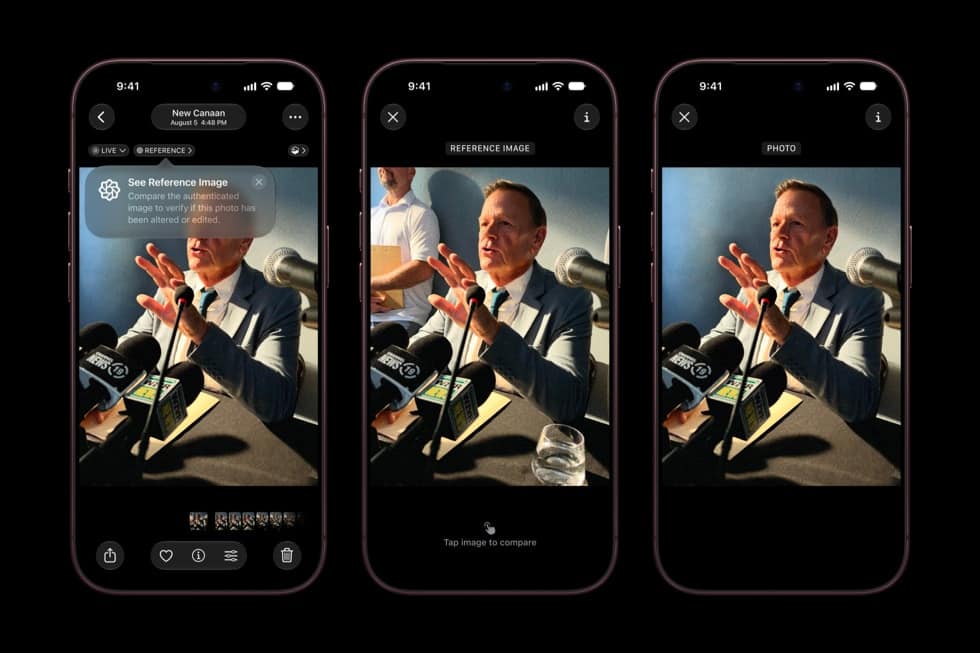
Apple documents two different privacy disclosures that sit next to each other in the App Store experience but measure different things. App Privacy Report, a Settings feature that has existed since iOS 15.2, records what an app actually did on the device over the past seven days. Privacy Nutrition Labels, shown on an app’s App Store product page, are text a developer writes about what the app is designed to do, before anyone installs it.
Apple’s own support pages describe the two using different verbs: App Privacy Report is measured, Nutrition Labels are self-reported. That distinction is stated plainly in Apple’s documentation rather than implied.
Key facts, as Apple documents them
| Item | What Apple publishes |
|---|---|
| App Privacy Report available since | iOS 15.2 and iPadOS 15.2 |
| What it records | How often an app accessed location, photos, camera, microphone and contacts in the past 7 days, plus network domains contacted |
| Where the data lives | Apple states it is encrypted and stored only on the device |
| Where it is turned on | Settings, then Privacy and Security, then App Privacy Report |
| Nutrition Label source | Self-reported by the app’s developer, per Apple’s App Store guidance |
| Nutrition Label categories | Data linked to you, data used to track you, and data not linked to you |
What App Privacy Report actually shows
Apple’s support article breaks the report into three sections: data and sensor access, showing how many times and when an app used location, photos, camera, microphone or contacts; app network activity, showing which domains an app or the content inside it contacted; and website network activity, showing domains contacted through web content opened inside an app. A separate list shows the domains contacted most often across all apps. Apple states the report excludes network activity from private browsing sessions inside browser apps, though it does not extend that exclusion to private modes in other kinds of apps.
Don’t miss the best of The Mac Observer
Set us as a preferred source and our Apple reporting ranks higher in your Google Search results and Discover feed — one tap, no account changes.
What a Nutrition Label actually is
Apple’s App Store privacy pages state that the label’s information is self-reported by the developer, describing data the app is designed to collect, not data confirmed to have moved on any specific device. Apple’s documentation states it provides developers with resources to help them fill the label out accurately. It does not state that Apple independently confirms every entry before an app is listed. The three label categories, as Apple’s developer guidance defines them, are data linked to your identity or account, data used to track you across other companies’ apps and sites, and data collected in a way Apple’s guidance treats as not linked to you, typically because identifying details were removed before collection.
Measured versus declared, side by side
| App Privacy Report | Privacy Nutrition Label | |
|---|---|---|
| Who produces it | The device, from what actually happened | The app’s developer, describing what the app is designed to do |
| When it applies | After the app is installed and used | Before the app is installed, on the App Store listing |
| Time window | The past 7 days, rolling | Apple’s documentation names no expiry; it stands until the developer updates it |
Where these disclosures sit on current devices
Both disclosures apply the same way on the iPhone 18 Pro and on Apple Watch Series 12‘s companion iPhone app, since App Privacy Report is an iOS feature and Nutrition Labels apply to every listing regardless of which device runs the app. Apple has not published either feature as changed for iOS 27, arriving Monday, September 14.
What Apple has not said
Apple has not published how many Nutrition Labels have been found inaccurate after publication, what process corrects one, or how often it spot-checks a label against an app’s actual behavior. It also has not published whether App Privacy Report’s on-device measurements are ever compared automatically against the label the same app displays on the App Store, and it has not published a way to export the seven-day report for a longer personal record.
As of Saturday, September 12, 2026, anyone can compare the two for a single app today: read its Nutrition Label on its App Store listing, then check Settings, Privacy and Security, App Privacy Report, after a week of normal use.