
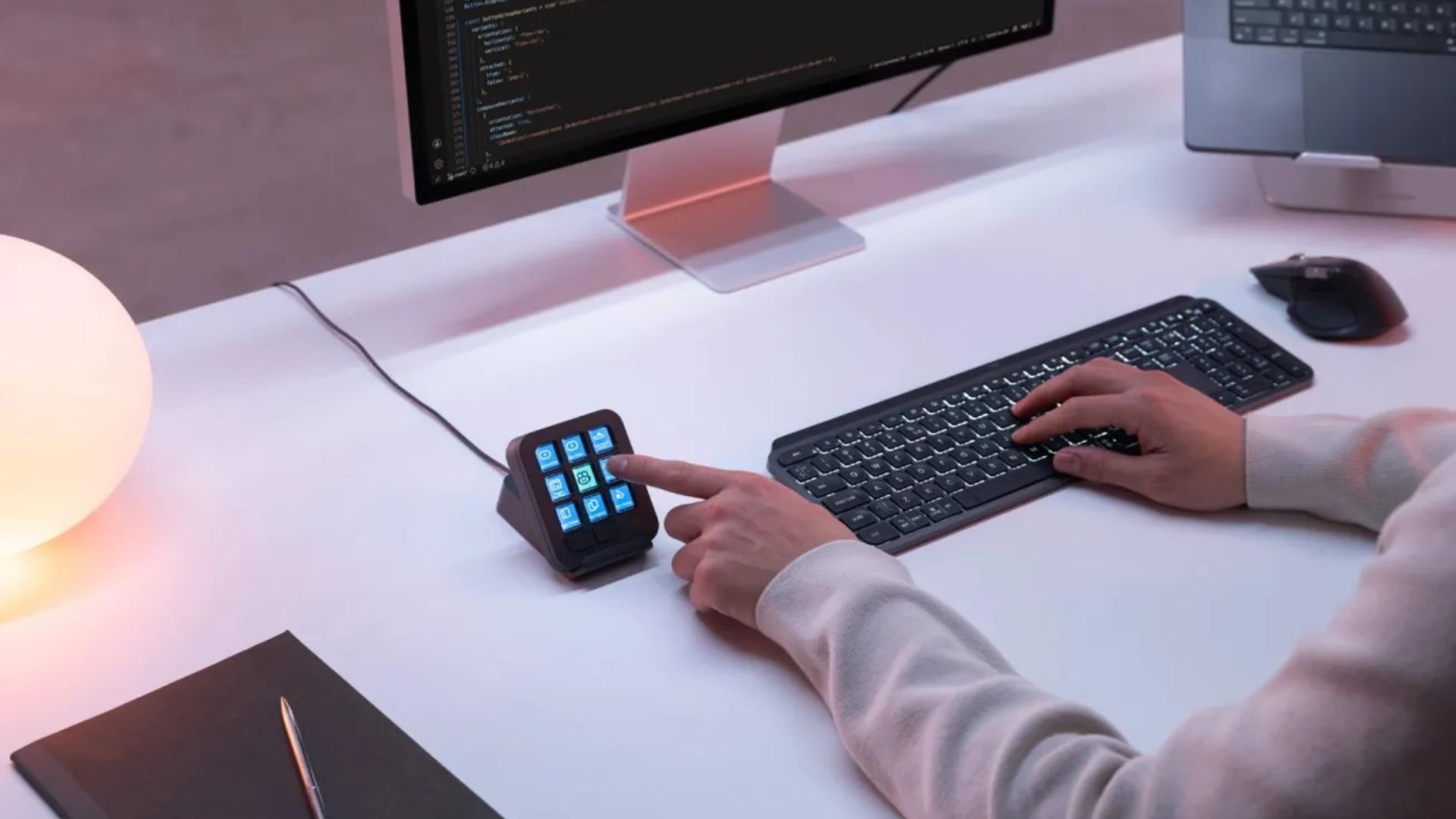
Logitech just introduced a new desktop accessory designed to make working with artificial intelligence bots much easier for programmers. The company released the MX Keypad, a small customizable control center aimed at organizing complex coding routines. It costs ninety-nine dollars and gives software developers a physical device to manage smart agents directly from their desk without clicking through multiple program windows. This tool aims to speed up the process of switching between different digital coding environments.
The compact device features nine keys for custom shortcuts
The new peripheral features nine customizable LCD buttons that can display bright colors and unique icons. You can set up each key to launch specific applications, run routine text prompts, or command digital assistants with just one tap. It weighs less than one hundred grams and takes up about as much desk space as a regular computer mouse.
The accessory connects over a standard USB-C cable. It supports most modern machines, including any recent computer from Apple or a standard desktop running Windows 10. If you use a Mac, you will need macOS 13 or newer installed. For folks deep into development, the pad natively supports popular tools like VS Code right out of the box. Users can easily track status updates from various AI models directly on the physical keys. This means you do not have to constantly switch tabs to see if a bot finished writing a chunk of code.
Don’t miss the best of The Mac Observer
Set us as a preferred source and our Apple reporting ranks higher in your Google Search results and Discover feed — one tap, no account changes.
Users can download custom plugins for popular smart platforms
Logitech built this gadget to work smoothly alongside modern coding environments. It partnered directly with GitHub to ensure strong integration with Copilot. Anyone buying the new keypad will receive three free months of the Copilot Pro Plus service to test things out.
People in the community are also making their own plugins for the system. You can already download custom controls for popular assistants like Claude and OpenAI Codex. If a specific tool is missing, software engineers can use the Logi Actions SDK to build their own integrations relatively quickly.
The manufacturer also kept the environment in mind. It built the gadget using recycled plastic and sells the keypad in either a graphite or a pale grey finish. This launch shows how hardware companies are slowly changing computer accessories to keep up with how much developers rely on automated tools. The physical buttons create a simpler way to interact with complex software systems that run in the background.


Discussion