

Apple’s new MacBook Pro with PROLED XDR display has sparked concerns about the future of macOS, as users question whether touchscreen support will eventually change the desktop experience they have relied on for years.
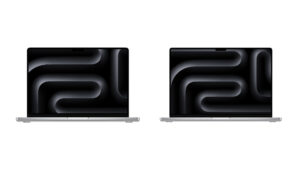
The new MacBook Pro, announced October 28, introduces Apple’s first touchscreen Mac alongside a tandem OLED display and macOS 27 Golden Gate. While touch brings new ways to interact with apps, some Mac users worry that Apple could gradually redesign macOS around finger-based controls.
Mac Users Worry Touchscreen Support Could Change macOS
The discussion centers on the different roles of the Mac and iPad. Both devices now share Apple silicon and several software features, but macOS remains designed primarily for precise cursor control, keyboard shortcuts, and desktop multitasking.
Don’t miss the best of The Mac Observer
Set us as a preferred source and our Apple reporting ranks higher in your Google Search results and Discover feed — one tap, no account changes.
One concerned user argues that touchscreen functionality should remain limited to convenient interactions such as scrolling, switching desktops, and dragging content between windows.
Their main concerns include:
- Larger interface elements: Buttons, menus, and toolbars could become bigger to accommodate finger input.
- Reduced screen space: Touch-friendly controls could leave less room for content and desktop applications.
- Changes to existing workflows: Users who rely on precise cursor movements and keyboard shortcuts want those interactions preserved.
- Mac and iPad convergence: A more touch-focused interface could make the two platforms increasingly similar.
These concerns follow Apple’s earlier efforts to bring direct touch controls to macOS through Sidecar.
Apple Says Touch Will Work Alongside the Keyboard and Trackpad

For now, Apple’s approach suggests that traditional Mac controls will remain central to the experience.
According to Apple’s official announcement, the new touchscreen supports several interactions:
| Touch gesture | Function |
|---|---|
| Swipe | Scroll through webpages |
| Pinch | Zoom into photos and content |
| Drag and drop | Move content between apps |
| Double-tap | Fill the screen with a window |
| Flick | Tile windows into position |
Apple also says macOS can translate touch input into mouse clicks, allowing many existing applications to work without major changes. Developers can use updated gesture APIs to build additional touch features.
The company has already outlined touch support for professional Mac applications, including creative and productivity software.
Apple CEO John Ternus has also emphasized that the Mac remains built around the keyboard and trackpad, with touch available when it makes sense.
Still, questions remain about how future macOS updates will handle interface scaling and touch-first interactions. Apple’s current approach preserves familiar desktop controls, although users will be watching closely as touchscreen MacBooks become more common.


Discussion