
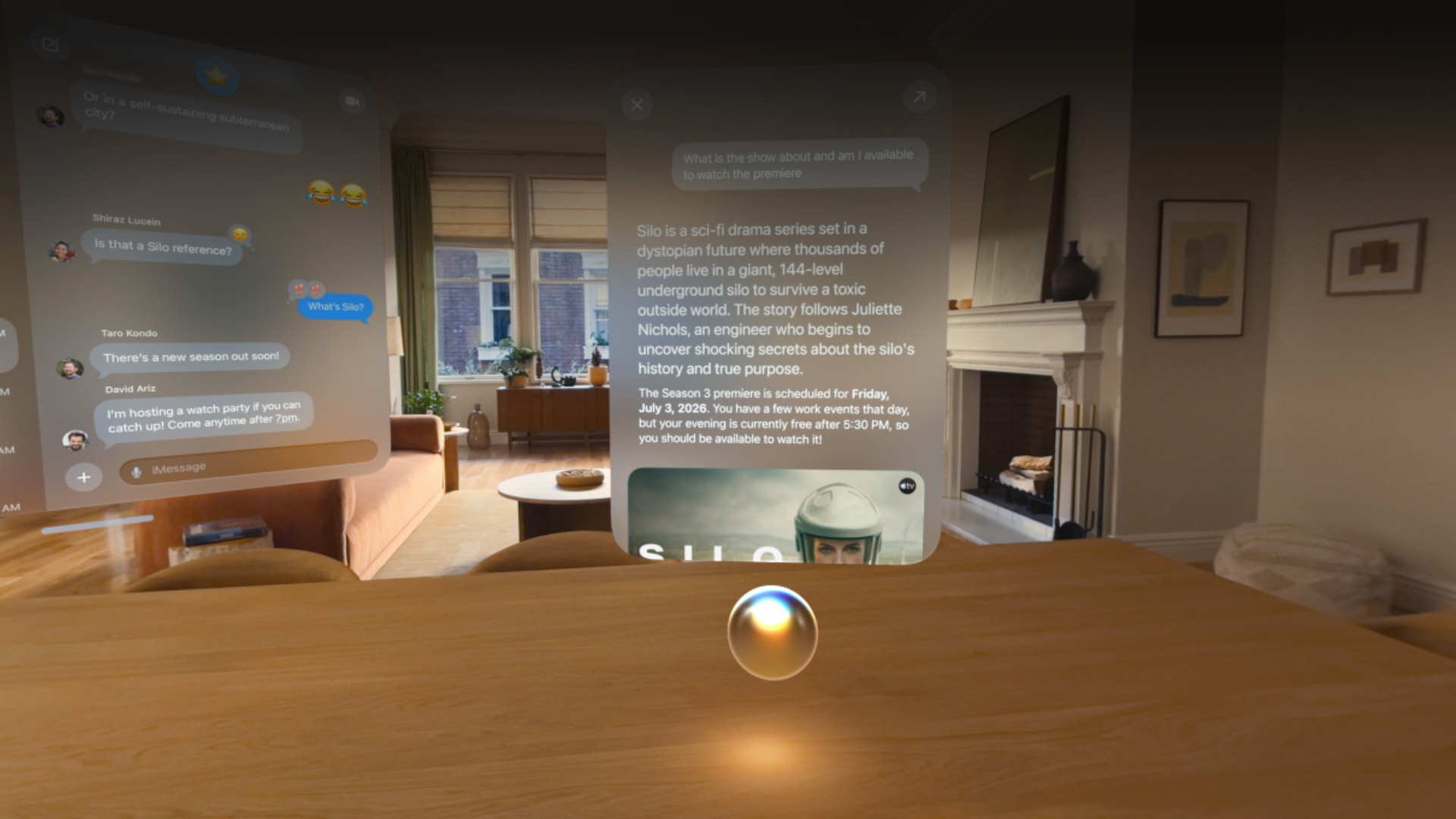
Apple has released visionOS 27 for Apple Vision Pro, bringing Siri AI, deeper Visual Intelligence, new spatial experiences, faster connectivity, redesigned system controls, and several improvements for productivity and 3D workflows. The update follows months of beta testing and arrives alongside Apple’s other OS 27 releases.
The visionOS 27 release candidate carried build number 24M362, which Apple released to developers on September 9. Vision Pro owners who followed the beta cycle can also check our visionOS 27 public beta 5 coverage and the complete visionOS 27 release date and features roundup.
visionOS 27 brings Siri AI to Vision Pro
Siri AI is one of the largest additions in visionOS 27. Apple has rebuilt Siri around Apple Intelligence, giving Vision Pro users more natural conversations, personal context awareness, broader knowledge, and the ability to perform actions across supported apps. Siri AI is initially rolling out in English.
Don’t miss the best of The Mac Observer
Set us as a preferred source and our Apple reporting ranks higher in your Google Search results and Discover feed — one tap, no account changes.
Visual Intelligence takes advantage of the Vision Pro cameras and eye tracking. Users can look at an object, text, or content inside a window and ask Siri questions about what they are seeing. Siri can also summarize Safari content, find photos, work with Messages and Reminders, and help generate or rewrite text.
Apple has also introduced a dedicated Siri app that keeps conversations together and syncs them across supported Apple devices, allowing users to begin a conversation elsewhere and continue it on Vision Pro. For a closer look at how features differ across platforms, see our Siri AI features comparison for iOS 27, iPadOS 27, macOS 27 and visionOS 27.
Major visionOS 27 features
| Feature | What changes |
|---|---|
| Siri AI | More natural conversations, personal context and app actions |
| Visual Intelligence | Ask Siri questions about physical objects or on-screen content |
| Curved windows | Supported apps can wrap more content around your field of view |
| Personal Environments | Panoramas can become immersive spatial environments |
| Spatial Preview | Preview and edit Mac-based 3D models directly in Vision Pro |
| Control Center | New layout separates playback, controls and Environments |
| Faster Wi-Fi | Apple says startup and Wi-Fi connection can be up to three times faster |
| Widgets | New extra-small widgets and a Mac Virtual Display widget |
| Web Environments | Safari websites can create immersive 360-degree backgrounds |
Apple measured its faster startup and Wi-Fi connection claim using an M2 Vision Pro running prerelease visionOS 27 against visionOS 26.6.
New spatial environments and curved windows
visionOS 27 expands the headset’s spatial interface with curved windows, allowing apps such as Safari, Freeform, and Apple TV Multiview to display more content around the user instead of relying entirely on flat panels.
Panoramic photos can also be converted into spatial scenes and used as Personal Environments. Apple has added a new Thórsmörk Environment, which recreates an Icelandic landscape with an animated aurora and shifting colors. We covered these additions in more detail in our visionOS 27 spatial features roundup.
Better Mac and 3D workflows
Spatial Preview lets users bring 3D content from a Mac into Vision Pro, make adjustments, inspect materials, and view changes in a spatial environment. Quick Look now supports material overrides, wireframes, UV maps, and annotations for reviewing 3D models.
Developers also get RealityKit improvements including physical-space lighting, real-time cloth simulation, enhanced object tracking, new spatial accessory support, and tools for immersive video workflows.
Other changes include:
- Eye-based notification expansion
- Faster and more reliable Messages syncing
- Freeform folders and spatial grouping
- Updated Dwell Control
- Reality Composer Pro 3
- Immersive Safari Web Environments
- A new Mac Virtual Display widget
- Extra-small widgets for supported apps
How to install visionOS 27
To update Apple Vision Pro:
- Open Settings.
- Select General.
- Open Software Update.
- Wait for visionOS 27 to appear.
- Select Download and Install and follow the instructions.
Keep Vision Pro connected to power and Wi-Fi while the update installs.
visionOS 27 is one of Apple’s biggest Vision Pro updates so far, particularly for Siri, spatial productivity, and interaction with Mac-based 3D content. If you have already installed visionOS 27, let us know which new feature you are using most in the comments.




Discussion